Capturing smooth, professional-looking video is essential for creators today, from aspiring vloggers to seasoned filmmakers. Camera stabilizers, particularly gimbals, have revolutionized how we achieve fluid, cinematic shots. As technology advances, many gimbals now feature built-in screens, promising a more integrated and convenient shooting experience. But are these integrated displays truly a game-changer, or do they come with their own set of compromises? Let’s explore the advantages and disadvantages to help you determine if a gimbal with a built-in screen is the right tool for your creative journey.
What is a Camera Stabilizer? Why You Need One for Smooth Footage
A camera stabilizer is a device designed to minimize unwanted camera movement and vibrations, allowing you to capture remarkably smooth and stable video footage. Imagine tracking a moving subject or executing a complex cinematic shot without jarring shakes; that’s the power of stabilization. Gimbals, in particular, are motorized three-axis stabilizers that use electronic sensors and brushless motors to counteract motion, offering precise and automated control over your camera’s pan, tilt, and roll. This technology transforms shaky handheld footage into polished, professional-grade content, making them indispensable tools for everything from dynamic action sequences to serene travel vlogs.
Understanding Built-in Screens on Gimbals: More Than Just Settings
When we talk about built-in screens on gimbals, it’s crucial to distinguish between their primary functions. Some gimbals, like the DJI Osmo Pocket series, are all-in-one units where the camera and gimbal are integrated, featuring a dedicated screen for live monitoring and comprehensive control of the camera and gimbal itself. Others, typically designed for larger interchangeable lens cameras (DSLRs or mirrorless), incorporate smaller touchscreens primarily for adjusting gimbal settings, mode selection, and perhaps showing basic camera parameters or a small preview feed. These integrated displays aim to streamline your workflow by offering direct access to critical information and controls without requiring an external device.
Factors to Consider When Choosing a Camera Stabilizer with a Built-in Screen
Selecting the ideal camera stabilizer involves weighing several factors, especially when a built-in screen is part of the package. Your choice will depend heavily on the camera you use, your specific shooting scenarios, and your budget.
Type of Camera
|
Our Picks for the Best Camera Stabilizer in 2026
As an Amazon Associate I earn from qualifying purchases.
|
||
| Num | Product | Action |
|---|---|---|
| 1 | ZHIYUN CINEPEER Weebill 3E [Official], 3-Axis Lightweight Gimbal Stabilizer for DSLR & Mirrorless Camera Canon/Sony/Panasonic/Nikon, 3KG Payload, Native Vertical Shooting, Bluetooth Shutter Control |
![Check ZHIYUN CINEPEER Weebill 3E [Official], 3-Axis Lightweight Gimbal Stabilizer for DSLR & Mirrorless Camera Canon/Sony/Panasonic/Nikon, 3KG Payload, Native Vertical Shooting, Bluetooth Shutter Control on Amazon](https://stabilizerpro.com/wp-content/plugins/amazon-tables/assets/images/buy.png)
|
| 2 | FeiyuTech SCORP 3 Gimbal Stabilizer for Camera, Built-in AI Tracking Sensor & Detachable Remote Control, 3.5KG Payload Camera Stabilizer with Touch Screen, Vertical Shooting |
|
| 3 | Zeadio Camera Stabilizer Kit, All-in-One Handheld Stabilizer with LED Video Light, Microphone, Phone Holder & Action Camera adaper, Fits for All Camera, DSLR, Action Camera and All Smartphones |
|
| 4 | DJI Osmo Mobile 7P Gimbal Stabilizer for iPhone, Android, Native Tracking, Lighting, 3-Axis Phone Gimbal, Quick Launch, One-Tap Edit, Built-in Extension Rod & Tripod, 10hrs Use, Phone Charging |
|
| 5 | FeiyuTech SCORP 2 Gimbal Stabilizer for DSLR and Mirrorless Camera, Integrated Al Tracking Sensor, 3-Axis Camera Stabilizer for Sony Canon Panasonic Nikon, 2.5kg Payload Touch Screen Vertical Shooting |
|
| 6 | Zeadio Video Action Stabilizing Handle Grip Handheld Stabilizer with Cold-Shoe Mount for All DSLR Camera Camcorder |
|
| 7 | DJI Osmo Mobile 8 Advanced Tracking Combo Gimbal Stabilizer for Phone, AI Native Tracking with Audio & Lighting, 360° Pan Rotation, Built-in Extension Rod & Tripod, 10h Battery, Extension Rod |
|
| 8 | DJI Osmo Mobile 7 Gimbal Stabilizer for iPhone, Android, Built-in Tripod, Portable Stabilizer for iPhone, Selfie Stick, 3-Axis Phone Gimbal, ActiveTrack 7.0, One-Tap Edit, 10hrs Use, Phone Charging |
|
| 9 | DJI RS 3 Mini, 3-Axis Gimbal Stabilizer for Cameras Canon/Sony/Panasonic/Nikon/Fujifilm, 2 kg (4.4 lbs) Tested Payload, Camera Gimbal with Native Vertical Shooting, Black |
|
| 10 | 3-Shoe DSLR/Mirrorless/Action Camera Camcorder Phone Stabilizer Expansion Cage Mount Moviemaking Holder Rig YouTube Tiktok Vlogging Video Kit Compatible with GoPro Canon Nikon Sony iPhone Android |
|
Different gimbals cater to different camera types. Dedicated camera-gimbals like the DJI Osmo Pocket are purpose-built units with their own cameras and built-in screens, offering a complete, compact solution. Conversely, gimbals designed for DSLRs or mirrorless cameras, such as the Zhiyun Weebill 2 or Crane M3, are robust enough to carry heavier payloads, and their built-in screens primarily assist with gimbal and camera settings, rather than full live monitoring.
Purpose of Use
Consider what you’ll be shooting. For vlogging, travel, or quick run-and-gun scenarios, the portability and all-in-one nature of an integrated camera-gimbal with a monitoring screen can be incredibly advantageous. For professional film productions requiring precise control and critical focus, a gimbal for a larger camera with a control screen might be useful for quick adjustments, but you might still opt for a separate, larger external monitor for comprehensive viewing.
Portability and Size
A built-in screen can significantly impact a gimbal’s overall footprint. For integrated camera-gimbals, the screen is part of a generally compact design. For gimbals supporting external cameras, while the screen might add slight bulk, the overall aim is often to keep the setup as manageable as possible compared to rigging a separate external monitor.
The Advantages of Gimbals with Built-in Screens
The inclusion of a built-in screen on a camera gimbal brings several compelling benefits that can enhance your videography workflow.
Streamlined Workflow
One of the most significant advantages is the ability to operate your gimbal and camera from a single, integrated unit. For all-in-one devices like the DJI Osmo Pocket 3, this means no fumbling with connecting your phone or external monitor, simplifying setup and allowing you to start shooting almost instantly. For gimbals with control screens, quick adjustments to modes or camera parameters can be made directly on the gimbal, reducing reliance on a smartphone app.
Enhanced Monitoring & Control
For integrated camera-gimbals, a built-in screen provides immediate, real-time feedback of your shot, making framing and composition straightforward. For gimbals handling larger cameras, the screen offers centralized control over gimbal settings, camera status (like battery life), and sometimes key camera settings such as ISO, aperture, and shutter speed. This direct interface means you can make critical adjustments on the fly, keeping your focus on the shot.
Improved Portability
An integrated camera-gimbal with its own screen is often designed for maximum portability, fitting easily into a bag or even a pocket. This eliminates the need to carry a separate smartphone or a bulky external field monitor, making it an ideal choice for creators on the go.
Faster Setup
With an integrated solution, there’s no need to balance an external camera or connect a separate monitor. Simply unfold or power on, and you’re ready to capture. Even for gimbals that carry external cameras, the built-in screen can expedite initial setup and mode selection compared to navigating menus via smaller buttons or a connected app.
Versatile Framing
Some advanced built-in screens, like the rotating display on the DJI Osmo Pocket 3, allow for quick switching between horizontal and vertical shooting modes. This feature is invaluable for creators producing content for platforms like YouTube (landscape) and TikTok/Instagram Reels (vertical), offering unparalleled flexibility and efficiency.
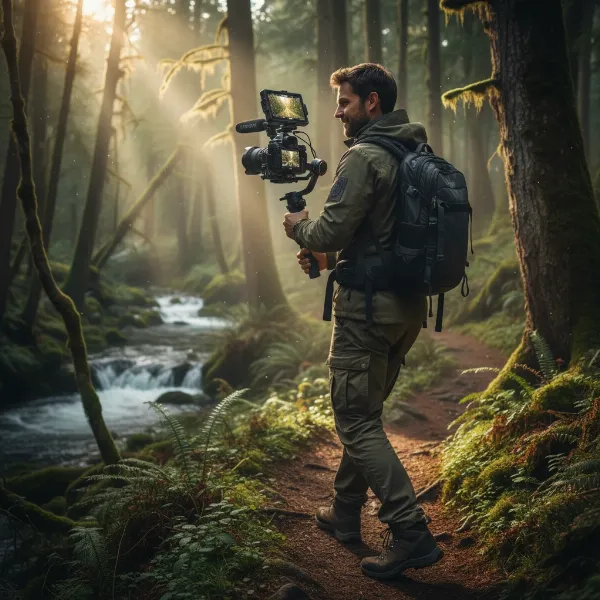 A videographer seamlessly operating a compact camera gimbal with a built-in flip-out screen, capturing smooth footage in a dynamic outdoor environment.
The Disadvantages of Gimbals with Built-in Screens
While built-in screens offer undeniable convenience, they also come with certain limitations and trade-offs.
Screen Size Limitations
The most apparent drawback is the physical size of these integrated displays. Even a 2-inch screen, while functional for framing, can be too small for critical tasks like verifying sharp focus or detailed composition, especially in fast-paced shooting conditions. For gimbals with control-oriented screens, they are often even smaller (e.g., 1.22-inch on the Zhiyun Crane M3), making them unsuitable for any serious monitoring.
Resolution and Brightness
Built-in screens, especially on more compact units, may not offer the high resolution, color accuracy, or brightness levels of dedicated external field monitors. This can make accurate exposure and color judgment difficult, particularly in bright outdoor conditions, where glare can further reduce visibility.
Battery Drain
Operating both the gimbal motors and an integrated screen draws power. While many modern gimbals offer decent battery life, continuously using a bright screen can accelerate battery drain, potentially shortening your shooting time, especially if the screen is large or high-resolution.
Cost Implications
Adding a quality built-in screen, particularly a touch-sensitive or high-resolution one, increases the manufacturing cost of the gimbal. This can make gimbals with advanced integrated displays more expensive than comparable models without this feature, or necessitate a compromise in other areas of the gimbal’s performance or build.
Durability and Repair
An integrated screen is another component that can be damaged. If the screen cracks or malfunctions, the repair can be more complex and costly compared to replacing a separate external monitor. Furthermore, if the screen is essential for control, its failure could render the entire gimbal unusable until repaired.
Fixed Ecosystem
For integrated camera-gimbals, the built-in camera means you’re locked into that specific sensor and lens. While convenient, it lacks the flexibility of interchangeable lens cameras mounted on gimbals, where you can swap lenses to suit different creative needs.
Comparing Popular Camera Stabilizers with Built-in Screens
Understanding the differences between types of gimbals with built-in screens is key to making an informed decision.
| Feature | Integrated Camera-Gimbal (e.g., DJI Osmo Pocket 3) | Gimbal with Control Screen (e.g., Zhiyun Crane M3) |
|---|---|---|
| Primary Function | All-in-one camera, stabilization, and monitoring solution | Stabilization for external cameras, with integrated gimbal/camera control |
| Screen Size | Typically a 2-inch OLED, often rotatable (e.g., Pocket 3) | Smaller, around 1.22-inch interactive touchscreens (e.g., Crane M3) |
| Monitoring | Provides full live feed for framing and composition, high clarity | Primarily displays settings, modes, and status; live view often very small and basic |
| Portability | Excellent, highly compact, all-in-one unit | Good, but requires mounting and balancing a separate camera, adding to overall bulk |
| Setup Time | Very fast, no balancing required for external camera, quick power-on | Faster for gimbal settings, but still requires careful camera balancing for each setup |
| Camera Flexibility | Fixed lens, integrated camera; limited to its specific optical capabilities | Supports a range of interchangeable lens cameras, though with payload and compatibility limits |
| Cost | Represents the total cost for a dedicated device with camera and gimbal functionality | Added cost to the gimbal for enhanced control, may still necessitate a separate external monitor for critical monitoring |
Top Camera Stabilizers with Built-in Screens to Consider
The market offers several excellent options for gimbals featuring integrated screens, each catering to different needs and budgets.
DJI Osmo Pocket 3 – The Compact Powerhouse
The DJI Osmo Pocket 3 stands out as a highly portable, all-in-one solution for creators. It boasts a 1-inch sensor capable of capturing impressive 4K footage and features a bright, rotatable 2-inch OLED touchscreen. This screen is not just for settings; it provides a clear live feed and allows for effortless switching between horizontal and vertical orientations, making it a favorite for vlogging and quick social media content. Its ActiveTrack 6.0 ensures subjects remain in focus, and it performs remarkably well in low-light conditions for its size. However, it comes with a fixed lens and its sensor, while improved, is still smaller than those in mirrorless cameras.
Zhiyun Weebill 2 – Ergonomic Control with a Flip-Out Screen
For those using larger mirrorless or DSLR cameras, the Zhiyun Weebill 2 offers a more professional gimbal solution with a unique 2.88-inch flip-out HD touchscreen. This screen is primarily designed for accessing gimbal modes, adjusting camera parameters (when connected), and monitoring status. Its ergonomic design and robust build make it suitable for heavier camera setups, and its locking mechanisms aid in easy transport without rebalancing. While excellent for control, its screen is more for utility than detailed live monitoring, and users might still prefer an external monitor for critical focus checks.
Zhiyun Crane M3 – Lightweight Versatility with Interactive Display
The Zhiyun Crane M3 is a versatile, compact gimbal designed for a wide range of cameras, including mirrorless cameras, smartphones, and action cameras. It features a 1.22-inch full-color interactive touchscreen, providing quick access to gimbal settings, modes, and camera parameters. It’s lauded for its lightweight design and quick charging, making it a good option for run-and-gun shooting. Additionally, it includes a pioneering built-in LED fill light. The screen size, however, is a limiting factor for detailed live monitoring.
Tips for Using and Maximizing Your Gimbal with a Built-in Screen
To get the most out of your gimbal with an integrated display, consider these practical tips:
- Understand Screen Functionality: Familiarize yourself with whether your gimbal’s screen is for full monitoring, control settings, or both. This will help you manage expectations and optimize your workflow.
- Optimal Balancing (for external cameras): Proper balancing is paramount for gimbals that carry external cameras. Take the time to balance your setup accurately to ensure smooth footage and prevent motor strain.
- Battery Management: Always carry spare batteries or a power bank, especially if you rely heavily on the built-in screen for extended shoots.
- Firmware Updates: Regularly check for and install firmware updates. Manufacturers often release updates that improve stabilization, add features, and enhance screen functionality or responsiveness.
- Screen Protectors: Consider adding a screen protector to safeguard against scratches and glare, particularly for touchscreens.
Where to Buy Camera Stabilizers
You can find camera stabilizers with built-in screens at various reputable retailers. Online stores like Amazon, B&H Photo Video, and Adorama offer a wide selection and competitive pricing. Specialty camera stores can provide expert advice and hands-on demonstrations. Always check the manufacturer’s official website for the latest models and direct purchasing options. When buying, pay close attention to warranty policies, return procedures, and customer support.
Buying Guide: Expert Advice for Your Next Stabilizer
Choosing the perfect camera stabilizer with a built-in screen comes down to your individual needs and priorities.
First, identify your primary filming needs and purpose. Are you a solo vlogger needing an all-in-one portable solution, or a filmmaker requiring precise control over a larger camera? This will guide you toward either an integrated camera-gimbal or a gimbal with a control screen for your existing camera.
Next, evaluate the screen’s functionality. If critical focus and composition are paramount, a small built-in screen might not suffice, and you might still need to invest in an external field monitor. If convenience and quick adjustments are your main goal, a well-implemented control screen can be incredibly valuable.
Always read reviews and watch comparison videos from trusted sources. Pay attention to user experiences regarding screen brightness, responsiveness, and overall usability in real-world scenarios. Finally, verify camera compatibility and payload limits carefully, especially if you plan to use your existing DSLR or mirrorless camera.
“A built-in screen on a gimbal can be a game-changer for solo creators, offering immediate feedback and control without extra gear. However, for critical professional work, the size and resolution of these integrated displays still often necessitate an external monitor for precise framing and focus.” – Admin, StabilizerPro.com, Camera Stabilizer Expert
Frequently Asked Questions
Are built-in screens on gimbals as good as external monitors?
Generally, no. Built-in screens prioritize compactness and convenience, offering basic monitoring and control. External monitors typically provide larger, higher-resolution displays with advanced monitoring tools like waveforms and false color, essential for professional productions that demand precise framing and exposure.
Do all gimbals have built-in screens?
No, not all gimbals come with full-color built-in screens. Many older or more budget-friendly models might only feature small monochrome displays for basic status information, or they rely entirely on a connected smartphone via an app for monitoring and control.
Can I use my smartphone as an external monitor for a gimbal without a built-in screen?
Yes, most modern gimbals are designed to connect to a smartphone via a dedicated app. This transforms your smartphone into a versatile external monitor, providing live view, access to advanced gimbal controls, and even intelligent tracking features, making it a common and cost-effective solution for many creators.