Imagine capturing that perfect, sweeping shot, only for your camera gimbal to sputter and die mid-take. Or worse, noticing your once-smooth footage now has a subtle, persistent wobble. Often, the culprit isn’t a faulty gimbal, but rather overlooked battery care that slowly degrades performance and, critically, shortens the life of its precision motors. Your gimbal’s battery isn’t just a power source; it’s the heart of its entire stabilization system, directly influencing the efficiency and longevity of those delicate motors that keep your shots buttery smooth.
This comprehensive guide will demystify gimbal battery care, offering actionable strategies to maximize your battery’s lifespan and, by extension, protect the intricate motors that are essential for professional-grade stabilization. By understanding and implementing proper charging, storage, and usage habits, you can ensure your gimbal remains a reliable tool for years to come, delivering the stable footage you depend on.
 A detailed guide on gimbal battery care for extending equipment lifespan and motor protection
Understanding Gimbal Batteries and Their Importance
Gimbal batteries, commonly Lithium Polymer (LiPo) or Lithium-Ion (Li-ion), are engineered to deliver consistent power required for the precise, rapid movements of a gimbal’s brushless motors. These motors work in unison to counteract unwanted motion, and their performance is intrinsically linked to the quality and consistency of the power they receive. A healthy battery provides stable voltage, allowing motors to operate within their optimal parameters, reducing strain and preventing premature wear. Conversely, a degraded battery can lead to fluctuating power delivery, forcing motors to work harder, generating excess heat, and ultimately accelerating their demise.
The delicate balance between power delivery, motor workload, and overall system health makes diligent battery care not just a recommendation, but a necessity. Ignoring proper battery protocols can lead to decreased runtimes, unstable footage, and costly motor replacements, undermining the very purpose of your gimbal.
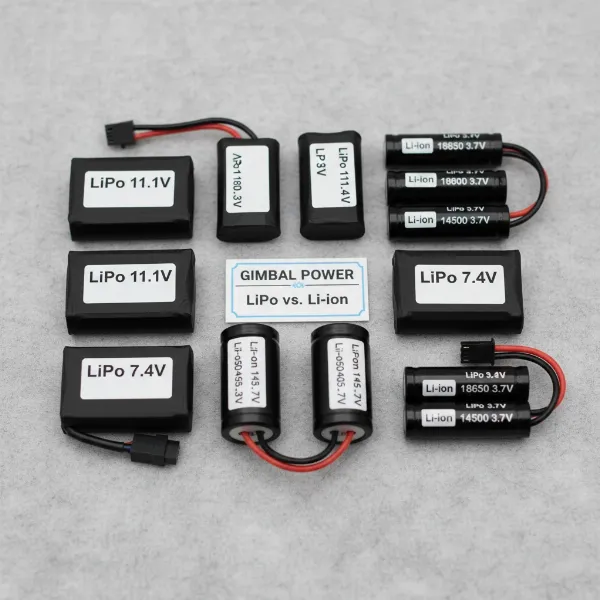 Various types of camera gimbal batteries, highlighting LiPo and Li-ion, arranged for comparison.
Essential Charging Practices for Longevity
Proper charging is the bedrock of battery health, directly impacting its capacity, lifespan, and ability to efficiently power your gimbal’s motors. Adopting a mindful approach to how you replenish your batteries can yield significant long-term benefits.
Cool Down Before Charging
|
Our Picks for the Best Camera Stabilizer in 2026
As an Amazon Associate I earn from qualifying purchases.
|
||
| Num | Product | Action |
|---|---|---|
| 1 | DJI RS 3 Mini, 3-Axis Gimbal Stabilizer for Cameras Canon/Sony/Panasonic/Nikon/Fujifilm, 2 kg (4.4 lbs) Tested Payload, Camera Gimbal with Native Vertical Shooting, Black |

|
| 2 | Zeadio Camera Stabilizer Kit, All-in-One Handheld Stabilizer with LED Video Light, Microphone, Phone Holder & Action Camera adaper, Fits for All Camera, DSLR, Action Camera and All Smartphones |
|
| 3 | ZHIYUN CINEPEER Weebill 3E [Official], 3-Axis Lightweight Gimbal Stabilizer for DSLR & Mirrorless Camera Canon/Sony/Panasonic/Nikon, 3KG Payload, Native Vertical Shooting, Bluetooth Shutter Control |
|
| 4 | DJI Osmo Mobile 7 Gimbal Stabilizer for iPhone, Android, Built-in Tripod, Portable Stabilizer for iPhone, Selfie Stick, 3-Axis Phone Gimbal, ActiveTrack 7.0, One-Tap Edit, 10hrs Use, Phone Charging |
|
| 5 | 3-Shoe DSLR/Mirrorless/Action Camera Camcorder Phone Stabilizer Expansion Cage Mount Moviemaking Holder Rig YouTube Tiktok Vlogging Video Kit Compatible with GoPro Canon Nikon Sony iPhone Android |
|
| 6 | FeiyuTech SCORP 2 Gimbal Stabilizer for DSLR and Mirrorless Camera, Integrated Al Tracking Sensor, 3-Axis Camera Stabilizer for Sony Canon Panasonic Nikon, 2.5kg Payload Touch Screen Vertical Shooting |
|
| 7 | DJI Osmo Mobile 7P Gimbal Stabilizer for iPhone, Android, Native Tracking, Lighting, 3-Axis Phone Gimbal, Quick Launch, One-Tap Edit, Built-in Extension Rod & Tripod, 10hrs Use, Phone Charging |
|
| 8 |
|
|
| 9 | Zeadio Video Action Stabilizing Handle Grip Handheld Stabilizer with Cold-Shoe Mount for All DSLR Camera Camcorder |
|
| 10 | DJI Osmo Mobile 8 Advanced Tracking Combo Gimbal Stabilizer for Phone, AI Native Tracking with Audio & Lighting, 360° Pan Rotation, Built-in Extension Rod & Tripod, 10h Battery, Extension Rod |
|
One of the most critical, yet often ignored, rules of battery care is allowing your gimbal batteries to cool down naturally after use before plugging them in for a recharge. During operation, especially intensive shoots or in warm environments, batteries can become quite warm. Charging a hot battery can put immense stress on its internal chemistry, leading to accelerated degradation and a reduced overall cycle count.
After a shoot, simply remove the battery from your gimbal if it’s external, or let the entire unit rest in a cool, shaded area for at least 15-20 minutes. This allows the internal temperature to normalize, creating a safer and more effective charging environment. Avoid artificial cooling methods like placing batteries in a refrigerator, as sudden temperature changes can also cause damage.
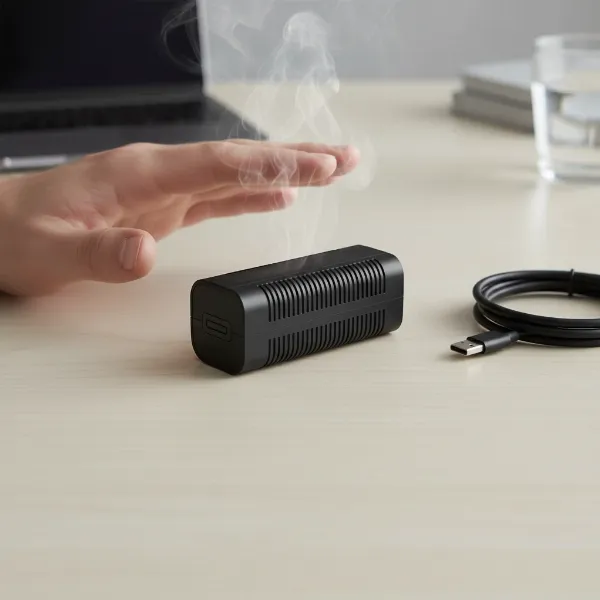 A camera gimbal battery cooling down after use before being connected to a charger.
Avoid Overcharging and Over-discharging
Both overcharging and over-discharging are detrimental to LiPo and Li-ion batteries, leading to irreversible damage. Overcharging can cause the battery to swell or “puff,” which is a clear sign of severe stress and a significant safety hazard. Most modern smart chargers and gimbals have built-in protection circuits to prevent this, but it’s still wise to monitor the charging process and disconnect batteries once fully charged.
Conversely, over-discharging occurs when a battery’s voltage drops below a critical minimum level, often around 3.0V per cell for LiPo batteries. This can permanently damage the battery’s chemical structure, making it unable to hold a charge or even preventing it from being recharged altogether. Always stop using your gimbal when the low battery warning appears, and never drain a battery completely.
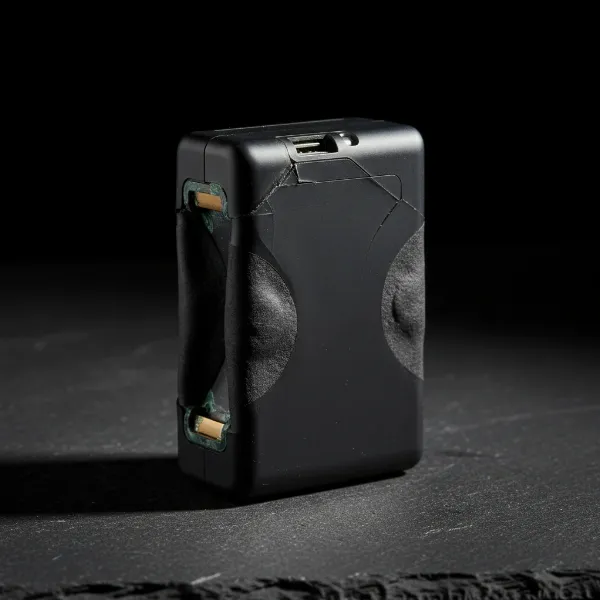 A visibly swollen and damaged gimbal battery, demonstrating the dangers of overcharging.
Calibrate Regularly (Deep Cycling)
While daily deep cycling is generally not recommended, performing a controlled “deep cycle” every 20 or so flights can be beneficial for recalibrating your battery’s internal fuel gauge. Over time, these gauges can become inaccurate, leading to misleading battery percentage readings.
To deep cycle, use your gimbal until the battery’s charge drops to around 5% or until the gimbal automatically shuts off. Then, immediately perform a full recharge. This process helps the battery’s management system reset and accurately report its capacity, ensuring you have a more reliable indication of remaining power during crucial shoots. After this, resume normal charging practices.
Smart Storage Solutions to Preserve Battery Life
How you store your gimbal batteries when not in use can significantly impact their long-term health and the efficiency of your gimbal’s motors. Improper storage can lead to premature aging, reduced capacity, and even safety hazards.
Optimal Storage Charge Level
Contrary to popular belief, storing LiPo/Li-ion batteries fully charged or completely drained for extended periods is detrimental. Storing a battery at 100% charge can cause internal stress and degradation over time, while storing it at 0% risks over-discharge, which can render the battery unusable.
The ideal storage charge level for most LiPo/Li-ion batteries is typically around 50-60% of their total capacity. Many smart chargers offer a dedicated “storage mode” that will automatically charge or discharge your batteries to this optimal level. If your charger lacks this feature, manually discharge your battery to approximately half its capacity before storing it for more than a few days.
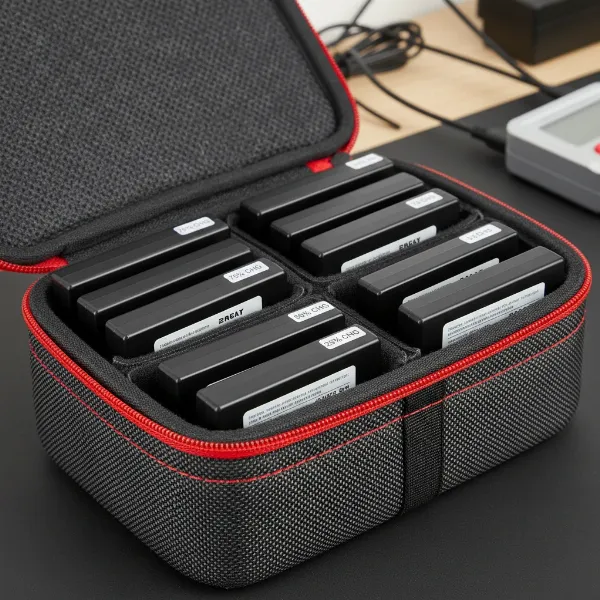 Gimbal batteries stored at optimal 50-60% charge in a dedicated battery storage case.
Remove Batteries When Not in Use
For gimbals with removable batteries, it’s a strongly recommended practice to remove them from the device when not in use or during long-term storage. Even when turned off, some devices can draw a small amount of “parasitic” power, slowly draining the battery. Over time, this trickle drain can lead to an unintended over-discharge, potentially damaging the battery beyond repair. Removing them ensures no power is consumed and allows for individual battery inspection and proper storage.
Environmental Conditions for Storage
Temperature extremes are the enemy of battery life. Always store your gimbal batteries in a cool, dry place, away from direct sunlight, heat sources, and excessive humidity. High temperatures accelerate chemical degradation, while extremely cold temperatures can temporarily reduce performance and permanently affect capacity if not managed correctly. A stable room temperature is generally ideal.
 Gimbal batteries stored in a cool, dry environment, away from direct sunlight and heat sources.
Usage Habits That Protect Your Gimbal Motors
Your operational practices during a shoot play a direct role in how hard your gimbal’s motors work and how quickly your battery drains. Mindful usage habits not only conserve power but also extend the life of your gimbal’s most critical components.
Proper Gimbal Balancing is Paramount
This cannot be stressed enough: a perfectly balanced gimbal is a happy gimbal. When your camera setup is meticulously balanced on all three axes (tilt, roll, and pan), the gimbal’s motors require minimal effort to hold the camera stable and execute movements. An unbalanced camera, however, forces the motors to constantly fight against gravity and uneven weight distribution, drawing significantly more power from the battery and subjecting them to immense strain. This increased workload generates excess heat in the motors, accelerating wear and tear, and drastically reducing both battery life and motor longevity. Always take the time to balance your gimbal meticulously before every use.
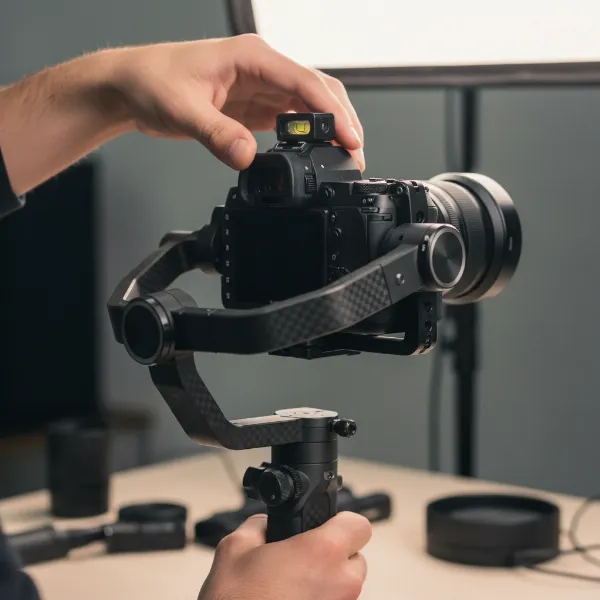 A person meticulously balancing a camera on a gimbal, showing careful adjustment of all axes.
Manage Heat During Operation
Just as heat impacts charging, it also affects performance during operation. Prolonged exposure to direct sunlight or operating in very hot environments can cause both the battery and motors to overheat. Overheated motors are less efficient and more prone to damage.
When shooting outdoors, try to keep your gimbal and spare batteries in the shade whenever possible. During long takes, give your gimbal short breaks by setting it down or turning it off momentarily to allow the motors to cool. Utilizing power-saving modes on your gimbal, if available, can also help reduce motor workload and heat generation.
Power On Strategically
Avoid walking around with your gimbal powered on before you’re ready to start shooting. Powering on your gimbal only at the precise takeoff or shooting location is a subtle yet effective practice. Constantly moving with a powered-on gimbal can sometimes corrupt internal IMU (Inertial Measurement Unit) data, which over time may lead to subtle gimbal drift, tilt issues, or a floating horizon. This adds unnecessary strain on the motors as they try to compensate for inaccurate readings.
Smooth Operation Reduces Strain
Aggressive camera movements and sudden changes in direction force your gimbal motors to react quickly and powerfully. While gimbals are designed for dynamic use, consistently pushing them to their limits can lead to increased motor strain and faster battery drain. Adopting a smoother, more deliberate operating style, especially during transitions, allows the motors to work more efficiently, reducing their workload and extending their lifespan.
 A videographer performing a smooth, fluid camera movement with a gimbal, demonstrating proper technique.
Maintenance Tips for a Longer-Lasting Gimbal
Beyond charging and usage, a few simple maintenance routines can significantly contribute to your gimbal’s overall health and the longevity of its motors.
Keep Motors Clean
Over time, gimbal motors can accumulate dust, sand, and other environmental debris, especially if you shoot outdoors. This buildup can increase friction within the motor bearings, leading to reduced efficiency, increased heat generation, and accelerated wear.
Regularly inspect your gimbal’s motors for any visible debris. Use a can of compressed air (keyboard duster) to gently clear away particles. Carefully and manually spin each motor axis to ensure smooth rotation, feeling for any grinding or resistance that might indicate debris or an issue. Clean motors run cooler and last longer.
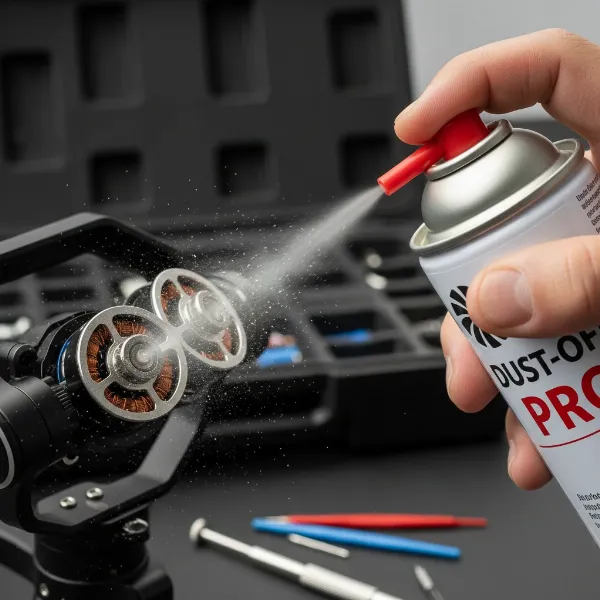 A person using compressed air to clean dust and debris from the brushless motors of a camera gimbal.
Firmware Updates and Stability
While firmware updates often bring new features and bug fixes, it’s generally advised to take a conservative approach. If your gimbal is currently operating perfectly and stably, avoid updating the firmware unless a new version specifically addresses a critical issue you are experiencing or introduces a feature you absolutely need. An unstable or poorly executed firmware update can sometimes lead to unexpected issues that might impact motor performance or battery management.
Regular Visual Inspection
Make it a habit to regularly inspect your gimbal for any signs of wear and tear. Check for loose screws, frayed cables, or any physical damage to the motor casings. Addressing minor issues promptly can prevent them from escalating into more significant problems that could affect motor performance or safety.
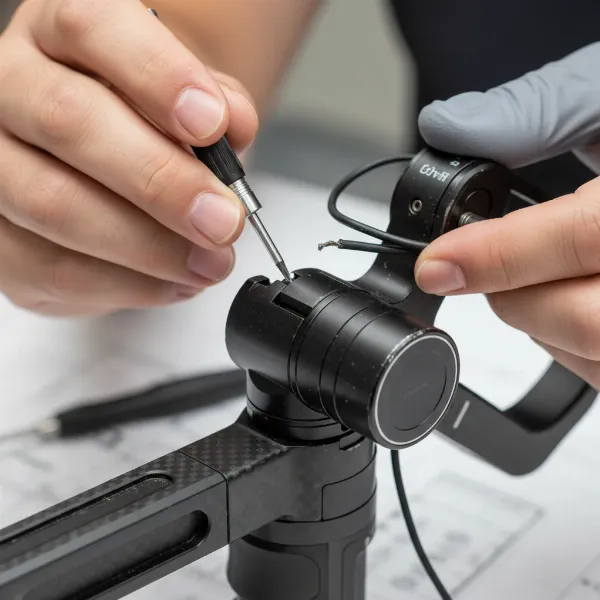 A person visually inspecting a camera gimbal for signs of wear, loose screws, or cable damage.
Buying Guide: Expert Advice for Gimbal Users
Investing in a camera gimbal is a commitment to stable, professional footage. Extending its lifespan, especially its battery and motors, requires a holistic approach that integrates careful handling, informed charging, and smart storage. The synergy between these practices is what truly makes a difference.
“Treat your gimbal’s battery not just as a power source, but as the heart of its stabilization system. Neglect it, and you’re not just losing charge, you’re shortening the life of your precision motors.” – Admin, StabilizerPro.com
Always consider having spare, properly charged batteries on hand for longer shoots. This not only ensures uninterrupted workflow but also allows you to cycle your batteries more evenly, contributing to their overall health. Prioritize gimbals with easily swappable batteries if your workflow demands extended runtimes.
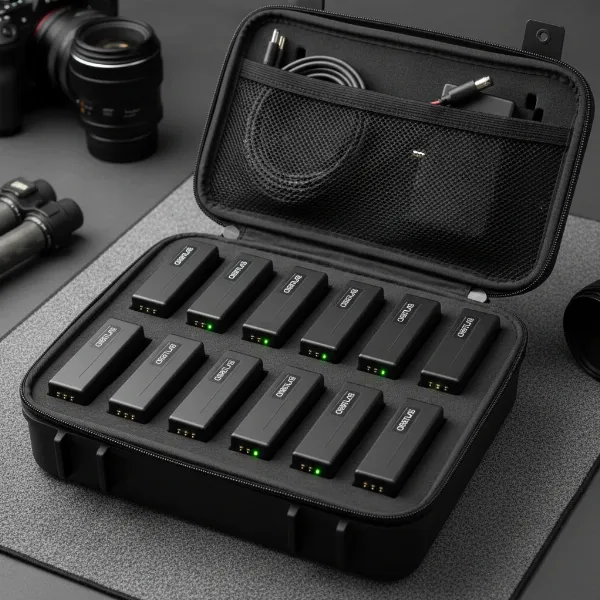 Multiple spare, fully charged gimbal batteries ready for use in a protective carrying case.
Conclusion
Mastering gimbal battery care is paramount for any videographer or content creator seeking consistently stable footage and a long lifespan for their equipment. By meticulously adhering to best practices for charging, storage, and usage, you directly safeguard the delicate motors that define your gimbal’s performance. Remember to always cool down batteries before charging, store them at an optimal 50-60% charge, prioritize perfect balancing, and keep motors clean from debris.
Implementing these habits will not only extend your battery’s life, granting you more runtime per charge, but crucially, it will also prevent undue strain and premature wear on your gimbal’s precision motors. A well-cared-for gimbal is a reliable workhorse, ensuring your creative vision translates into effortlessly smooth, professional-grade videos every time. Which of these battery care tips will you implement first to enhance your gimbal’s longevity?
Frequently Asked Questions
How often should I deep cycle my gimbal battery?
Deep cycling, where you fully discharge your battery to about 5% and then fully recharge it, should be done sparingly, typically every 20 flight cycles or so. Its primary purpose is to recalibrate the battery’s internal fuel gauge for more accurate readings, not for regular maintenance.
Can I use any charger for my gimbal battery?
No, it’s crucial to use the charger specifically designed for your gimbal’s battery or a high-quality smart charger compatible with the battery’s chemistry (e.g., LiPo, Li-ion) and cell count. Using an incompatible charger can lead to improper charging, damage, or even safety risks like overheating or fire.
What’s the ideal temperature for gimbal battery storage?
Gimbal batteries, particularly LiPo/Li-ion, should be stored in a cool, dry place, ideally at room temperature (around 20-25°C or 68-77°F). Avoid storing them in extreme hot or cold conditions, as these temperatures can accelerate degradation and reduce the battery’s overall lifespan.
How do I know if my gimbal motors are being overstressed?
Signs of overstressed gimbal motors include unusual heat radiating from the motor casings, audible whining or straining noises, excessive vibration, or a noticeable decrease in stabilization performance despite proper balancing. These can indicate an unbalanced setup or prolonged heavy use.