Gone are the days when capturing dynamic, professional-looking video required a dedicated camera operator. For solo vloggers, the challenge of staying perfectly framed and in focus while moving, demonstrating, or simply talking to the camera has always been a significant hurdle. Imagine effortlessly walking through a bustling city, showcasing a new product, or even performing a fitness routine, all while your camera intelligently keeps you centered and sharp. This isn’t science fiction; it’s the power of object tracking, a game-changer for content creators flying solo.
This comprehensive guide will demystify object tracking technology, explain why it’s indispensable for your solo vlogging journey, help you choose the right gear, and provide expert tips to master hands-free filming. Prepare to elevate your content with cinematic smoothness and unwavering focus.
What is Object Tracking for Solo Vlogging and Why You Need It?
Object tracking, in the context of solo vlogging, refers to a camera’s or gimbal’s ability to automatically detect and follow a designated subject – typically you, the vlogger – as it moves within the frame. This intelligent feature utilizes advanced artificial intelligence (AI) to maintain focus and framing without manual intervention. For creators working alone, this means freedom from being tethered to a fixed spot or constantly checking if you’re still in shot.
Why is this essential for solo vlogging? First and foremost, it allows for professional-looking, smooth footage that keeps the audience engaged. No more jerky movements or scenes where you accidentally drift out of frame. Secondly, it offers unparalleled creative freedom, enabling dynamic walking shots, active demonstrations, or even capturing yourself from multiple angles without an assistant. It’s about being present in your content, not preoccupied with camera settings. Lastly, object tracking significantly improves your workflow, saving time in both shooting and editing, letting you focus on delivering compelling narratives rather than technical frustrations.
Key Features of Object Tracking Technology
The effectiveness of object tracking hinges on several core technological features that work in harmony to keep your subject in sight. Understanding these will help you appreciate the capabilities of modern vlogging equipment.
At its heart, object tracking is AI-powered. Sophisticated algorithms analyze video feeds to identify and distinguish subjects like humans, faces, animals, or even specific inanimate objects. Once a target is selected, the AI predicts its movement, allowing the camera or gimbal to anticipate and smoothly follow. Many systems boast improved recognition engines and expanded databases, ensuring accurate and minimal-delay tracking.
Often, object tracking is seamlessly integrated with a gimbal system. This means the camera physically pans, tilts, and sometimes zooms to keep the tracked subject centered, providing silky-smooth stabilization even when the camera itself is moving. This combination is crucial for dynamic shots where both tracking and stability are paramount.
User interaction is also a key feature. Many devices offer intuitive ways to activate tracking, such as double-clicking the target on a touchscreen interface or even through gesture control. This hands-free activation is particularly beneficial when you’re already in position and ready to start filming. Some cameras, like the DJI Pocket 3, even feature a rotatable touchscreen for easy setup and monitoring while self-filming.
Choosing the Right Camera or Device for Object Tracking
Selecting the ideal object tracking solution depends heavily on your vlogging style, budget, and desired level of production quality. There are primarily three categories to consider:
Integrated Gimbal Cameras
These all-in-one devices combine a camera with a built-in motorized gimbal and advanced object tracking capabilities. They are often incredibly compact and designed specifically for ease of use in solo content creation.
- Pros: Highly portable, exceptionally smooth stabilization, dedicated object tracking features (like face, body, group, animal, and general object tracking), and often simple activation (e.g., double-click or gesture control). Devices like the DJI Pocket 3 offer a 1-inch sensor for superior image quality and advanced AI tracking. The OBSBOT Tail series, including the Tail 2 and Tail Air, are specifically engineered for hands-free tracking and can even support multi-camera live streaming.
- Cons: Fixed lens systems limit creative flexibility, and sensor sizes, while improving, might not match larger mirrorless cameras. Cost can also be a factor, though they offer significant value for their integrated features.
|
Our Picks for the Best Camera Stabilizer in 2026
As an Amazon Associate I earn from qualifying purchases.
|
||
| Num | Product | Action |
|---|---|---|
| 1 | Zeadio Video Action Stabilizing Handle Grip Handheld Stabilizer with Cold-Shoe Mount for All DSLR Camera Camcorder |

|
| 2 | 3-Shoe DSLR/Mirrorless/Action Camera Camcorder Phone Stabilizer Expansion Cage Mount Moviemaking Holder Rig YouTube Tiktok Vlogging Video Kit Compatible with GoPro Canon Nikon Sony iPhone Android |
|
| 3 | FeiyuTech SCORP 3 Gimbal Stabilizer for Camera, Built-in AI Tracking Sensor & Detachable Remote Control, 3.5KG Payload Camera Stabilizer with Touch Screen, Vertical Shooting |
|
| 4 | ZHIYUN CINEPEER Weebill 3E [Official], 3-Axis Lightweight Gimbal Stabilizer for DSLR & Mirrorless Camera Canon/Sony/Panasonic/Nikon, 3KG Payload, Native Vertical Shooting, Bluetooth Shutter Control |
|
| 5 | DJI Osmo Mobile 8 Advanced Tracking Combo Gimbal Stabilizer for Phone, AI Native Tracking with Audio & Lighting, 360° Pan Rotation, Built-in Extension Rod & Tripod, 10h Battery, Extension Rod |
|
| 6 | DJI RS 3 Mini, 3-Axis Gimbal Stabilizer for Cameras Canon/Sony/Panasonic/Nikon/Fujifilm, 2 kg (4.4 lbs) Tested Payload, Camera Gimbal with Native Vertical Shooting, Black |
|
| 7 | FeiyuTech SCORP 2 Gimbal Stabilizer for DSLR and Mirrorless Camera, Integrated Al Tracking Sensor, 3-Axis Camera Stabilizer for Sony Canon Panasonic Nikon, 2.5kg Payload Touch Screen Vertical Shooting |
|
| 8 | DJI Osmo Mobile 7 Gimbal Stabilizer for iPhone, Android, Built-in Tripod, Portable Stabilizer for iPhone, Selfie Stick, 3-Axis Phone Gimbal, ActiveTrack 7.0, One-Tap Edit, 10hrs Use, Phone Charging |
|
| 9 | DJI Osmo Mobile 7P Gimbal Stabilizer for iPhone, Android, Native Tracking, Lighting, 3-Axis Phone Gimbal, Quick Launch, One-Tap Edit, Built-in Extension Rod & Tripod, 10hrs Use, Phone Charging |
|
| 10 |
|
|
Mirrorless Cameras with Advanced Autofocus
Many modern mirrorless cameras offer sophisticated autofocus (AF) systems with impressive subject tracking capabilities, often including eye, face, and object tracking. These cameras provide professional image quality and interchangeable lens options.
- Pros: Larger sensors for better low-light performance and shallow depth of field, interchangeable lenses for versatile shooting, and high-resolution video (e.g., 4K, 6K, 8K). Models like the Sony A7 IV, Canon EOS R6 II, and Panasonic Lumix GH6 are praised for their advanced tracking functions.
- Cons: While their AF tracking is excellent, they usually require a separate gimbal for truly smooth, dynamic follow shots as the camera body itself doesn’t pan/tilt. This adds to the cost, complexity, and bulk of your setup.
Smartphone Gimbals
For budget-conscious vloggers or those who prefer using their phone, smartphone gimbals with integrated object tracking are a viable option. These devices hold your phone and use their own motors and accompanying apps to track subjects.
- Pros: Affordable, extremely portable, leverages the excellent camera capabilities of modern smartphones.
- Cons: Reliant on smartphone camera quality, tracking can sometimes be less robust than dedicated cameras, and app integration might vary.
Mastering Object Tracking for Smooth Solo Vlogs
Simply owning an object tracking camera isn’t enough; knowing how to utilize its features effectively is key to producing captivating content.
Setup and Activation: Most dedicated tracking cameras allow you to initiate tracking with a simple touch on the screen or a gesture. For instance, the OBSBOT Tail 2 enables AI tracking of humans, animals, or objects by simply double-clicking the target in the preview interface. Familiarize yourself with your device’s specific activation methods. Ensure your subject is clearly visible within the frame when you initiate tracking.
Best Practices for Optimal Tracking:
- Lighting: Good, consistent lighting on your subject helps the AI distinguish you from the background. Avoid harsh backlighting or rapidly changing light conditions.
- Background: Keep your background relatively uncluttered. Complex or busy backgrounds can sometimes confuse the tracking algorithm.
- Distance: Maintain an optimal distance from the camera. Too close, and you might quickly move out of frame; too far, and the tracking precision might diminish. Experiment to find your camera’s sweet spot.
- Test Runs: Always do a quick test run before a major shoot. Walk through your intended movements and review the footage to ensure the tracking is performing as expected.
Creative Shots for Solo Vlogging:
- Walking & Talking: Set up your camera on a tripod, activate tracking, and walk naturally while speaking directly to the camera. This creates an engaging, dynamic feel.
- Product Demonstrations: Place your product on a surface, activate object tracking on the product, and move around it, pointing out features while the camera keeps it in focus.
- Active Vlogs: For fitness vlogs or cooking demonstrations, object tracking keeps you in frame even as you move around, providing a professional edge without a camera operator.
> “Object tracking fundamentally shifts the paradigm for solo creators. It’s not just about convenience; it’s about unlocking cinematic possibilities that were previously out of reach without a dedicated crew.” – Emily Thorne, Professional Vlogger & Tech Reviewer
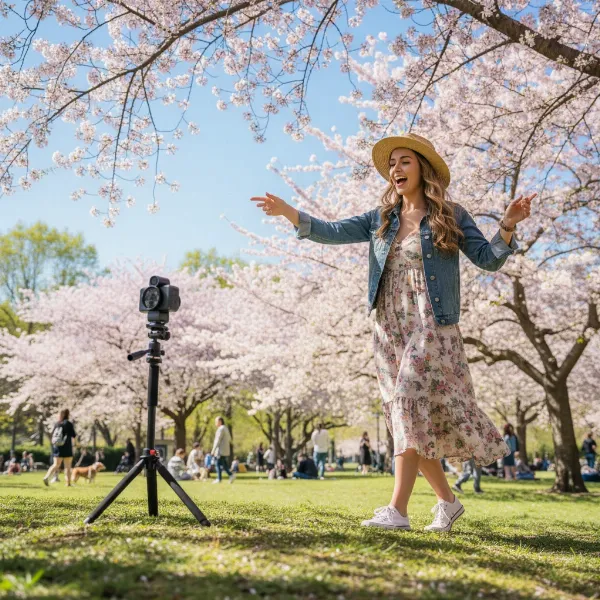 A solo vlogger recording herself with an object tracking camera on a tripod in a park, showing freedom of movement.
Top Object Tracking Cameras & Gimbals for Solo Vloggers
Several devices stand out for their exceptional object tracking capabilities, catering to different needs and budgets.
DJI Pocket 3 – The Compact Powerhouse
The DJI Pocket 3 has quickly become a gold standard for solo content creation. Its combination of a 1-inch sensor, 4K/120fps video, and buttery-smooth 3-axis gimbal stabilization, coupled with advanced AI tracking and a rotatable touchscreen, makes it a top choice for vloggers, travelers, and content creators. It’s incredibly portable and delivers impressive image quality for its size, making dynamic, hands-free shots a breeze.
OBSBOT Tail 2 / Tail Air – Dedicated Tracking Specialists
OBSBOT cameras, like the Tail 2 and Tail Air, are built with AI tracking at their core. These devices excel in providing reliable, hands-free tracking for dynamic and complex shooting scenarios. Features like “Double Click Instant Tracking” and improved recognition engines allow for quick and accurate tracking of humans, animals, and objects. The Tail Air even supports live production with up to three cameras, making it versatile for streamers and multi-angle setups. Their gesture control features add another layer of convenience for solo operation.
Sony Alpha a7 IV – Professional-Grade Tracking
While not an integrated gimbal camera, the Sony A7 IV is a mirrorless camera often cited for its excellent autofocus and object tracking capabilities. It offers 4K@60fps and robust Eye, Face, and Object Tracking, making it a favorite for vloggers who prioritize superior image quality and interchangeable lenses. When paired with a compatible gimbal, the A7 IV becomes a formidable tool for professional solo vlogging.
Optimizing Your Workflow: Tips from the Pros
To truly harness the power of object tracking, consider these professional insights:
- Pre-production Planning is Crucial: Even with AI tracking, a little planning goes a long way. Map out your movements and camera positions. Think about where you’ll start, where you’ll move, and where you’ll end your shot to ensure seamless tracking.
- Post-production is Your Friend: While object tracking minimizes editing, some minor adjustments might still be necessary. Use stabilization tools in your editing software to fine-tune any subtle jitters or correct slight framing deviations.
- Experimentation Breeds Creativity: Don’t be afraid to push the boundaries of what your object tracking camera can do. Try different speeds, angles, and distances. You might discover unique shots and perspectives that define your vlogging style.
Buying Guide: Making an Informed Decision
Investing in an object tracking camera is a significant decision. Here’s how to ensure you pick the best one for your needs:
- Define Your Vlogging Style and Purpose: Are you an active travel vlogger, a studio-based explainer, or a product reviewer? Your primary use case will heavily influence whether you need ultimate portability (like the DJI Pocket 3) or advanced features for complex setups (like the OBSBOT Tail Air or a mirrorless camera).
- Set a Realistic Budget: Object tracking cameras range from affordable smartphone gimbals to high-end mirrorless systems. Understand what features are essential for your price point. Consider the long-term value and how the camera will impact your content quality and efficiency.
- Consider Portability and Ease of Use: For solo vloggers, a lightweight, compact, and user-friendly device is often paramount. If you’re constantly on the go, a bulkier setup might hinder your creative flow. Look for intuitive controls and quick setup times.
- Evaluate Other Features: Don’t forget audio input options, battery life, screen quality, and companion app functionality. These elements significantly contribute to the overall vlogging experience.
Conclusion
Object tracking technology has revolutionized solo vlogging, empowering creators to produce captivating, professional-grade content with unprecedented ease. By intelligently keeping you in frame and in focus, these cameras and gimbals free you from technical worries, allowing you to pour all your energy into storytelling and engaging with your audience. Whether you opt for a compact integrated gimbal camera like the DJI Pocket 3, a dedicated tracking specialist like the OBSBOT Tail 2, or a high-end mirrorless system, embracing object tracking is a pivotal step towards elevating your solo vlogging game.
Ready to transform your content and connect with your viewers like never before? What dynamic shots will you capture with your new object tracking companion?
Frequently Asked Questions
How does object tracking help solo vloggers specifically?
Object tracking eliminates the need for a second camera operator or rigid camera placement, allowing solo vloggers to move freely while staying perfectly framed and in focus. This results in more dynamic, engaging, and professional-looking footage, saving significant time in both shooting and post-production.
Can I use object tracking with my smartphone?
Yes, many smartphone gimbals offer built-in object tracking features. These devices, combined with their proprietary apps, can detect and follow a designated subject, effectively turning your smartphone into a capable solo vlogging tool.
Is object tracking only for people, or can it track other things?
Modern object tracking systems are highly advanced and can track various subjects beyond just people. Many devices offer face, body, and even animal tracking, along with general object tracking, allowing you to highlight products or specific items in your vlogs.
Do I need a special camera for object tracking, or can I add it to my existing one?
Some high-end mirrorless cameras have excellent built-in autofocus and subject tracking capabilities. However, for fully automated, hands-free pan/tilt following, dedicated integrated gimbal cameras (like DJI Pocket series or OBSBOT Tail series) or smartphone gimbals are specifically designed for this purpose.
How reliable is object tracking in complex environments?
The reliability of object tracking can vary depending on the device and environmental factors. Good lighting, a less cluttered background, and a clear line of sight to the subject generally improve performance. Advanced AI algorithms in newer cameras are constantly improving to handle more complex scenarios.