As a creator, you know the feeling. You’ve choreographed the perfect camera movement, the lighting is flawless, and the subject is delivering a stellar performance. You review the footage, only to find a subtle, infuriating, and unplanned rotation ruining the shot. This common problem often leads creators to ask, Why Is My Gimbal Drifting? This unwanted movement, whether a slow pan on the yaw axis or a gradual tilt, can undermine the very stability a gimbal is designed to provide. But fear not. Gimbal drift is rarely a fatal flaw; more often, it’s a solvable issue stemming from a misunderstanding of the intricate dance between physics and electronics.
At “Vững Bước Sáng Tạo,” we believe that mastering your tools is the key to unlocking creative freedom. A gimbal isn’t magic—it’s a sophisticated piece of technology. Understanding its mechanics is the first step to taming it. In this comprehensive guide, we will deconstruct the causes of gimbal drift, providing you with a clear, actionable roadmap to diagnose and fix the problem, ensuring your shots are always as steady and intentional as your vision.
Understanding the “Brain” of Your Gimbal: The Science of Stability
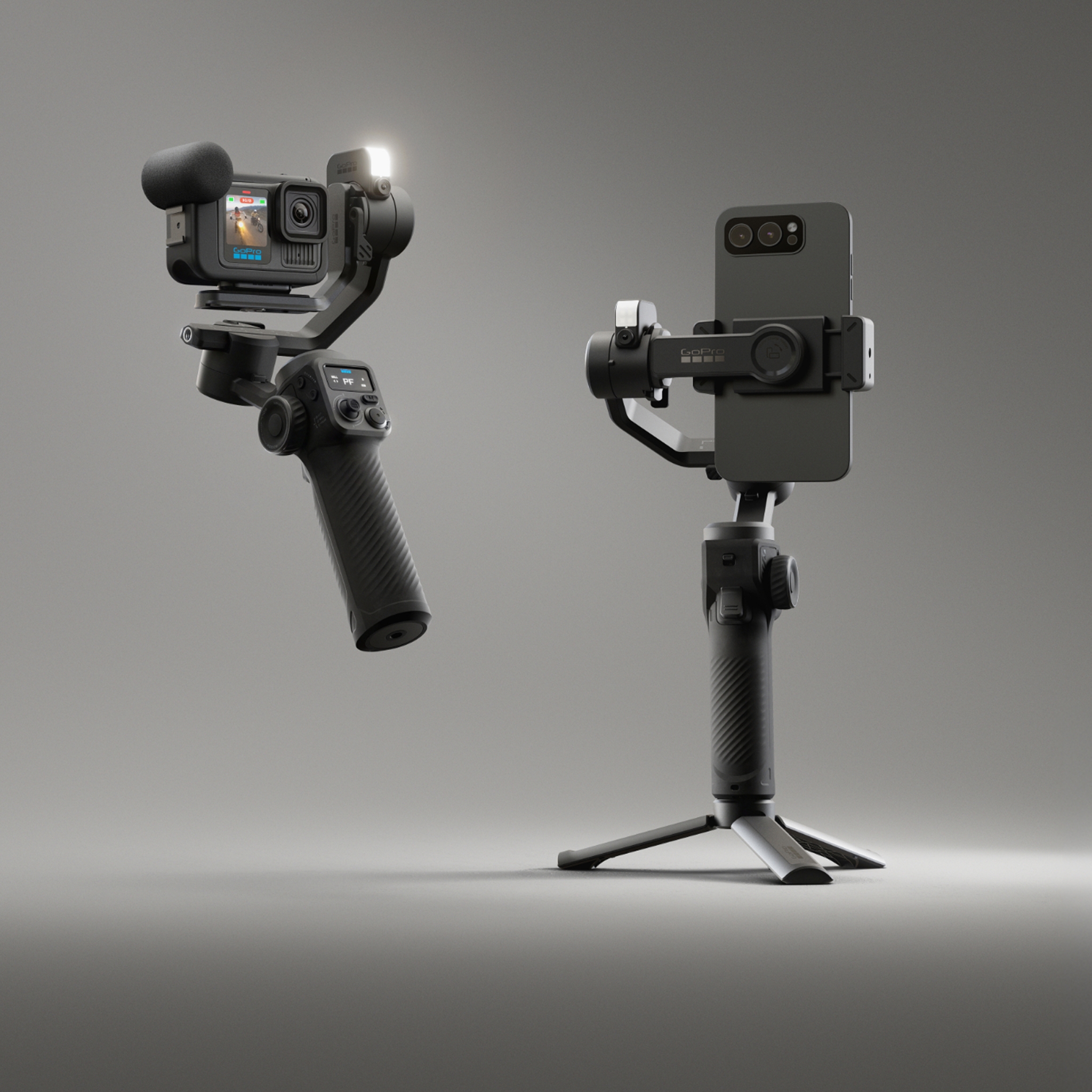
Before we can fix the drift, we must understand what a gimbal does. At its heart, a modern 3-axis gimbal is a robotic marvel designed to counteract unwanted movement. It achieves this through a symphony of components working in perfect harmony.
The core of this system is the Inertial Measurement Unit (IMU). Think of the IMU as the gimbal’s inner ear; it contains a gyroscope and an accelerometer. The gyroscope senses rotation (tilt, pan, roll), while the accelerometer senses motion. Together, they provide thousands of data points per second about the camera’s orientation in space. This data is fed to a processor, which runs complex algorithms (like PID controllers) to calculate the precise counter-movement needed. Finally, it sends commands to three high-torque, silent brushless motors—one for each axis (pitch, roll, and yaw)—which execute the correction instantly.
Bảng trống.“Think of a gimbal as a high-speed balancing act. The IMU senses the tilt, and the motors instantly counteract it. If the initial balance—the physical center of gravity—is off, the motors are constantly fighting a losing battle. That fight is what you see as drift.” — Dr. Alistair Finch, Robotics Engineer.
When this system works, the result is buttery-smooth footage. When it doesn’t, you get drift. The root of the problem is almost always a breakdown in this delicate chain of command.
The Core Question: Why Is My Gimbal Drifting?
Gimbal drift isn’t caused by a single issue but is often a symptom of several potential problems. By methodically working through these common culprits, you can isolate the cause and restore your gimbal’s precision.
1. Imbalance: The Foundation of All Problems
This is, without a doubt, the number one cause of gimbal drift and motor strain. A perfectly balanced gimbal is one where the camera and lens combination will hold any position on any axis, even when the gimbal is turned off. If it’s even slightly front-heavy, back-heavy, or side-heavy, the motors must constantly work to hold it level. This constant strain introduces micro-errors that accumulate over time, manifesting as a slow, consistent drift.
- Symptom: The gimbal drifts slowly in one direction, often on the tilt or roll axis. You might also hear the motors whining or feel them vibrating.
- Solution: Perform a perfect mechanical balance.
- Mount Everything: Attach the camera, lens, filters, microphone, and any other accessories you plan to use before you begin balancing. Changing anything, even extending a variable-zoom lens, will require re-balancing.
- Balance the Tilt Axis: Unlock the tilt axis while keeping the others locked. Adjust the camera forward or backward on the mounting plate until it stays perfectly level. Then, tilt it up 45 degrees and see if it holds. Tilt it down 45 degrees and check again. Adjust until it holds any position.
- Balance the Roll Axis: Lock the tilt axis and unlock the roll axis. Slide the roll arm left or right until the camera stays perfectly level and doesn’t fall to either side.
- Balance the Pan Axis: Unlock the pan axis. Hold the gimbal handle at a 45-degree angle, parallel to the ground. The pan arm should not swing around. If it does, adjust the pan arm forward or backward until it remains stationary.
A perfectly balanced gimbal is a happy gimbal. It’s the most crucial step you can take to prevent drift.
2. Calibration Errors: The Gimbal’s Misguided Compass
After ensuring perfect physical balance, the next step is digital calibration. The IMU needs a baseline “level” to understand its orientation correctly. If this baseline is off, it will constantly try to “correct” to a horizon that isn’t truly level, causing drift.
- Symptom: The horizon is consistently tilted, or the gimbal drifts on the pan (yaw) axis even on a completely still surface.
- Solution: Perform a full IMU or 6-sided calibration.
- Find a perfectly flat and stable surface. Use a bubble level to be certain.
- Connect to your gimbal’s companion app (like DJI Ronin or Zhiyun’s ZY Play).
- Find the calibration setting in the menu. This process usually involves placing the gimbal in several specific orientations (e.g., flat on its base, on its front, on its side) so the sensors can establish a true sense of “down.”
- Follow the on-screen instructions precisely and do not move the gimbal during the process.
It is good practice to re-calibrate your gimbal whenever you travel with it, expose it to significant temperature changes, or after a minor bump or drop.
3. Outdated Firmware: A Communication Breakdown
Gimbal manufacturers are constantly refining the algorithms that control the motors and interpret sensor data. Firmware updates often include specific fixes for drift, improved motor performance, and better stability. Running on old firmware is like using an outdated operating system—it leaves you vulnerable to known bugs.
- Symptom: Erratic behavior, unpredictable drift, or issues connecting to the app.
- Solution: Check for and install the latest firmware. This is typically done through the gimbal’s desktop or mobile application. Always ensure the gimbal has a full battery before starting a firmware update to prevent it from failing mid-process.
4. Environmental Factors: The Invisible Forces
Sometimes, the problem isn’t the gimbal itself, but the environment it’s operating in.
- Temperature: Extreme temperature shifts can affect the performance of the IMU’s sensitive electronics. If you move from a warm car to a cold outdoor environment, allow the gimbal a few minutes to acclimate before powering it on and calibrating.
- Magnetic Interference: The IMU’s compass can be thrown off by strong magnetic fields. Operating too close to large metal objects, power lines, or even magnets in a smartphone mount can induce drift. If you suspect this, move to a different location and see if the problem persists.
5. Operator Technique: The Human Element
Even with a perfectly balanced and calibrated gimbal, poor technique can introduce what looks like drift.
- Walking “Stomp”: A heavy-footed walk creates significant vertical bobbing that the gimbal’s motors struggle to smooth out completely, which can sometimes be misinterpreted as drift. Practice the “ninja walk” (heel-to-toe, knees bent) to minimize this.
- Over-Straining the Axes: Making extremely fast or abrupt pans and tilts can push the motors past their limits, causing them to slip and lose their heading, resulting in a sudden drift that requires re-centering.
6. Hardware Issues: When It’s Not Your Fault
If you’ve meticulously gone through all the steps above and are still experiencing issues, you may be facing a hardware problem. A hard drop or impact can damage the delicate sensors within the IMU or knock a motor out of alignment.
- Symptom: Persistent, non-correctable drift, grinding noises from a motor, or a complete failure of one axis.
- Solution: Unfortunately, this often requires professional repair. Contact the manufacturer’s support service. Do not attempt to open the gimbal or repair the motors yourself unless you are an experienced technician, as this can void your warranty and cause further damage.
How Do You Fix a Drifting Gimbal? A Step-by-Step Plan
To effectively troubleshoot the question “why is my gimbal drifting,” follow this checklist in order. Do not skip steps.
| Step | Action | Description |
|---|---|---|
| 1 | Perfect Mechanical Balance | Power off the gimbal. Mount all accessories. Balance the tilt, roll, and pan axes individually until the camera holds any position. This is non-negotiable. |
| 2 | Motor Auto-Tune | After balancing, turn the gimbal on and run the “Motor Auto-Tune” or “Motor Calibration” function in the app. This allows the gimbal to measure the weight of your setup and optimize motor strength. |
| 3 | IMU/6-Sided Calibration | Place the gimbal on a perfectly level surface. Use the companion app to perform a full sensor calibration. |
| 4 | Firmware Update | Connect to the app and check for any available firmware updates. Install them. |
| 5 | Test in a Neutral Environment | Test the gimbal indoors, away from potential magnetic interference or extreme temperatures. |
If you follow these five steps, you will solve over 95% of gimbal drift issues.
Frequently Asked Questions (FAQ)
Q1: How often should I calibrate my gimbal?
You should perform a full IMU calibration after any significant transportation, after a drop, when experiencing major temperature changes, or whenever you notice even slight horizon drift. Balancing should be done every single time you change your camera setup (lens, filter, etc.).
Q2: Can a heavy camera or lens cause gimbal drift?
Not if it’s within the gimbal’s maximum payload capacity and is properly balanced. However, an unbalanced heavy setup is the fastest way to cause drift, as it puts immense strain on the motors, forcing them to work overtime and eventually fail or slip.
Q3: What is the difference between gimbal drift and jitter?
Gimbal drift is a slow, steady, and unwanted rotation on one of the axes. Jitter or micro-vibrations are high-frequency shakes that appear as a “shaky” or “buzzy” quality in the footage, often caused by motor settings being too high or an improper balance.
Q4: Does “Follow Speed” affect gimbal drift?
While follow speed settings don’t directly cause drift, setting them incorrectly can make your footage appear drifty. If the follow speed is too low, the gimbal may lag behind your intended movement; if it’s too high, it can feel overly responsive and twitchy. This is a preference setting, not a direct cause of a drifting horizon.
Q5: Is it possible to fix a gimbal that drifts due to a hard drop?
It depends on the severity. First, attempt a full re-balance and re-calibration. If the drift persists and seems to originate from one specific axis, it is likely that a sensor or motor was physically damaged, which will require professional service from the manufacturer.
Conclusion: Reclaiming Creative Control
The frustration of a drifting gimbal is a shared experience among filmmakers and content creators. However, understanding the root causes transforms this frustration into a solvable technical challenge. The persistent question of why is my gimbal drifting almost always leads back to the fundamentals: a flawless mechanical balance, a precise digital calibration, and up-to-date firmware.
By treating your gimbal not as a magical black box but as a precision instrument that requires care and attention, you empower yourself to diagnose and fix problems on the fly. Mastering these troubleshooting steps doesn’t just fix a technical issue—it builds confidence, removes creative barriers, and ensures that the only movements in your final shot are the ones you intended. Go forth, balance with precision, and let your creativity move freely.