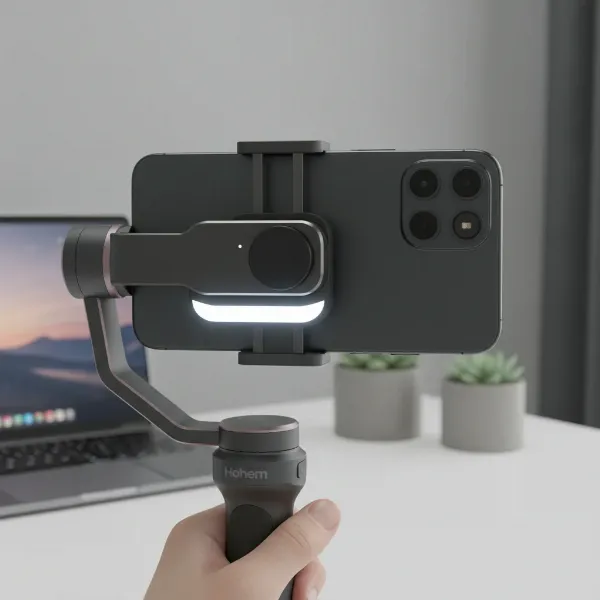
Capturing life’s most thrilling moments with your action camera can be exhilarating, but nothing ruins a fantastic shot faster than shaky, unstable footage. While modern action cameras like the GoPro Hero 12 and DJI Action 4 boast impressive in-camera stabilization, there are still situations where you need that extra layer of buttery smoothness to truly elevate your videos to a professional, cinematic level. That’s where a high-quality gimbal steps in, transforming choppy clips into seamless visual stories. If you’re ready to unlock your action camera’s full potential and achieve breathtakingly stable content, this comprehensive guide will help you navigate the world of gimbals and find the perfect match for your GoPro Hero 12 or DJI Action 4.
What is a Camera Stabilizer, and Why Do You Need One?
A camera stabilizer, often referred to as a gimbal, is a device that uses motors and intelligent sensors to keep your camera level and steady across multiple axes, effectively counteracting unwanted shakes, tilts, and rolls. Unlike traditional electronic image stabilization (EIS) found in action cameras, which digitally crops and processes footage, a physical gimbal provides mechanical stabilization. This results in naturally smoother motion without sacrificing resolution or introducing digital artifacts.
Why is a gimbal still essential, even with the advanced HyperSmooth or RockSteady stabilization built into your GoPro Hero 12 or DJI Action 4? While in-camera EIS excels in bright, predictable conditions, a physical gimbal takes over in more challenging scenarios. This includes low-light environments where EIS can struggle, when using zoom, or on extremely rough terrains like mountain biking trails or intense parkour. Gimbals also empower you to execute sophisticated camera movements, such as smooth tracking shots, delicate pans, and graceful tilts, that are difficult or impossible to achieve handheld. The benefit is clear: more professional-looking videos, reduced viewer fatigue from shaky footage, and a level of dynamic fluidity that makes your content truly stand out.
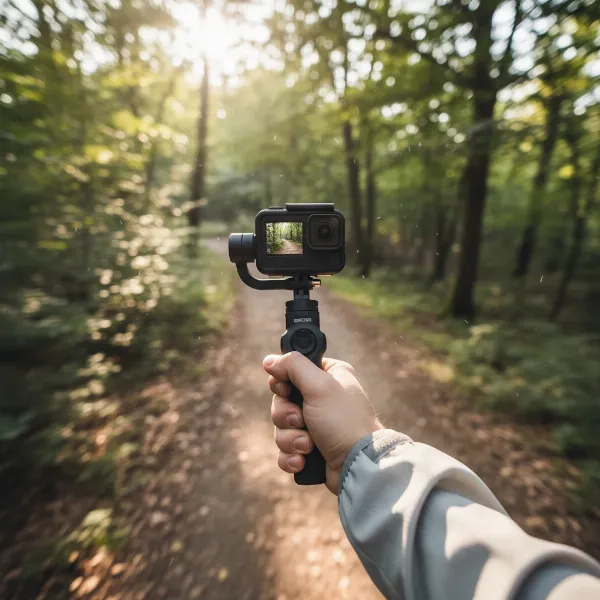 A person holding an action camera mounted on a 3-axis gimbal, showing smooth video capture in motion
Factors to Consider When Choosing an Action Camera Gimbal
Selecting the ideal gimbal for your GoPro Hero 12 or DJI Action 4 involves more than just picking the most popular model. A few key considerations will ensure you find a device that perfectly aligns with your specific needs, shooting style, and budget.
Camera Compatibility
|
Our Picks for the Best Camera Stabilizer in 2026
As an Amazon Associate I earn from qualifying purchases.
|
||
| Num | Product | Action |
|---|---|---|
| 1 | Zeadio Camera Stabilizer Kit, All-in-One Handheld Stabilizer with LED Video Light, Microphone, Phone Holder & Action Camera adaper, Fits for All Camera, DSLR, Action Camera and All Smartphones |

|
| 2 | DJI Osmo Mobile 7 Gimbal Stabilizer for iPhone, Android, Built-in Tripod, Portable Stabilizer for iPhone, Selfie Stick, 3-Axis Phone Gimbal, ActiveTrack 7.0, One-Tap Edit, 10hrs Use, Phone Charging |
|
| 3 | DJI RS 3 Mini, 3-Axis Gimbal Stabilizer for Cameras Canon/Sony/Panasonic/Nikon/Fujifilm, 2 kg (4.4 lbs) Tested Payload, Camera Gimbal with Native Vertical Shooting, Black |
|
| 4 | 3-Shoe DSLR/Mirrorless/Action Camera Camcorder Phone Stabilizer Expansion Cage Mount Moviemaking Holder Rig YouTube Tiktok Vlogging Video Kit Compatible with GoPro Canon Nikon Sony iPhone Android |
|
| 5 | FeiyuTech SCORP 2 Gimbal Stabilizer for DSLR and Mirrorless Camera, Integrated Al Tracking Sensor, 3-Axis Camera Stabilizer for Sony Canon Panasonic Nikon, 2.5kg Payload Touch Screen Vertical Shooting |
|
| 6 | DJI Osmo Mobile 8 Advanced Tracking Combo Gimbal Stabilizer for Phone, AI Native Tracking with Audio & Lighting, 360° Pan Rotation, Built-in Extension Rod & Tripod, 10h Battery, Extension Rod |
|
| 7 | ZHIYUN CINEPEER Weebill 3E [Official], 3-Axis Lightweight Gimbal Stabilizer for DSLR & Mirrorless Camera Canon/Sony/Panasonic/Nikon, 3KG Payload, Native Vertical Shooting, Bluetooth Shutter Control |
|
| 8 | Zeadio Video Action Stabilizing Handle Grip Handheld Stabilizer with Cold-Shoe Mount for All DSLR Camera Camcorder |
|
| 9 |
|
|
| 10 | DJI Osmo Mobile 7P Gimbal Stabilizer for iPhone, Android, Native Tracking, Lighting, 3-Axis Phone Gimbal, Quick Launch, One-Tap Edit, Built-in Extension Rod & Tripod, 10hrs Use, Phone Charging |
|
The first and most crucial factor is ensuring your chosen gimbal is compatible with your action camera. While many gimbals are designed to be versatile, always double-check the manufacturer’s compatibility list for the GoPro Hero 12 and DJI Action 4. Pay close attention to whether the gimbal can accommodate your camera with any accessories you frequently use, such as the GoPro Media Mod. Some gimbals are designed for action cameras specifically, while others offer broader compatibility, supporting smartphones or even mirrorless cameras, which can be a valuable feature for content creators using multiple devices.
Budget
Gimbals come in a wide range of price points, from budget-friendly options under $100 to more premium models exceeding $300. Determine your budget beforehand to narrow down your choices. Remember that a higher price often correlates with more advanced features, better build quality, and enhanced stabilization performance, but excellent value can still be found in mid-range options.
Purpose of Use
Your primary use case for the gimbal will heavily influence your decision. Are you a travel vlogger who needs something lightweight and compact? An extreme sports enthusiast requiring ruggedness and robust stabilization for high-impact activities? Or perhaps a filmmaker looking to add cinematic flair to short films? Different gimbals excel in different areas, so aligning the gimbal’s strengths with your shooting purpose is key.
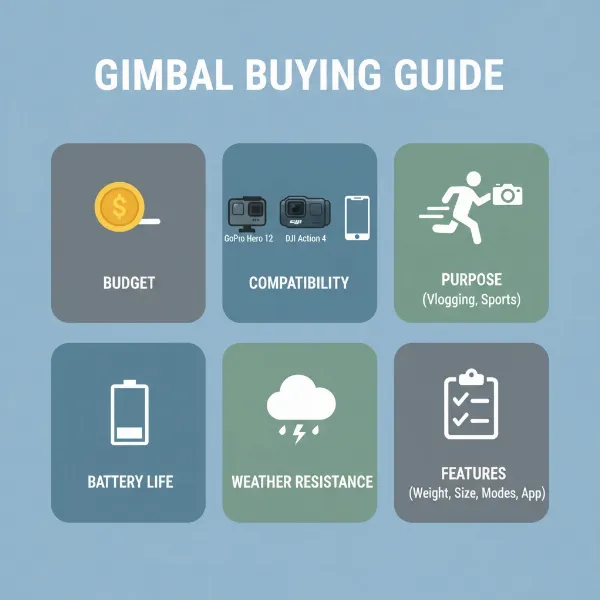 A graphical representation illustrating various factors to consider when buying a camera gimbal, such as budget, compatibility, and features
Weight and Portability
For action camera users, who often prioritize lightweight and compact setups, the gimbal’s weight and size are significant. If you plan to carry it on long hikes, attach it to gear, or simply want it to fit easily into a backpack, a portable and lightweight model is preferable. Also, consider the gimbal’s payload capacity—the maximum weight it can comfortably stabilize. Ensure it can handle your action camera, potentially with additional mods or lenses.
Battery Life and Charging
Long battery life is vital for uninterrupted shooting, especially during extended adventures or travel. Look for gimbals offering several hours of operation. Some gimbals even feature power-out ports, allowing you to charge your action camera directly from the gimbal’s battery, a massive convenience in the field.
Weather Resistance
Given that action cameras thrive in challenging environments, a splashproof or weather-resistant gimbal is a significant advantage. While fully waterproof gimbals are rare, many offer protection against splashes and light rain, safeguarding your investment during outdoor escapades.
Key Features
Modern gimbals come packed with innovative features. Consider if you need:
- AI Tracking: Automatically follows a subject, perfect for solo creators.
- Gesture Controls: Allows remote control of the gimbal with hand gestures.
- OLED Screens: Provides quick access to settings and status information.
- Built-in Fill Lights: Adds extra illumination in low-light situations.
- Quick-Release Plates: Facilitates fast mounting and dismounting of your camera.
- App Integration: Offers advanced control and customization via a smartphone app.
Top Gimbals for GoPro Hero 12 & DJI Action 4
Having explored the essential considerations, let’s dive into some of the best gimbals that stand out for their performance and compatibility with your GoPro Hero 12 and DJI Action 4.
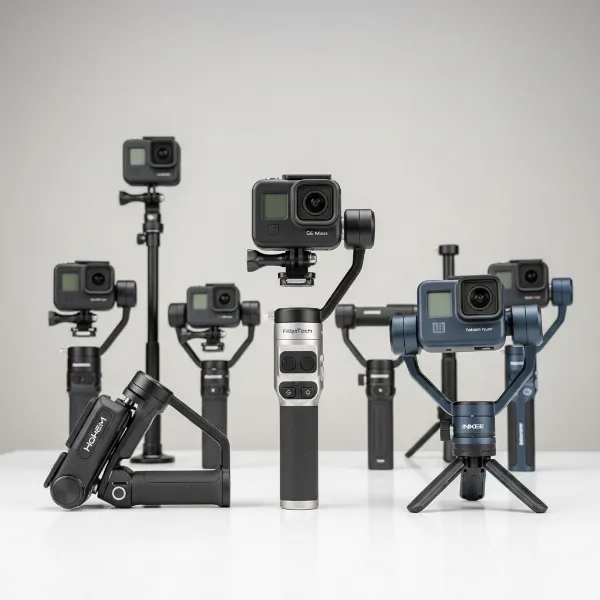 A collection of various action camera gimbals on a clean surface, highlighting diversity in design and features
Hohem iSteady Pro 4 – The Best Value Pick
The Hohem iSteady Pro 4 is an outstanding choice for action camera enthusiasts seeking reliable stabilization without breaking the bank. It offers exceptional value, delivering solid performance at an incredibly competitive price point.
Pros:
- Highly Affordable: One of the most budget-friendly options available.
- Wide Compatibility: Works seamlessly with GoPro Hero cameras (Hero 5 and newer, including Hero 12) and the DJI Osmo Action series (including Action 4).
- Splashproof (IPX4): Offers protection against splashes, making it suitable for many outdoor activities.
- Excellent Battery Life: Provides up to 14 hours of operation and can even charge your camera while you film.
- Quick-Release Clip: Enables fast and easy camera mounting and dismounting.
Cons:
- Its construction can feel less premium due to its plastic build.
- Lacks advanced features like AI tracking or integrated fill lights.
Ideal For: Budget-conscious adventurers, vloggers, and casual users who prioritize core stabilization and battery life for their GoPro Hero 12 or DJI Action 4.
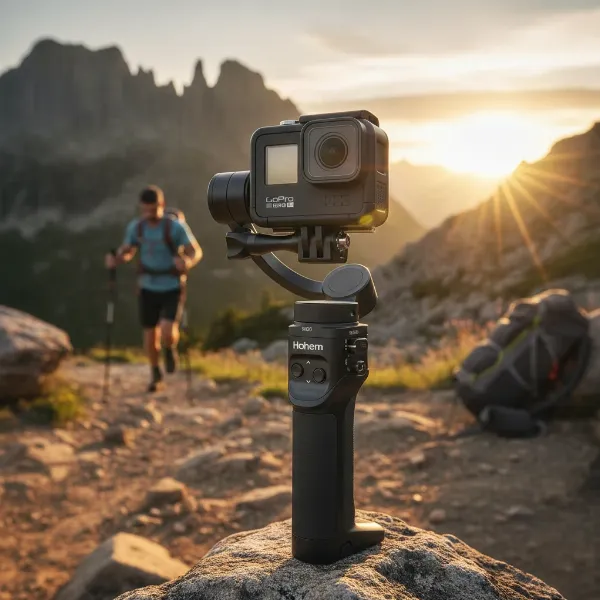 The Hohem iSteady Pro 4 gimbal with a GoPro Hero 12 attached, in an outdoor setting
FeiyuTech SCORP Mini 3 Pro – The Hybrid Powerhouse
For creators who juggle multiple cameras, the FeiyuTech SCORP Mini 3 Pro offers unparalleled versatility, adapting to action cameras, smartphones, and even small mirrorless cameras.
Pros:
- Hybrid Flexibility: Supports a wide range of devices, including GoPro Hero 12 and DJI Action 4, making it a smart long-term investment.
- Strong Stabilization: Delivers incredibly smooth and stable footage across all supported camera types.
- Long Battery Life: Up to 14 hours of runtime ensures you can shoot for extended periods.
- Detachable Remote Handle: Provides unique control options and flexibility.
- High Payload Capacity: Can handle cameras weighing up to 2 kg.
Cons:
- Higher price point compared to dedicated action camera gimbals.
- Larger and heavier design may not be ideal for ultra-light setups.
- Lacks explicit weather sealing.
Ideal For: Professional content creators and enthusiasts who need one gimbal to manage various devices, including their GoPro Hero 12 or DJI Action 4, for diverse shooting needs.
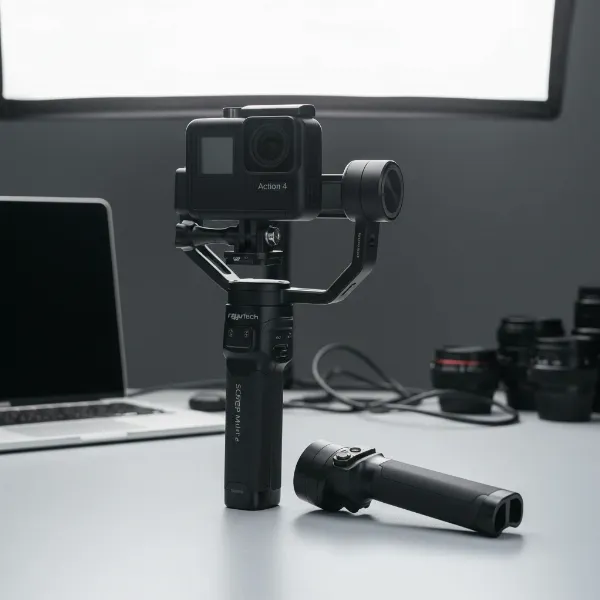 The FeiyuTech SCORP Mini 3 Pro gimbal holding a DJI Action 4, showcasing its multi-device capability
INKEE Falcon Plus – The Ultimate Travel Companion
If portability is your top priority, the INKEE Falcon Plus is designed to be tossed into your day bag without a second thought, making it perfect for spontaneous adventures.
Pros:
- Exceptional Portability: Pocket-sized and lightweight (approximately 300g) when folded, ideal for travel.
- Media Mod Compatible: Its frame clamp can accommodate GoPro cameras even with the Media Mod attached.
- USB-C Charging & Power Bank Mode: Convenient charging and the ability to power your camera.
- Includes Mini Tripod: Adds versatility for static shots or hands-free operation.
Cons:
- Slightly shorter battery life of around 9 hours.
- No specific weather resistance rating.
- May be less robust for extremely high-impact action sports compared to heavier models.
Ideal For: Travelers, casual vloggers, and anyone needing a super-portable and lightweight gimbal for their GoPro Hero 12 or DJI Action 4 for fair-weather shooting.
FeiyuTech G6 – For Splashproof Adventures
The FeiyuTech G6 offers a robust, splashproof design, making it an excellent choice for action camera users who frequently film near water or in unpredictable weather conditions.
Pros:
- Splashproof Build: Designed to withstand splashes, providing peace of mind during outdoor activities.
- Clear Screen Visibility: Engineered so the gimbal’s motor arm never obscures the camera’s screen.
- OLED Screen: Provides quick access to settings and battery status.
- Extensive Camera Control: Offers good integration and control via its dedicated app.
- Long Battery Life: Up to 12 hours of continuous use.
Cons:
- App compatibility can vary with different action camera models.
- Some users report noticeable motor noise that might be picked up by an onboard microphone.
Ideal For: Water sports enthusiasts, travel vloggers, and outdoor adventurers who need a reliable and splash-resistant gimbal for their GoPro Hero 12 or DJI Action 4.
Hohem iSteady M6 – Intelligent Tracking for Dynamic Shots
While primarily designed for smartphones, the Hohem iSteady M6 can be adapted for action cameras like the GoPro Hero 12 and DJI Action 4 with an inexpensive adapter, offering cutting-edge AI tracking capabilities.
Pros:
- Superb AI Tracking: Features a magnetic ‘AI Sensor’ that can autonomously track subjects, perfect for solo shooting.
- Built-in Fill Light: Provides adjustable illumination, enhancing video quality in various lighting conditions.
- Smooth Performance: Delivers fluid pans and tilts, capturing professional-grade movements.
- Exceptional Battery Life: Boasts an impressive 18 hours of operation.
Cons:
- Requires a separate adapter to mount action cameras, adding an extra step and cost.
- The primary design focus is on smartphones, so action camera integration is secondary.
Ideal For: Solo content creators, vloggers, and anyone looking for advanced AI tracking and a built-in light feature for their GoPro Hero 12 or DJI Action 4, and who doesn’t mind using an adapter.
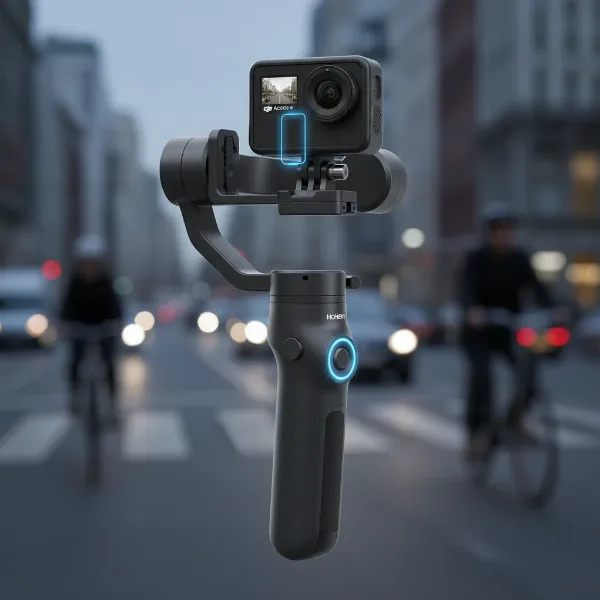 The Hohem iSteady M6 gimbal with an action camera attached via an adapter, demonstrating its AI tracking feature
Maximizing Your Gimbal: Usage and Maintenance Tips
To get the most out of your action camera gimbal, proper usage and diligent maintenance are key. These tips will help you capture the best footage and ensure your stabilizer lasts for years.
Balancing and Setup
Before every shoot, always balance your action camera on the gimbal. This crucial step ensures the motors work efficiently and prevents strain, extending the gimbal’s lifespan. Most gimbals come with adjustable arms and clear indicators to help you achieve perfect balance. Once balanced, remember a critical tip: turn off your action camera’s in-camera electronic image stabilization (EIS) like HyperSmooth or RockSteady. When both the gimbal and the camera’s EIS are active, they can interfere with each other, leading to jerky or unnatural movements. Your gimbal’s mechanical stabilization is superior and sufficient.
Shooting Tips for Smooth Footage
- Practice Smooth Movements: Gimbals make smooth footage possible, but good technique makes it perfect. Practice walking fluidly, bending your knees slightly to absorb shocks, and initiating pans and tilts gently.
- Utilize Follow Modes: Experiment with different follow modes (pan follow, tilt follow, all-lock) to achieve various cinematic effects.
- Low-Angle Shots: Use the gimbal’s inverted mode or underslung grip to effortlessly capture dramatic low-angle perspectives.
- Composition Matters: Even with perfect stabilization, a strong composition elevates your shots. Think about leading lines, rule of thirds, and framing.
Cleaning and Storage
After each use, especially if shooting outdoors, wipe down your gimbal with a soft, dry cloth to remove any dust, dirt, or moisture. If your gimbal is splashproof, ensure it’s completely dry before storage. Store your gimbal in its protective case in a cool, dry place to prevent damage to the motors and electronics. Regularly check for loose screws or connections and tighten them if necessary. Keeping your gimbal well-maintained ensures it’s always ready for your next adventure.
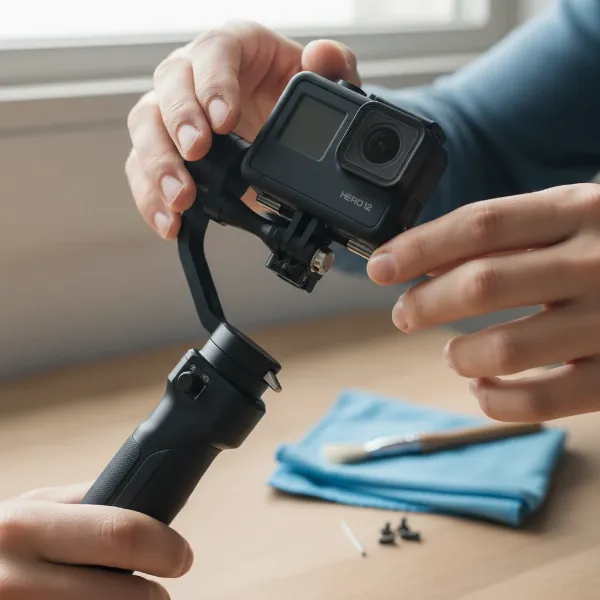 A person carefully balancing an action camera on a gimbal, with cleaning supplies nearby
Where to Buy Your Action Camera Gimbal
Finding the right gimbal is only half the journey; knowing where to purchase it reliably is equally important. You have several excellent avenues to explore:
- Online Retailers: Major online platforms such as Amazon, B&H Photo Video, and Adorama offer a vast selection of gimbals from various brands. These retailers often provide competitive pricing, detailed product specifications, customer reviews, and convenient shipping options. They are a great starting point for comparing models and prices from the comfort of your home.
- Specialized Camera Stores: Local or online specialized camera equipment stores often have knowledgeable staff who can offer personalized advice and demonstrations. While prices might sometimes be slightly higher, the expertise and hands-on experience can be invaluable, especially if you’re new to gimbals.
- Manufacturer Websites: Purchasing directly from the gimbal manufacturer’s official website can sometimes provide access to exclusive bundles, the latest models, and direct customer support. This also ensures you receive genuine products with full warranty coverage.
When making a purchase, always pay close attention to the warranty and return policies. A good warranty protects your investment against manufacturing defects, while a clear return policy offers peace of mind if the gimbal doesn’t meet your expectations. Reading recent customer reviews on multiple platforms can also provide insights into product reliability and after-sales service.
Expert Advice for Your Gimbal Purchase
As an experienced technician and Admin of StabilizerPro.com, I’ve seen firsthand how the right tools can transform creative work. Here’s some expert advice to guide your final decision:
> “Don’t get swayed by the hype. Start by clearly defining what you want to achieve with your footage. Are you chasing buttery smooth cinematic sweeps, or just stable everyday vlogs? Your specific needs for your GoPro Hero 12 or DJI Action 4 will dictate the features that truly matter, saving you from overspending on capabilities you’ll never use. Remember, the best gimbal isn’t the most expensive one; it’s the one that empowers your vision.”
Always take the time to read detailed reviews and watch comparison videos from trusted sources. Look beyond just the specifications and delve into real-world performance, ease of use, and long-term durability. Consider the learning curve; some advanced gimbals might require more practice to master. Finally, prioritize after-sales support and warranty, as these can make a significant difference should you encounter any issues. Investing in a gimbal is investing in the quality of your content, so make an informed choice that will serve your creative journey well.
Conclusion
The world of action camera stabilization has evolved dramatically, yet a dedicated gimbal remains an indispensable tool for anyone serious about capturing truly professional and cinematic footage with their GoPro Hero 12 or DJI Action 4. By understanding the core benefits of mechanical stabilization and carefully considering factors like compatibility, budget, and desired features, you can confidently select a device that perfectly matches your creative ambitions. Whether it’s the value-packed Hohem iSteady Pro 4, the versatile FeiyuTech SCORP Mini 3 Pro, the ultra-portable INKEE Falcon Plus, the rugged FeiyuTech G6, or the intelligent Hohem iSteady M6, there’s a gimbal designed to help you tell your story with unparalleled smoothness.
Ready to take your action camera footage to the next level? Which of these top gimbals resonates most with your shooting style and upcoming adventures?
Frequently Asked Questions
Is a gimbal truly necessary for GoPro Hero 12 or DJI Action 4, given their built-in stabilization?
While GoPro Hero 12’s HyperSmooth and DJI Action 4’s RockSteady are excellent for general use, a physical gimbal provides superior mechanical stabilization, especially in low light, when zooming, or during very intense, bumpy activities. It also enables smoother, more controlled cinematic movements that in-camera EIS cannot replicate.
Should I turn off my action camera’s in-camera stabilization when using a gimbal?
Yes, it is strongly recommended to turn off your action camera’s built-in electronic image stabilization (EIS) when using a gimbal. Activating both simultaneously can lead to conflicting stabilization efforts, resulting in jerky or unnatural-looking footage. The gimbal’s mechanical stabilization is designed to handle all the necessary smoothing.
What is the best gimbal for traveling with a GoPro Hero 12 or DJI Action 4?
For ultimate portability, the INKEE Falcon Plus is an excellent choice due to its pocket-sized, lightweight design. If battery life is a critical factor for travel, the Hohem iSteady Pro 4 also offers a long 14-hour runtime while remaining relatively compact and affordable.
Are any action camera gimbals fully waterproof for underwater filming?
Most action camera gimbals are not fully waterproof, though some, like the FeiyuTech G6 and Hohem iSteady Pro 4 (IPX4), offer splash resistance for protection against light rain or splashes. For underwater filming, you should rely solely on your action camera’s waterproofing and internal stabilization.
Can gimbals charge my GoPro Hero 12 or DJI Action 4?
Some gimbals, such as the Hohem iSteady Pro 4 and INKEE Falcon Plus, feature a power-out port that allows them to charge your action camera while filming, which is a convenient feature for extended shooting sessions. Always check the specific gimbal’s specifications for this capability.