Are you a Panasonic GH6 or GH7 user struggling to achieve that buttery-smooth, cinematic look in your videos? The truth is, even with advanced in-camera stabilization, handheld footage often suffers from subtle shakes and jitters that can diminish the professional quality of your work. This common challenge can be frustrating, especially when your creative vision demands pristine, stable shots. The solution lies in a high-quality camera stabilizer, specifically a gimbal, designed to complement the capabilities of your advanced mirrorless camera. This comprehensive guide will walk you through everything you need to know about selecting the perfect gimbal for your Panasonic GH6 or GH7, ensuring your footage is always exceptionally stable and professional.
What is a Camera Stabilizer and Why Do You Need One?
A camera stabilizer is a device engineered to keep your camera steady and level, effectively eliminating unwanted camera shake and vibrations. Its primary purpose is to allow for fluid motion shots, making the viewer’s experience more immersive and professional. While various forms of stabilizers exist, such as steadicams and sliders, gimbals are the most popular choice for modern videographers due to their versatility and ease of use.
Gimbals, in particular, are motorized devices that use intelligent sensors and brushless motors to counteract movement across multiple axes (typically three: pan, tilt, and roll). This sophisticated technology allows your Panasonic GH6 or GH7 to glide through space, delivering incredibly smooth footage, even during dynamic movements like walking, running, or tracking subjects. The benefits are undeniable: your videos will look more polished, engaging, and worthy of broadcast or professional presentation, elevating your storytelling and visual impact.
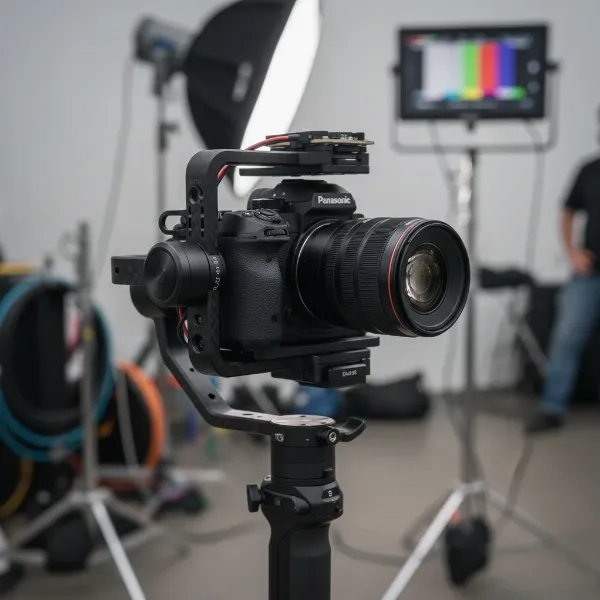 A Panasonic GH6 camera mounted on a 3-axis gimbal, ready for smooth video recording.
Factors to Consider When Choosing a Camera Stabilizer
Selecting the right gimbal for your Panasonic GH6 or GH7 involves more than just picking a popular model. Several critical factors must be carefully evaluated to ensure compatibility, performance, and user satisfaction.
Camera Type
While this guide focuses on the Panasonic GH6 and GH7 mirrorless cameras, it’s essential to understand that gimbals are designed with specific camera sizes and weights in mind. Both the GH6 and GH7 are robust Micro Four Thirds mirrorless cameras, capable of handling a variety of lenses. Therefore, your chosen gimbal must have a sufficient payload capacity to comfortably support your camera body plus your heaviest intended lens, and any accessories like microphones or external monitors. Overloading a gimbal can lead to poor performance, motor strain, and reduced battery life.
Budget
Gimbal prices span a wide range, from entry-level options under $300 to professional-grade systems costing upwards of $1000. Your budget will naturally influence your choices, but it’s crucial to consider the value proposition. Investing in a slightly more expensive gimbal that perfectly matches your GH6/GH7 setup and workflow will often prove more cost-effective in the long run than a cheaper alternative that struggles with balancing or lacks essential features. Balance your financial constraints with your long-term filmmaking aspirations.
Purpose of Use
Your primary use case for the gimbal will significantly shape your decision. Are you primarily shooting vlogs and travel videos where portability is key? Do you need a robust system for action-packed sports footage? Or are you a professional filmmaker working on narrative shorts or commercials requiring precise control and heavy camera rigs? For example, vloggers might prioritize lightweight and quick setup, while professional users may opt for higher payload capacities, advanced tracking features, and extensive accessory support.
Weight and Size
The overall weight and physical footprint of the gimbal are critical, especially for long shooting days or travel. A heavy gimbal can quickly lead to arm fatigue, making it challenging to maintain smooth shots over extended periods. Consider the gimbal’s weight without your camera, as well as its payload capacity. A compact, foldable design can be a game-changer for portability, allowing you to easily toss it into a backpack. Ensure the gimbal can comfortably support the combined weight of your GH6 or GH7 and your heaviest lens setup without straining its motors.
Comparing Popular Camera Stabilizer Types
While our focus is primarily on gimbals, it’s helpful to briefly understand the distinctions between common camera stabilization tools.
| Feature | Gimbal | Steadicam | Slider |
|---|---|---|---|
| Pros | Easy to use, compact, highly flexible | Exceptional stability, professional cinematic look | Smooth linear camera movements, portable |
| Cons | Requires power, payload limits, motor noise | Steep learning curve, heavy, bulky, time-consuming setup | Limited movement range, best for static shots |
| Best Suited | Vlogging, run-and-gun, event videography | Feature films, broadcast, complex tracking shots | Interviews, product shots, cinematic reveals |
Modern gimbals offer a compelling blend of portability, performance, and ease of use, making them the go-to choice for most Panasonic GH6 and GH7 users.
Top Gimbals for Panasonic GH6 and GH7
When it comes to stabilizing your Panasonic GH6 or GH7, several gimbals stand out for their performance, features, and compatibility. Here are three top contenders that cater to different needs and budgets.
DJI RS 5 – Advanced Stabilization for Professional Rigs
The DJI RS 5 is a formidable 3-axis gimbal, representing the pinnacle of DJI’s handheld stabilization technology. Designed for filmmakers who demand the best, it boasts an impressive payload capacity of up to 6.6 pounds (3 kg), making it perfectly capable of handling the Panasonic GH6 or GH7 with a wide array of professional lenses, including heavier zoom optics. The RS 5 builds upon its predecessors with enhancements like easier balancing, thanks to adjustment knobs on every axis, and an extended battery life of up to 13 hours and 45 minutes, with fast USB-C charging.
Its auto-locking arms streamline setup and breakdown, saving precious time on location. While it offers robust stabilization and an extensive accessory ecosystem, its advanced features and slightly larger form factor might be considered overkill for users with very lightweight setups or those on a strict budget. However, for serious videographers leveraging the full potential of their GH6/GH7 with larger lenses and additional accessories, the DJI RS 5 delivers unparalleled stability and reliability.
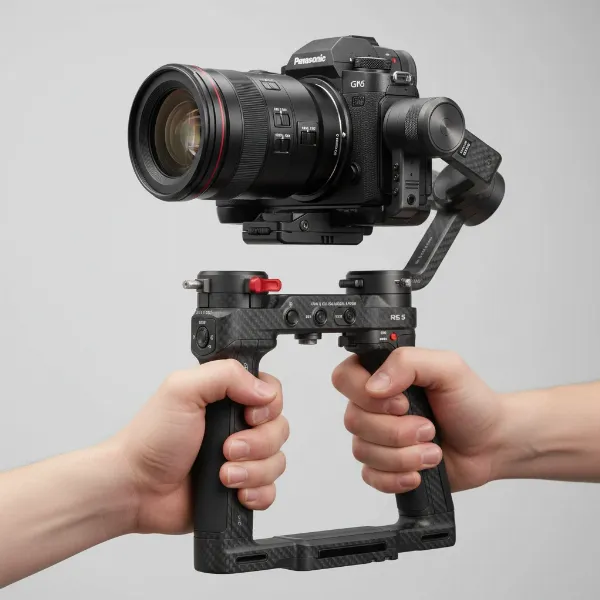 The DJI RS 5 gimbal with a Panasonic GH6 attached, showcasing its robust design.
Zhiyun Cinepeer Weebill 3E – The Lightweight Travel Companion
The Zhiyun Cinepeer Weebill 3E emerges as an excellent choice for Panasonic GH6 and GH7 users prioritizing portability and a streamlined setup without compromising on professional features. As a lightweight and compact gimbal, it’s ideal for vloggers, travel filmmakers, and creators who need to stay agile. Despite its small size, the Weebill 3E supports payloads up to 6.6 lbs (3 kg), proving its capability to handle the GH6 with popular lens combinations like the Sigma 18-35mm via a Metabones Speed Booster.
This gimbal is part of Zhiyun’s more budget-friendly Cinepeer line but includes many pro-level features. Its ergonomic design, often complemented by a sling arm or wrist rest, reduces arm fatigue during extended shooting. The Weebill 3E also offers Bluetooth capabilities for compatible cameras, enhancing remote control options. It’s particularly well-suited for smaller, more portable rigs, offering a balance of performance and extreme portability at a competitive price point, making it a favorite for those always on the go.
Zhiyun Crane M3 Pro – Versatile and Compact Powerhouse
The Zhiyun Crane M3 Pro strikes an appealing balance between power and portability, making it a highly versatile option for Panasonic GH6 and GH7 users. This very lightweight gimbal is known for its compact design, allowing it to easily fit into smaller camera bags. It’s particularly well-suited for mirrorless cameras like the GH6/GH7 paired with compact lenses, offering excellent stabilization for everyday shooting, vlogging, and content creation.
The Crane M3 Pro distinguishes itself with a built-in fill light and a vibrant touchscreen display for intuitive control, enhancing its utility in various shooting scenarios. Its quick-release plate system makes camera mounting and dismounting exceptionally fast, a boon for creators who frequently switch between handheld and stabilized shots. While its payload capacity is slightly less than the RS 5, it’s perfectly adequate for many GH6/GH7 setups, offering a fantastic blend of features, portability, and performance for beginners to intermediate users.
How to Use and Maintain Your Camera Stabilizer
Getting the most out of your gimbal requires proper setup and care. Even the best gimbal won’t deliver perfect results if not used correctly.
Balancing and Setup: The most crucial step is balancing your camera on the gimbal. This process ensures the camera’s weight is evenly distributed, allowing the motors to work efficiently without straining. Most modern gimbals feature precise adjustment mechanisms on each axis (pan, tilt, roll). Start by balancing the tilt axis, then the roll, and finally the pan. Many gimbals also offer an auto-tune function that fine-tunes motor strength for optimal performance once roughly balanced. Always refer to your gimbal’s manual for specific balancing instructions.
Smooth Shooting Tips: Once balanced, practice smooth movements. Use your entire body to initiate movement rather than just your wrists. Keep your knees slightly bent to act as natural shock absorbers. Experiment with different gimbal modes (e.g., pan follow, lock mode, POV) to understand how they affect your shots. For cinematic pushes and pulls, consider using a walking technique called the “ninja walk” or “Gimbal Walk” to minimize vertical bounce.
Cleaning and Storage: Regular maintenance extends the life of your gimbal. Keep the motors and moving parts free from dust and debris using a soft brush or compressed air. If any parts become dirty, wipe them gently with a damp cloth, avoiding harsh chemicals. Store your gimbal in its original case or a dedicated protective bag to prevent damage. Always ensure the motors are locked (if your gimbal has this feature) during transport. Charge batteries regularly, even when not in use, to maintain their health.
Where to Buy Camera Stabilizers
Finding the right gimbal is one thing; knowing where to purchase it reliably is another. For camera stabilizers, especially for professional cameras like the Panasonic GH6 and GH7, it’s vital to buy from reputable sources that offer genuine products, warranty support, and good customer service.
Authorized Dealers and Camera Stores: Major electronics retailers and specialized camera equipment stores are excellent places to start. They often have knowledgeable staff who can provide hands-on demonstrations and answer specific questions about compatibility with your GH6 or GH7. Brands like DJI and Zhiyun also have official online stores.
Online Marketplaces: Reputable online platforms like Amazon, B&H Photo Video, and Adorama offer a vast selection of gimbals. When purchasing online, always verify the seller’s reputation, read product reviews carefully, and ensure they are an authorized dealer to guarantee warranty validity. Pay close attention to the return policy and shipping details.
Important Considerations: Always check the warranty provided by the manufacturer and the retailer. Understand their return and exchange policies in case the gimbal doesn’t meet your expectations or has defects. Customer support can be invaluable if you encounter any issues during setup or use.
Buying Guide: Expert Advice
Navigating the world of camera stabilizers can be daunting, but with a clear strategy, you can make an informed decision. As a professional with extensive experience, I recommend the following:
“The secret to choosing the right gimbal for your Panasonic GH6 or GH7 isn’t just about raw specs; it’s about understanding your workflow. Match the gimbal’s payload capacity to your heaviest lens setup, prioritize portability for run-and-gun, and always factor in battery life for long shoots. A well-matched gimbal becomes an extension of your creative vision.” – Admin, StabilizerPro.com, Camera Stabilizer Expert
First, clearly define your needs and primary purpose. Are you a solo vlogger needing a lightweight, quick-setup solution, or part of a production team requiring robust support for cinema lenses? Second, read comprehensive reviews and compare products. Look for real-world tests with cameras similar to the GH6/GH7. Pay attention to user feedback regarding ease of balancing, motor performance, and app functionality. Finally, don’t overlook warranty and customer support. A good warranty provides peace of mind, and reliable support can be a lifesaver if you encounter technical challenges.
Conclusion
Choosing the best gimbal for your Panasonic GH6 or GH7 is a crucial step towards elevating your videography to professional heights. By understanding the types of stabilizers available, carefully considering factors like camera compatibility, budget, and intended use, and exploring top models like the DJI RS 5, Zhiyun Cinepeer Weebill 3E, and Zhiyun Crane M3 Pro, you can confidently select a tool that perfectly complements your creative workflow. Remember, the right Camera Stabilizer won’t just smooth your footage; it will unlock new creative possibilities, allowing you to capture dynamic, stable, and truly cinematic shots. What cinematic story will you tell with your perfectly stabilized Panasonic GH6 or GH7?
Frequently Asked Questions
Can the Panasonic GH7 use gimbals designed for the GH6?
Yes, generally, gimbals designed for the Panasonic GH6 are compatible with the GH7, as both cameras share similar form factors and weight characteristics within the Micro Four Thirds system. Always double-check the gimbal’s maximum payload capacity against your GH7 body and heaviest lens combination.
What is the most important factor when choosing a gimbal for vlogging with a Panasonic GH6?
For vlogging with a Panasonic GH6, portability, ease of setup, and lightweight design are arguably the most important factors. A compact gimbal that can be quickly balanced and easily carried for extended periods, such as the Zhiyun Cinepeer Weebill 3E or Zhiyun Crane M3 Pro, will significantly enhance your vlogging experience.
How do I know if my lens will be too heavy for a specific gimbal with my GH6?
To determine if your lens is too heavy, add the weight of your Panasonic GH6 camera body to the weight of your heaviest intended lens, plus any small accessories like a quick-release plate. Compare this total weight to the gimbal’s specified maximum payload capacity. Always choose a gimbal with a payload capacity comfortably above your total camera rig weight.
Is a 3-axis gimbal always better than a 2-axis gimbal for the GH6/GH7?
For most videography applications with the Panasonic GH6 or GH7, a 3-axis gimbal is almost always superior to a 2-axis one. A 3-axis gimbal stabilizes across the pan, tilt, and roll axes, providing complete freedom from shake and a much more fluid, professional look. 2-axis gimbals are generally less effective for dynamic camera movements.
