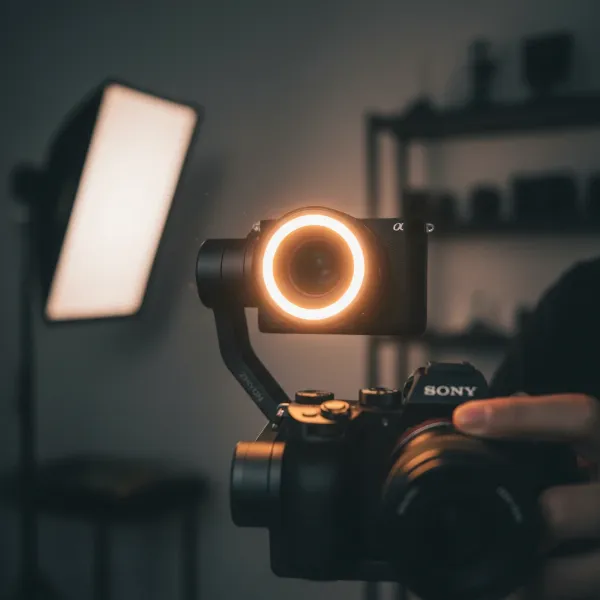
The Samsung Galaxy S24 Ultra stands as a titan in mobile photography and videography, boasting an incredible camera system and robust built-in stabilization. Yet, to truly unlock its cinematic potential and achieve butter-smooth, professional-grade footage, a dedicated camera stabilizer, specifically a smartphone gimbal, is an indispensable tool. Navigating the myriad of options can be daunting, but choosing the right gimbal can transform your everyday videos into stunning, stable masterpieces. This comprehensive guide will walk you through the top choices and essential considerations, ensuring your S24 Ultra captures flawlessly smooth content every time.
What is a Camera Stabilizer, and Why Does Your S24 Ultra Need One?
A Camera Stabilizer, in its essence, is a device designed to counteract unwanted movement and vibrations, keeping your camera steady during filming. While various types exist—from large steadicams used in professional film sets to sliders that enable smooth linear motion—the most relevant and practical stabilizer for your Samsung Galaxy S24 Ultra is a gimbal.
Smartphone gimbals typically employ three-axis stabilization, utilizing brushless motors to correct for movements across the pan, tilt, and roll axes. This sophisticated technology allows the gimbal to intelligently respond to your motion, ensuring the S24 Ultra remains level and your footage stays incredibly smooth, even when walking, running, or moving through dynamic environments. While the S24 Ultra itself offers excellent optical image stabilization (OIS) and electronic image stabilization (EIS), a gimbal elevates this further by providing mechanical stability that digital stabilization simply cannot replicate, resulting in genuinely cinematic results free from jitters and shakes.
Key Factors When Choosing a Gimbal for Your Samsung Galaxy S24 Ultra
Selecting the perfect gimbal isn’t a one-size-fits-all decision; it depends heavily on your specific needs and how you plan to use your S24 Ultra.
Camera Compatibility (S24 Ultra Specifics)
The Samsung Galaxy S24 Ultra is a large and relatively heavy smartphone, especially when fitted with a protective case. This necessitates a gimbal with sufficient payload capacity and a wide enough clamp to securely hold the device. Look for gimbals explicitly stating compatibility with larger phones or those designed for the “Ultra” series. A strong, responsive 3-axis stabilization system is crucial to effectively manage the S24 Ultra’s weight and ensure fluid movement without motor strain.
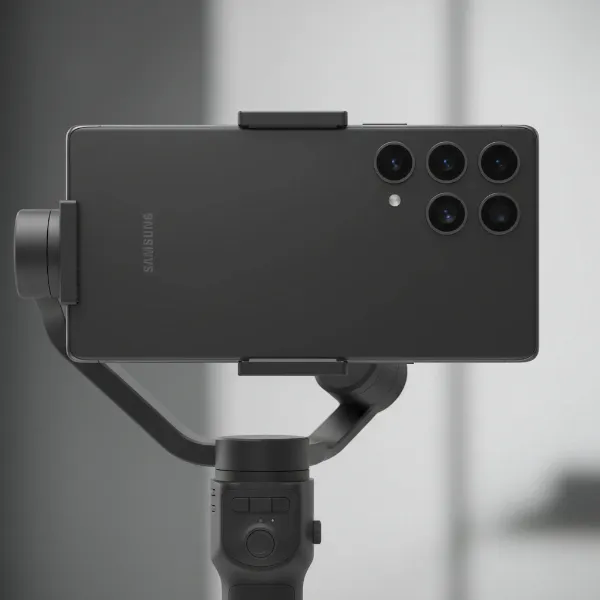 Samsung Galaxy S24 Ultra securely mounted on a 3-axis smartphone gimbal, showcasing compatibility.
Budget
Gimbals come in a wide price range, from entry-level options under $100 to premium models costing several hundred dollars.
- Budget-friendly gimbals often offer basic stabilization and essential features, ideal for casual users or those new to gimbals.
- Mid-range options strike a balance between features and cost, typically including better build quality, longer battery life, and more advanced shooting modes.
- High-end gimbals cater to professional content creators, offering superior motor performance, advanced AI tracking, integrated controls, and premium accessories like fill lights and extension rods.
Purpose of Use
Your primary use case will heavily influence your choice.
- Vlogging and Travel: You’ll want a lightweight, portable, and foldable gimbal with a good battery life and potentially a built-in extension rod for selfies and wider shots.
- Action and Sports: Look for robust gimbals with excellent tracking capabilities and strong motors that can keep up with fast movements.
- Professional Filmmaking/Short Films: Prioritize gimbals with precise controls, smooth cinematic modes, accessory mounting points, and reliable performance with the S24 Ultra’s advanced camera features.
Advanced Features
Modern smartphone gimbals are packed with intelligent features that can enhance your shooting experience.
- AI Tracking: Many gimbals now feature intelligent subject tracking. Some require a companion app, while others boast built-in AI Vision Sensors that can track subjects without needing an app, allowing you to use the S24 Ultra’s native camera or third-party cinema apps with tracking functionality. This “app-free” tracking is a significant advantage for flexibility.
- Built-in Fill Light: Essential for low-light conditions, some gimbals include adjustable LED fill lights to illuminate your subject, adding a professional touch to your videos.
- Extension Rod and Tripod: Integrated selfie sticks or extension rods are great for vlogging and getting wider angles, while a built-in tripod allows for stable stationary shots, time-lapses, or hands-free recording.
- Battery Life: Longer battery life is always a plus, especially for extended shooting sessions. Fast charging capabilities are also beneficial.
- App Control vs. Native Camera: While companion apps often unlock a gimbal’s full potential, the ability to control core gimbal functions (like modes and joystick movements) with the S24 Ultra’s native camera app is a highly sought-after feature for many users.
Comparing Top Gimbals for Samsung Galaxy S24 Ultra
When considering the best gimbals for your S24 Ultra, several models consistently stand out for their features, performance, and compatibility with large smartphones. Here’s a comparison of some top contenders:
| Feature | DJI Osmo Mobile 7P | Insta360 Flow 2 Pro | Hohem iSteady M7 | Zhiyun Smooth 5S AI |
|---|---|---|---|---|
| Pros | Magnetic mount, built-in extension rod, AI tracking, compact, solid build, excellent ergonomics. | Built-in tripod, extension rod, AI tracking, long 10-hour battery life, folds small. | AI Vision Sensor (app-free tracking), built-in LED fill light, 3-axis for heavy phones, gesture control. [cite: 3 (search 1)] | Pro-level stability, excellent ergonomics, tactile controls, bright fill light, AI sensor. [cite: 3 (search 4)] |
| Cons | Works best with DJI Mimo app; can be tight with large cases. | Might have limited control via Apple Watch (less relevant for S24 Ultra users). | Roll axis can sometimes be visible at steep tilt angles. | Bulkier design; app experience can be complicated; AI tracking sometimes unreliable. [cite: 3 (search 4)] |
| Best For | All-rounder, vlogging, travel, easy magnetic setup. | Tracking shots, portability, content creators needing all-in-one. | Samsung Ultra users seeking advanced AI, app-free control, and robust support. | Presenting to camera, cinematic moves, robust professional feel. |
Top Gimbals for Samsung Galaxy S24 Ultra: Detailed Reviews
Here’s a closer look at some of the best gimbals that will pair perfectly with your Samsung Galaxy S24 Ultra.
DJI Osmo Mobile 7P – The Versatile Filmmaker’s Choice
The DJI Osmo Mobile 7P is consistently ranked among the best smartphone gimbals, offering a blend of portability, powerful features, and ease of use that makes it ideal for S24 Ultra users. Its magnetic quick-release design allows you to attach and detach your phone effortlessly, a significant convenience. The gimbal features ActiveTrack 4.0, an advanced AI tracking system that keeps your subject in focus even during complex movements. For vloggers, the integrated extension rod is a game-changer, allowing for higher or wider shots. The 7P folds down compactly for easy transport and offers excellent ergonomics. While it delivers its best performance with the DJI Mimo app, it provides core stabilization with your phone’s native camera.
Hohem iSteady M7 – Tailored for Samsung Ultra
The Hohem iSteady M7 is specifically engineered to support today’s larger, more powerful flagship Samsung phones, including the Galaxy S24 Ultra. [cite: 3 (search 1)] It boasts true 3-axis stabilization to handle the S24 Ultra’s weight, ensuring smooth, shake-free footage. A standout feature is its upgraded AI Vision Sensor, which enables intelligent face tracking and gesture control without relying on an app. [cite: 3 (search 1)] This means you can use your S24 Ultra’s native camera or other video apps while still benefiting from smart tracking. Additionally, it includes a built-in LED fill light with RGB modes, perfect for low-light scenarios and creative shots. Its wide compatibility ensures it supports large models like the S24 Ultra, even with cases. [cite: 3 (search 1)]
Insta360 Flow 2 Pro – The Smart & Portable Companion
The Insta360 Flow 2 Pro is a favorite for creators who value portability and intelligent tracking. It stabilizes footage effectively and boasts an impressive battery life of up to 10 hours. The gimbal folds down smaller than many competitors, and its integrated extension rod and built-in tripod offer unparalleled versatility for self-recorded footage, stable shots, and group photos. Its effective AI tracking allows for seamless subject following, making it an excellent choice for dynamic shooting. The Flow 2 Pro combines compact design with powerful features, making it ideal for travel vloggers and on-the-go content creators.
Zhiyun Smooth 5S AI – For Professional Stability
For those seeking robust, professional-grade stability, the Zhiyun Smooth 5S AI is a strong contender. While it’s a bit bulkier than some portable options, this gimbal compensates with unmatched stability and superb ergonomics. It features a magnetic AI sensor that clips above your smartphone, enabling gesture control and face tracking even with the native camera app. [cite: 3 (search 4)] The Smooth 5S AI also includes a powerful mini LED fill light, offering superior brightness for diverse lighting conditions. Its tactile physical controls provide a more hands-on, professional feel, allowing for cinematic moves and precise camera operation. [cite: 3 (search 4)]
Mastering Your Gimbal: Tips for Using and Maintaining Your S24 Ultra Stabilizer
Getting the most out of your gimbal and S24 Ultra requires a little practice.
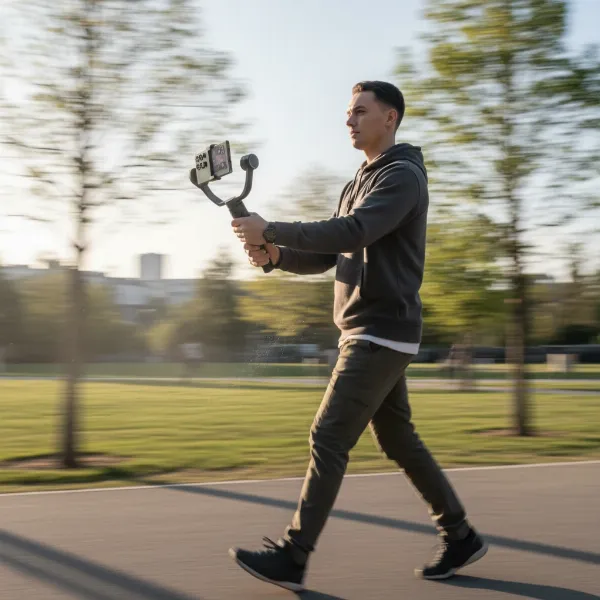 Person using a Samsung S24 Ultra on a gimbal to record smooth, professional video footage.
- Balance is Key: Before powering on, always balance your S24 Ultra properly on the gimbal. An unbalanced phone puts strain on the motors, drains battery faster, and can result in less stable footage. Adjust the phone in the clamp until it stays level when the gimbal is off.
- Optimal Video Settings: While the S24 Ultra can record 4K at 120fps, its internal stabilization often works best at 4K 60fps. Experiment with different frame rates and resolutions to find what works best with your gimbal for the desired look.
- Utilize Gimbal Modes: Learn the different modes your gimbal offers (e.g., Pan Follow, Lock, POV, FPV). Each mode is designed for specific shots and movements, unlocking creative possibilities.
- Practice Smooth Movements: Even with a gimbal, deliberate, smooth body movements enhance the cinematic quality. Bend your knees slightly, walk slowly, and practice your pans and tilts to achieve a floating effect.
- Leverage AI Tracking: If your gimbal has AI tracking, use it for solo filming or keeping fast-moving subjects in frame. Many gimbals allow gesture control to start and stop tracking, making solo shoots much easier.
- Care and Storage: Store your gimbal folded in its protective case to prevent damage. Keep motors clean and free of dust. Charge the battery regularly to ensure it’s ready for your next shoot.
Where to Buy Your Samsung Galaxy S24 Ultra Gimbal
When you’re ready to purchase a gimbal for your S24 Ultra, consider these reliable sources:
- Online Retailers: Websites like Amazon, Best Buy, and B&H Photo offer a wide selection of gimbals from various brands, often with competitive pricing and customer reviews.
- Official Brand Stores: Purchasing directly from the manufacturer’s website (e.g., DJI Store, Hohem Official Store, Zhiyun Tech) can sometimes offer exclusive bundles, the latest models, and direct customer support.
- Local Camera/Electronics Stores: If you prefer to physically handle the gimbal and test its fit with your S24 Ultra before buying, visit specialized camera or electronics stores.
Always check the seller’s return policy, warranty information, and customer service reputation before making a purchase. Reading recent reviews, particularly from S24 Ultra users, can provide valuable insights.
Expert Buying Guide: Final Advice for S24 Ultra Users
Choosing the best gimbal for your Samsung Galaxy S24 Ultra doesn’t have to be complicated. Based on years of experience, here’s some expert advice:
“The Samsung Galaxy S24 Ultra is a beast for mobile video. Don’t just pick any gimbal; ensure it can handle the phone’s size and weight, even with your preferred case. The motors need to be robust enough to provide true stability without overworking.” – Alex Chen, Professional Mobile Videographer
- Prioritize Payload and Clamp Size: This is non-negotiable for the S24 Ultra. Ensure the gimbal can comfortably and securely hold your phone, ideally even with a thin case, to prevent motor strain and maintain balance.
- Consider App-Free AI Tracking: For maximum flexibility and to utilize your S24 Ultra’s native camera capabilities or preferred third-party apps, gimbals with built-in AI vision sensors for tracking are highly advantageous.
- Match Features to Your Workflow: If you vlog, an extension rod and built-in tripod are invaluable. If you shoot cinematic sequences, precise controls and multiple modes are key. Don’t pay for features you won’t use.
- Read Recent Reviews: Technology evolves rapidly. Look for reviews specifically mentioning the S24 Ultra’s performance with the gimbal, as software updates and phone design changes can impact compatibility.
Investing in a quality gimbal for your Samsung Galaxy S24 Ultra is a step towards elevating your mobile filmmaking to a professional level. The right stabilizer will unlock incredible creative potential, allowing you to capture stable, dynamic, and breathtaking videos that truly stand out. What story will you tell with your newly stabilized S24 Ultra footage?
Frequently Asked Questions
Can the Samsung Galaxy S24 Ultra fit in any smartphone gimbal?
No, the Samsung Galaxy S24 Ultra is a large and relatively heavy phone, so it requires a gimbal with a sufficient payload capacity and a wide enough clamp to hold it securely. Always check the gimbal’s specifications for compatible phone dimensions and weight limits.
Do I need a gimbal if the S24 Ultra already has great OIS?
While the S24 Ultra’s optical image stabilization (OIS) is excellent, a 3-axis gimbal provides mechanical stabilization that goes beyond digital correction. This results in smoother, more cinematic footage, especially for dynamic movements like walking or running, and allows for creative camera movements that OIS alone cannot achieve.
What is 3-axis stabilization on a gimbal?
Three-axis stabilization means the gimbal can counteract movement across three directions: pan (side-to-side rotation), tilt (up and down), and roll (tilting left or right). This comprehensive stabilization ensures your S24 Ultra remains perfectly level and steady, producing exceptionally smooth video.
Can I use my native camera app with a gimbal?
Many modern gimbals allow you to control basic functions and utilize stabilization with your S24 Ultra’s native camera app. However, some advanced features like AI tracking, specific shooting modes, or advanced settings might require the gimbal’s dedicated companion app. Gimbals with built-in AI sensors can offer app-free tracking, providing more flexibility.