In the dynamic world of content creation, a steady shot can elevate your mobile videos from amateur to professional. Smartphone gimbals have become indispensable tools for vloggers, travelers, and aspiring filmmakers, ensuring buttery-smooth footage even on the go. But with innovative options like the Zhiyun Smooth Q4 and DJI Osmo Mobile 6 dominating the market, choosing the right stabilizer can be a challenge. This in-depth comparison delves into their features, performance, and user experience to help you make an informed decision and unlock your full creative potential.
What is a Camera Stabilizer and Why Do You Need One?
A Camera Stabilizer, often referred to as a gimbal, is a device designed to minimize camera shake and vibration, allowing you to capture exceptionally smooth and stable video footage. For smartphones, these three-axis gimbals use brushless motors to counteract unwanted movements across the pan, tilt, and roll axes, keeping your phone level and focused on your subject. While some modern smartphones boast impressive built-in electronic image stabilization, a dedicated gimbal offers superior physical stabilization, delivering a truly cinematic look that software alone often cannot match. [cite: 3 (DJI OM6 review)]
The benefits of using a smartphone gimbal are manifold. Beyond simply eliminating shaky footage, they enable a wide array of creative shots, from dynamic tracking shots to elegant cinematic glides. Whether you’re recording a travel vlog, capturing fast-paced action, or producing short films, a gimbal transforms your mobile device into a powerful filmmaking tool, ensuring your audience enjoys a professional and immersive viewing experience.
Essential Factors When Choosing a Smartphone Gimbal
Selecting the ideal smartphone gimbal involves more than just picking a popular model. Your specific needs and filming habits should guide your choice. Consider these key factors to ensure your stabilizer perfectly complements your creative workflow.
Camera Type
While both the Zhiyun Smooth Q4 and DJI Osmo Mobile 6 are designed for smartphones, it’s crucial to consider the size and weight of your specific phone, especially if you use additional lenses or accessories. The DJI Osmo Mobile 6 supports phones weighing up to 280-290g, while the Zhiyun Smooth Q4 accommodates phones between 150g and 280g. [cite: 1 (B&H Photo), 2 (Youtube comparison OM6 vs Smooth 5)] Larger phones, particularly “Max” or “Ultra” models, might push the limits or cause balancing issues with some gimbals, though both models generally handle most modern smartphones well.
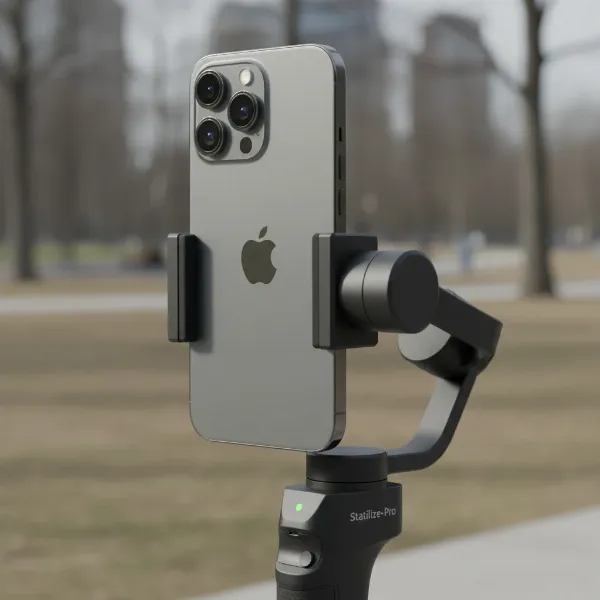 Smartphone gimbal holding a large phone, illustrating weight and size compatibility
Budget
Smartphone gimbals come in various price points, offering different features and build qualities. Both the Zhiyun Smooth Q4 and DJI Osmo Mobile 6 fall into the mid-range category, providing a robust set of features without the premium price tag of professional camera gimbals. The Zhiyun Smooth Q4 is often slightly more affordable than the DJI Osmo Mobile 6, especially its standard package. [cite: 4 (Zhiyun Q4 review)] It’s important to weigh the value you receive against the cost, considering accessories like a built-in fill light or combo packages.
Purpose of Use
Your primary filming activities heavily influence which gimbal is best for you.
- Vlogging and Travel: For daily vlogs or travel adventures, portability, quick setup, and ease of use are paramount. Both gimbals excel here with their foldable designs and built-in extension rods.
- Action and Sports: While smartphone gimbals offer stabilization for movement, extremely fast-paced sports might require more robust solutions or action cameras with superior native stabilization. However, for smoother, controlled action shots, these gimbals perform admirably.
- Professional Filmmaking/Short Films: For more cinematic projects, advanced control over focus and zoom, precise tracking, and extensive app features become critical. Both gimbals offer these, with subtle differences in their implementation.
Weight and Size
A gimbal’s portability directly impacts how often you’ll use it. Both the Zhiyun Smooth Q4 and DJI Osmo Mobile 6 feature a compact, foldable design, making them easy to carry in a backpack. The DJI Osmo Mobile 6 is generally lighter at 309g, while the Zhiyun Smooth Q4 weighs 370g. [cite: 1 (B&H Photo), 1 (DJI OM6 review)] The ability to quickly deploy and pack away your gimbal is a significant convenience for creators on the move. Both also feature an integrated extension rod, adding versatility for higher or lower angle shots without needing extra accessories.
Comparing Popular Smartphone Gimbals: Zhiyun Smooth Q4 vs. DJI Osmo Mobile 6
When it comes to smartphone stabilization, Zhiyun and DJI are two of the most recognized names. The Smooth Q4 and Osmo Mobile 6 represent their popular offerings, each bringing unique strengths to the table. Let’s break down their core features and differences.
Comparison Table
| Feature | Zhiyun Smooth Q4 | DJI Osmo Mobile 6 |
|---|---|---|
| Release Date | June 2022 | September 2022 |
| Weight | 370g | 309g |
| Payload Capacity | 150-280g | Up to 280g (some sources up to 290g) |
| Battery Runtime | 10-15 hours | 6.4-6.5 hours |
| Charging Time | 2.5 hours | 1.5 hours |
| Phone Mounting | Clamp | Magnetic Clamp |
| Extension Rod | Built-in (215mm) | Built-in (8.5 inches / 215.9mm) |
| Controls | Scroll wheel (zoom/focus), joystick, mode button | New side wheel (zoom/focus), improved joystick, M button |
| Status Display | No dedicated display | Small digital status screen (mode, battery) |
| Unique Features | Detachable magnetic fill light, ZY Cami app suite | Quick Launch (iOS), ActiveTrack 5.0, ShotGuides |
| App | ZY Cami | DJI Mimo |
| Price (approx.) | $119 (Standard), $149 (Combo) | $149 – $159 (often on sale for less) |
Zhiyun Smooth Q4 – Overview
The Zhiyun Smooth Q4 is a compelling option for content creators seeking an affordable yet feature-rich smartphone gimbal. It stands out with its impressive battery life, offering up to 10-15 hours on a single charge, significantly longer than its direct competitor. [cite: 1 (B&H Photo), 1 (Zhiyun Q4 review)] This makes it an excellent choice for extended shooting sessions or travel where charging opportunities are scarce.
A key differentiator for the Smooth Q4 is its detachable magnetic fill light, which comes standard in the combo package or can be purchased separately. [cite: 1 (Zhiyun Q4 review)] This integrated lighting solution, complete with four color filters, is a massive boon for vlogging and low-light scenarios, eliminating the need for external lighting setups. The Smooth Q4 also features a redesigned handle for a better grip and an extendable arm, similar to DJI’s offerings, providing flexibility for various shooting angles. [cite: 3 (Zhiyun Q4 review)]
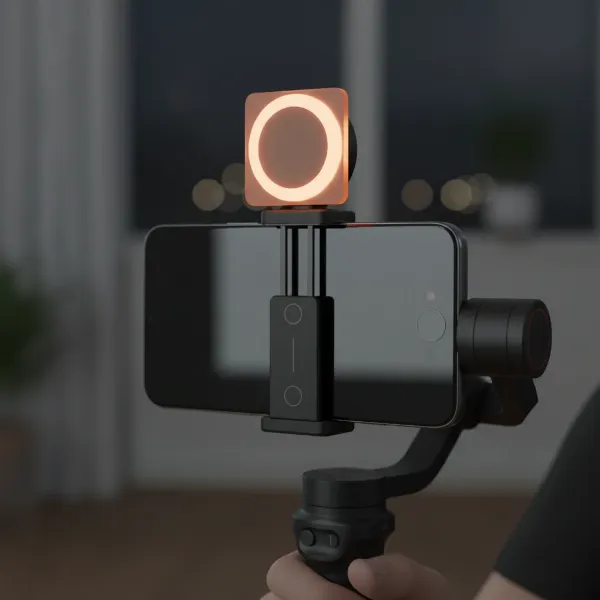 Zhiyun Smooth Q4 gimbal with its detachable magnetic fill light illuminated
Its accompanying ZY Cami app is robust, offering numerous video tutorials, various shooting modes like Timelapse and MagicClone Pano, and the effective SmartFollow 3.0 for subject tracking. [cite: 3 (Zhiyun Q4 review)] The app even includes a built-in editing suite, allowing for quick post-production directly on your phone. However, it’s worth noting that some advanced features like 4K export and certain streaming services are locked behind a ZHIYUN Prime membership. [cite: 4 (Zhiyun Q4 review)] While generally smooth, some users have reported noticeable compression in hyper-lapse clips and less-than-perfect image stitching in pano mode. [cite: 1 (Zhiyun Q4 review)]
“The ZHIYUN Smooth Q4 gimbal is an excellent example of offering almost everything that its DJI counterpart does, making it a fantastic go-to for mobile filmmakers that want smooth, pro-level footage from a stabilizer without breaking the bank.” – Wedio Review [cite: 1 (Zhiyun Q4 review)]
DJI Osmo Mobile 6 – Overview
The DJI Osmo Mobile 6 builds on DJI’s reputation for user-friendly and highly effective gimbals, emphasizing convenience and swift setup. It’s notably more compact and lighter than the Smooth Q4, weighing just 309g, making it incredibly portable. [cite: 1 (DJI OM6 review)] The OM6 shines with its innovative magnetic phone clamp, allowing for quick and hassle-free attachment and detachment of your smartphone. Its Quick Launch feature, especially beneficial for iOS users, automatically starts recording as soon as you unfold the gimbal and attach your phone. [cite: 2 (DJI OM6 review)]
The Osmo Mobile 6 features an ergonomic design with an improved joystick for more precise control and a new side wheel that can be smoothly toggled between zoom and manual focus. [cite: 1 (DJI OM6 review)] A small, clear status screen is another welcome addition, providing instant information on the current mode and battery level. [cite: 2 (DJI OM6 review)] DJI’s acclaimed ActiveTrack technology is present in version 5.0, offering reliable subject tracking. The DJI Mimo app provides ShotGuides, which offer helpful shot recommendations, and comprehensive tutorials.
While its stabilization is consistently excellent, some users have noted that the zoom/focus wheel can be a bit sensitive. [cite: 3 (DJI OM6 review)] Although a powerful tool, some key features and the overall best experience are optimized for iPhone users, potentially leaving Android users with a slightly less seamless experience. [cite: 3 (DJI OM6 review)] Additionally, while the Mimo app is capable, some users have reported that footage recorded directly through the app can appear darker, noisier, or more pixelated compared to their phone’s native camera app, and using the app can significantly drain the phone’s battery. [cite: 5 (DJI OM6 review)]
How to Use and Maintain Your Smartphone Gimbal
Mastering your smartphone gimbal involves a few fundamental steps that will ensure optimal performance and longevity for your device.
Balancing and Setup
Before every shoot, properly balancing your smartphone on the gimbal is crucial. This reduces strain on the motors and ensures the smoothest footage. While some gimbals offer magnetic quick-release systems (like the DJI OM6), you’ll still need to adjust your phone’s position in the clamp until it sits as level as possible when the gimbal is off. Many gimbals have a calibration function in their respective apps, which you should run periodically.
- Attach your phone: Securely place your smartphone in the gimbal’s clamp or magnetic mount.
- Balance horizontally: Adjust the phone’s position left or right until it remains level when the gimbal is held horizontally.
- Balance vertically: If your gimbal allows, adjust the phone’s up or down position to achieve vertical balance.
- Power on: Once balanced, power on the gimbal. It should initialize and hold your phone steady.
- Connect to app: Pair the gimbal with its companion app (ZY Cami for Zhiyun, DJI Mimo for DJI) via Bluetooth to access full features and controls.
Tips for Smooth Filming
- Walk like a ninja: Bend your knees and walk softly to absorb impacts and further smooth out your movements.
- Use gimbal modes wisely: Familiarize yourself with different modes (e.g., Pan Follow, Lock, POV) and use them appropriately for your desired shot.
- Practice slow, deliberate movements: Rushing your movements will still result in jarring footage, even with a gimbal.
- Utilize tracking features: Features like ActiveTrack (DJI) or SmartFollow (Zhiyun) are excellent for keeping subjects in frame automatically.
- Experiment with the extension rod: Use the built-in extension rod for dynamic high-angle or low-angle shots.
Cleaning and Maintenance
To keep your gimbal in top condition, follow these simple maintenance tips:
- Clean regularly: Wipe down the gimbal with a soft, dry cloth to remove dust and dirt. Avoid harsh chemicals.
- Protect motors: Be gentle with the gimbal arms and motors. Avoid forcing movements or putting excessive pressure on them.
- Store properly: When not in use, fold the gimbal into its compact form and store it in its protective pouch or case to prevent damage.
- Charge optimally: Follow the manufacturer’s guidelines for charging to maximize battery life. Avoid overcharging or fully depleting the battery frequently.
Where to Buy Smartphone Gimbals?
Acquiring a quality smartphone gimbal is easier than ever, with a variety of reputable sources available both online and in physical stores.
Reputable Camera and Electronics Stores
Many major electronics retailers and specialized camera stores carry both Zhiyun and DJI gimbals. Shopping at these stores allows you to:
- Physically examine the product: Get a feel for the build quality, ergonomics, and size.
- Seek expert advice: Sales associates can answer your questions and help compare models.
- Benefit from in-store support: Easier returns or exchanges if issues arise.
Online Marketplaces and Manufacturer Websites
Online shopping offers convenience and often competitive pricing.
- Amazon, B&H Photo, Adorama: These large online retailers often have a wide selection, user reviews, and frequent sales.
- Official Zhiyun and DJI Websites: Purchasing directly from the manufacturer ensures you get genuine products, full warranty support, and access to the latest models and bundles.
Important Purchase Considerations
When buying, always:
- Check warranty and return policies: Understand the terms in case of defects or dissatisfaction.
- Read recent reviews: Look for feedback on performance with current smartphone models.
- Compare prices: Use price comparison tools to find the best deal, but be wary of unusually low prices from unverified sellers.
- Consider combo packs: Often, a “combo” version includes useful accessories like the fill light (Zhiyun Smooth Q4) or a carrying case at a bundled discount.
Buying Guide: Expert Advice for Your Smartphone Gimbal Choice
Choosing between the Zhiyun Smooth Q4 and DJI Osmo Mobile 6 ultimately boils down to your personal priorities as a content creator. Here’s some expert advice to guide your decision:
First, clearly define your primary needs and filming style. Are you a solo vlogger needing a reliable fill light and long battery life? The Zhiyun Smooth Q4’s integrated lighting and endurance make it a strong contender. Do you prioritize rapid setup, a highly intuitive user interface, and robust subject tracking for dynamic shots? The DJI Osmo Mobile 6’s magnetic mount, Quick Launch, and ActiveTrack 5.0 might be more appealing.
Second, deeply research and compare user reviews and performance tests. Pay close attention to feedback regarding compatibility with your specific smartphone model and any reported issues with app functionality or specific features like hyper-lapse or pano modes. While specifications provide a baseline, real-world user experiences offer invaluable insights.
Finally, always inquire about warranty and customer support policies. Both Zhiyun and DJI are reputable brands, but understanding their after-sales service can save you headaches down the line. A reliable warranty ensures peace of mind, especially for electronic devices that see frequent use in varied environments.
Frequently Asked Questions
Is a smartphone gimbal really necessary with modern phone stabilization?
While modern smartphones have excellent optical and electronic image stabilization, a dedicated 3-axis gimbal provides superior physical stabilization, delivering significantly smoother, more cinematic footage that software stabilization alone cannot fully replicate.
Which gimbal is better for Android users, Zhiyun Smooth Q4 or DJI Osmo Mobile 6?
Both gimbals are compatible with Android. However, some advanced features like DJI’s Quick Launch are exclusive to iOS. The Zhiyun Smooth Q4’s ZY Cami app generally offers a rich experience across both platforms, though some pro features require a subscription.
Can I use my phone’s native camera app with these gimbals?
Yes, you can use your phone’s native camera app with both gimbals for basic stabilization. However, to access advanced features like ActiveTrack, SmartFollow, gesture control, or special shooting modes, you will need to use the gimbal’s companion app (DJI Mimo or Zhiyun ZY Cami).
How long do the batteries last on these gimbals?
The Zhiyun Smooth Q4 boasts a longer battery life, typically lasting 10-15 hours. The DJI Osmo Mobile 6 offers around 6.4-6.5 hours of runtime. This difference can be significant for extended filming sessions or travel.
Do these gimbals come with a built-in selfie stick?
Both the Zhiyun Smooth Q4 and DJI Osmo Mobile 6 feature a convenient built-in extension rod, effectively acting as a selfie stick, allowing for greater versatility in shot composition and framing.
Conclusion
Choosing between the Zhiyun Smooth Q4 and DJI Osmo Mobile 6 means weighing unique advantages against your specific needs. The Zhiyun Smooth Q4 excels with its impressive battery life, more affordable price point, and the invaluable addition of a detachable magnetic fill light, making it a strong contender for those prioritizing endurance and integrated lighting. [cite: 1 (Zhiyun Q4 review), 1 (B&H Photo)] Its feature-rich ZY Cami app empowers creators with diverse shooting modes and even an editing suite, although some advanced options require a subscription.
On the other hand, the DJI Osmo Mobile 6 stands out for its superior portability, lighter design, and unparalleled user convenience, highlighted by its magnetic quick-release system and iOS-specific Quick Launch. [cite: 1 (DJI OM6 review), 2 (DJI OM6 review)] Its refined controls and advanced ActiveTrack 5.0 provide precise, professional stabilization with an intuitive feel. While its battery life is shorter, the overall seamless experience and DJI’s polished ecosystem are often preferred by users seeking efficiency and top-tier tracking.
Ultimately, both gimbals deliver excellent stabilization, transforming your smartphone into a powerful filmmaking tool. Consider your budget, shooting duration, specific need for lighting, and desired level of app integration to make the choice that will best smooth out your cinematic journey. Which gimbal will become your go-to companion for capturing life’s moments in stunning clarity?