The adrenaline rush of a championship game, the sheer power of an athlete in motion, or the breathtaking speed of an extreme sport—capturing these moments with cinematic flair is the dream of every videographer. However, the inherent dynamism of sports and action scenes presents a formidable challenge: how to keep your footage buttery smooth and professional, free from distracting shakes and jitters. This is where the camera gimbal, a revolutionary stabilizer, steps in as your ultimate ally. It transforms chaotic movement into fluid artistry, making once-impossible shots a reality for creators at every level. This comprehensive guide will equip you with the knowledge, techniques, and insights to leverage your gimbal effectively, ensuring your sports and action videography stands out with unparalleled stability and cinematic impact.
What is a Camera Stabilizer, and Why You Need One for Action
A camera stabilizer, often referred to as a gimbal, is an electromechanical device that uses motors and intelligent sensors to keep your camera level and steady across all three axes of motion: pan, tilt, and roll. Unlike traditional handheld shooting or even monopod work, a gimbal actively counteracts unwanted movements, isolating the camera from your footsteps, hand tremors, and environmental shakes. This results in incredibly smooth, floating footage that has become the hallmark of professional video production.
For sports and action videography, the gimbal isn’t just a nice-to-have; it’s an essential tool. It allows you to:
- Capture Professional-Grade Footage: Deliver content that rivals big-budget productions, even when shooting fast-paced, unpredictable subjects.
- Reduce Fatigue: By distributing the camera’s weight and handling stabilization automatically, gimbals can reduce the physical strain of prolonged shooting.
- Enhance Storytelling: Smooth camera movements draw viewers into the action, conveying emotion and intensity without distraction.
- Unlock Creative Angles: Execute dynamic tracking shots, low-angle sweeps, and even simulated drone movements that would be impossible with an unstabilized camera.
Essential Factors for Choosing a Gimbal for Sports and Action
Selecting the right gimbal is the first critical step towards elevating your action videography. It’s not a one-size-fits-all solution, as different cameras and shooting styles demand specific features.
Camera Type Compatibility
The type of camera you intend to use is paramount, as gimbals have distinct payload capacities.
- DSLR/Mirrorless Cameras: These require gimbals with robust motors and higher payload capacities. Look for models designed specifically for larger cameras, ensuring they can handle the weight of your body, lens, and any accessories.
- Action Cameras (GoPro, DJI Osmo Action): Smaller, lighter gimbals are ideal for these cameras, prioritizing portability and quick setup. Many action cameras now have excellent in-body stabilization, but a dedicated gimbal can still offer superior smoothness for complex movements.
- Smartphones: The most accessible entry point, smartphone gimbals are lightweight, often foldable, and integrate seamlessly with phone apps for advanced features like object tracking and cinematic modes. They are perfect for vlogging and casual sports shooting.
|
Our Picks for the Best Camera Stabilizer in 2026
As an Amazon Associate I earn from qualifying purchases.
|
||
| Num | Product | Action |
|---|---|---|
| 1 | FeiyuTech SCORP 3 Gimbal Stabilizer for Camera, Built-in AI Tracking Sensor & Detachable Remote Control, 3.5KG Payload Camera Stabilizer with Touch Screen, Vertical Shooting |

|
| 2 | Zeadio Camera Stabilizer Kit, All-in-One Handheld Stabilizer with LED Video Light, Microphone, Phone Holder & Action Camera adaper, Fits for All Camera, DSLR, Action Camera and All Smartphones |
|
| 3 | DJI Osmo Mobile 7 Gimbal Stabilizer for iPhone, Android, Built-in Tripod, Portable Stabilizer for iPhone, Selfie Stick, 3-Axis Phone Gimbal, ActiveTrack 7.0, One-Tap Edit, 10hrs Use, Phone Charging |
|
| 4 | DJI Osmo Mobile 7P Gimbal Stabilizer for iPhone, Android, Native Tracking, Lighting, 3-Axis Phone Gimbal, Quick Launch, One-Tap Edit, Built-in Extension Rod & Tripod, 10hrs Use, Phone Charging |
|
| 5 | ZHIYUN CINEPEER Weebill 3E [Official], 3-Axis Lightweight Gimbal Stabilizer for DSLR & Mirrorless Camera Canon/Sony/Panasonic/Nikon, 3KG Payload, Native Vertical Shooting, Bluetooth Shutter Control |
|
| 6 | DJI RS 3 Mini, 3-Axis Gimbal Stabilizer for Cameras Canon/Sony/Panasonic/Nikon/Fujifilm, 2 kg (4.4 lbs) Tested Payload, Camera Gimbal with Native Vertical Shooting, Black |
|
| 7 | DJI Osmo Mobile 8 Advanced Tracking Combo Gimbal Stabilizer for Phone, AI Native Tracking with Audio & Lighting, 360° Pan Rotation, Built-in Extension Rod & Tripod, 10h Battery, Extension Rod |
|
| 8 | 3-Shoe DSLR/Mirrorless/Action Camera Camcorder Phone Stabilizer Expansion Cage Mount Moviemaking Holder Rig YouTube Tiktok Vlogging Video Kit Compatible with GoPro Canon Nikon Sony iPhone Android |
|
| 9 | FeiyuTech SCORP 2 Gimbal Stabilizer for DSLR and Mirrorless Camera, Integrated Al Tracking Sensor, 3-Axis Camera Stabilizer for Sony Canon Panasonic Nikon, 2.5kg Payload Touch Screen Vertical Shooting |
|
| 10 | Zeadio Video Action Stabilizing Handle Grip Handheld Stabilizer with Cold-Shoe Mount for All DSLR Camera Camcorder |
|
Budget Considerations
Gimbal prices vary widely, from under $100 for basic smartphone stabilizers to several thousand dollars for professional-grade setups.
- Entry-Level (Under $200): Primarily for smartphones or very light mirrorless cameras. Offers basic stabilization and essential modes.
- Mid-Range ($200-$700): Caters to DSLR and mirrorless users, offering increased payload capacity, advanced controls, and better battery life. This segment provides excellent value for serious enthusiasts and semi-professionals.
- High-End ($700+): Designed for heavier camera rigs, cinema cameras, and professional productions. These gimbals feature sophisticated motors, advanced stabilization algorithms, and extensive customization options.
Purpose of Use
Your primary shooting objective should guide your choice.
- Vlogging/Travel: Portability, ease of use, and quick setup are key. Smartphone or lightweight mirrorless gimbals are often sufficient.
- Sports Event Coverage: Requires gimbals with reliable tracking, strong motors to handle sudden movements, and potentially longer battery life. A gimbal that supports heavier lenses for reach might be necessary.
- Extreme Sports/Action: Durability, weather resistance (if applicable), and quick-release plates for rapid camera transfers are important. Stability during high-impact movements is crucial.
Weight, Size, and Portability
For sports and action, where you might be moving alongside your subject or needing to quickly change positions, the physical characteristics of your gimbal are vital.
- Portability: A lightweight and compact gimbal is easier to carry and maneuver, reducing fatigue during long shoots. Foldable designs are a huge plus for travel.
- Payload Capacity: Ensure the gimbal can comfortably support your camera and lens combination, plus any microphones, lights, or external monitors you might add. Exceeding the payload will strain the motors and compromise stabilization.
- Ergonomics: Test how the gimbal feels in your hands. A comfortable grip and intuitive control layout can significantly improve your shooting experience.
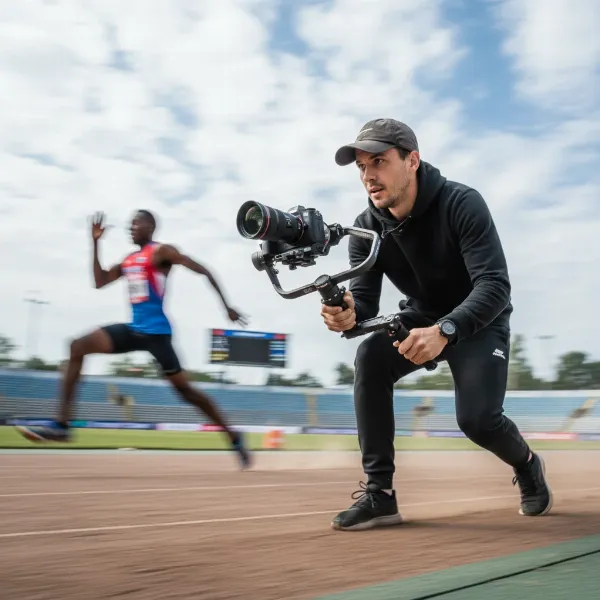 A videographer using a camera gimbal to film a fast-paced sports event with smooth motion
Mastering Your Gimbal: Techniques for Dynamic Sports and Action
Owning a gimbal is just the beginning; mastering its operation and understanding fundamental videography techniques are what truly unlock its potential for dynamic action.
Balancing Your Gimbal for Optimal Performance
Proper balancing is the single most important step for buttery-smooth footage and prolonging your gimbal’s motor life. A poorly balanced gimbal will struggle, consume more battery, and produce shaky results.
- Mount Your Camera: Securely attach your camera and lens to the quick-release plate. Ensure all accessories (microphone, monitor, filters) that will be used during shooting are attached.
- Rough Balance: Unlock all three axes (tilt, roll, pan). Start by balancing the tilt axis (forward/backward) so the camera doesn’t fall forward or backward when tilted. Then, balance the roll axis (side-to-side) so the camera doesn’t lean left or right. Finally, balance the pan axis (rotation) so the camera doesn’t drift left or right.
- Fine-Tune: Make small adjustments until the camera remains perfectly still, no matter what angle you set it at. It should feel weightless in every direction.
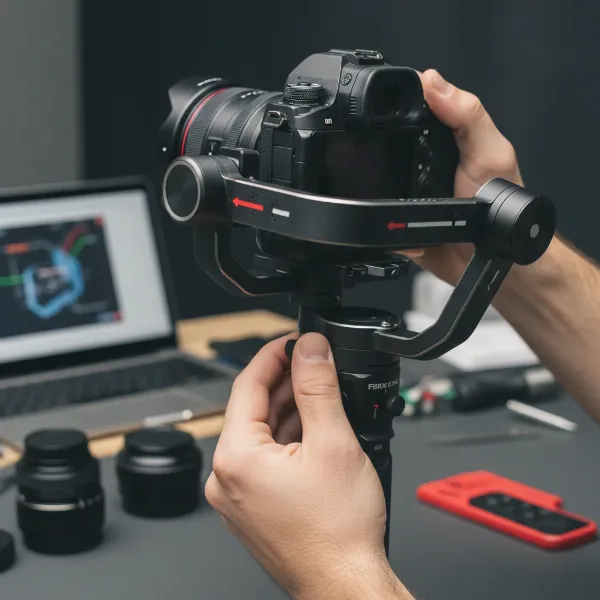 Hands carefully balancing a camera on a gimbal stabilizer for optimal performance
Movement Techniques for Fluid Shots
The way you move with your gimbal is just as important as the gimbal itself. These techniques will help you achieve naturally smooth and engaging shots.
- The “Ninja Walk”: This technique is crucial for minimizing vertical bounce caused by your footsteps. To execute it, walk with your knees slightly bent, almost like you’re floating, and keep your core stable. Distribute your weight evenly and avoid heavy footfalls. The goal is to absorb impact through your legs and hips, preventing it from transferring to the gimbal.
- Two-Handed Grip: While many gimbals can be operated with one hand, especially lighter models, using a two-handed grip significantly increases stability and control. It provides more contact points, reducing accidental wobbles and allowing for finer adjustments during dynamic movements. Consider an additional handle accessory for heavier setups.
- Arm and Body Movement for Subtle Tracking: Not every shot requires you to run with your subject. For smoother, more controlled movements over shorter distances, rely on your arms and upper body. Pivot from your hips, extend or retract your arms, and gently shift your weight to create fluid tracking or orbit shots without taking a single step.
- Tracking Shots: This fundamental technique involves following a moving subject while maintaining a consistent distance and framing. Anticipate your subject’s path, lock your focus, and move with them, letting the gimbal handle the stabilization. Practice keeping the subject centered or in the desired part of the frame.
- Underslung Shots: For dramatic, low-angle perspectives that make subjects appear larger or more imposing, invert your gimbal. This allows the camera to drop down near the ground, offering unique viewpoints, especially effective for capturing action from a participant’s perspective or emphasizing speed. Most gimbals can automatically detect this orientation or have a dedicated mode.
- Fake Drone Shots (Monopod Extension): Achieve elevated, crane-like shots without a drone by attaching your balanced camera and gimbal to the top of a monopod. Slowly extend the monopod upwards while controlling the gimbal remotely via its app or a wireless trigger. This requires strong arms, good balance, and often a live view on a smartphone for framing.
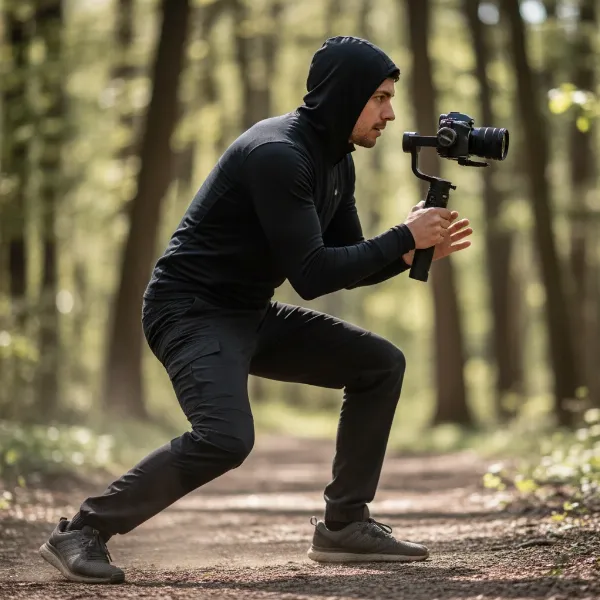 A videographer demonstrating the "ninja walk" technique while holding a gimbal for smooth action footage
Leveraging Gimbal Features for Action
Modern gimbals come packed with intelligent features designed to make action shooting easier and more dynamic.
- Active Tracking (Subject Tracking): Many gimbals include a feature where you can select a subject on your connected smartphone screen, and the gimbal will automatically keep it in frame. This is incredibly useful for fast-moving sports, allowing you to focus on your own movement and composition while the gimbal handles the pan and tilt to follow the action.
- Different Gimbal Modes:
- Pan Follow Mode (PF): The camera pans horizontally as you turn the gimbal, but stays locked on the tilt and roll axes. Ideal for following subjects moving across the frame.
- Tilt Lock Mode (L): The camera maintains its horizontal direction but allows you to tilt up and down.
- All Locked Mode (F/POV): The camera maintains its orientation regardless of your movement. Useful for static shots or very deliberate movements.
- Sport Mode (or Go Mode): This mode boosts the responsiveness of the gimbal motors, allowing for quicker pan and tilt speeds. Essential for capturing rapid changes in direction or extremely fast-moving subjects.
- Quick Transitions: Practice transitioning between different shots. Some gimbals offer quick mode changes or programmable movements that allow you to seamlessly shift from a low-angle tracking shot to an elevated view, maintaining continuity in your action sequence.
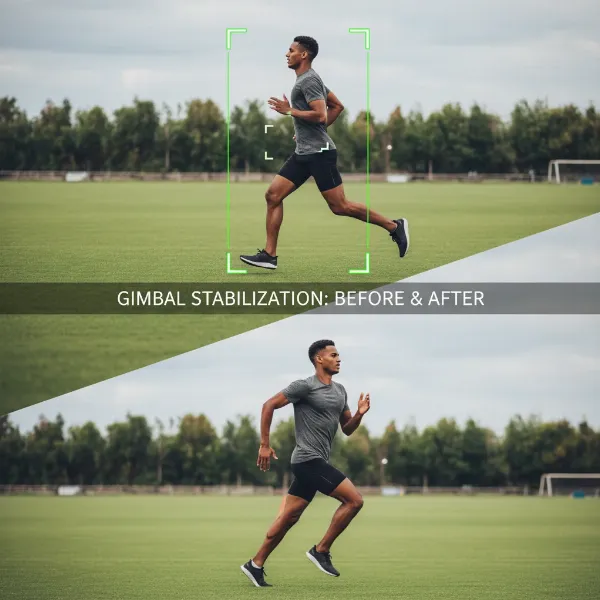 A gimbal's active tracking feature in action, following a sports subject smoothly
Top Gimbal Recommendations for Sports and Action
While specific models change frequently, here are general categories and features to look for in highly-regarded gimbals for action shooting.
Entry-Level/Smartphone Gimbals: Portability Meets Smart Features
These gimbals are perfect for content creators, vloggers, and casual sports enthusiasts who rely on their smartphones. They prioritize compact size and ease of use.
- Key Features: Lightweight, foldable designs, advanced phone app integration, excellent object tracking, gesture control, and creative shooting modes (e.g., hyperlapse, slow-motion).
- Ideal For: Capturing kids’ sports, personal vlogs of active hobbies, or dynamic social media content.
- Considerations: Limited by smartphone camera quality and zoom capabilities.
Mid-Range/DSLR & Mirrorless Gimbals: The Enthusiast’s Workhorse
This category offers a sweet spot between professional features and reasonable cost, suitable for serious hobbyists and semi-professional videographers.
- Key Features: Higher payload capacity, more robust build quality, dedicated physical controls, longer battery life, and often modular designs allowing for accessories like focus motors.
- Ideal For: Independent filmmakers, sports documentarians, and those using APS-C or full-frame mirrorless cameras with a range of lenses.
- Considerations: Can be heavier and require more practice to master balancing and advanced techniques.
Professional/Heavy-Duty Gimbals: Uncompromising Performance
Designed for cinema cameras and heavy DSLR/mirrorless rigs, these gimbals offer the highest level of stabilization and control for demanding productions.
- Key Features: Very high payload capacity, powerful motors, advanced stabilization algorithms for extremely smooth motion, extensive customization, and often two-person operation capabilities.
- Ideal For: Professional sports broadcasters, commercial videographers, and feature film productions where large lenses and accessories are common.
- Considerations: Significant investment, larger and heavier footprint, often requiring dedicated training to operate effectively.
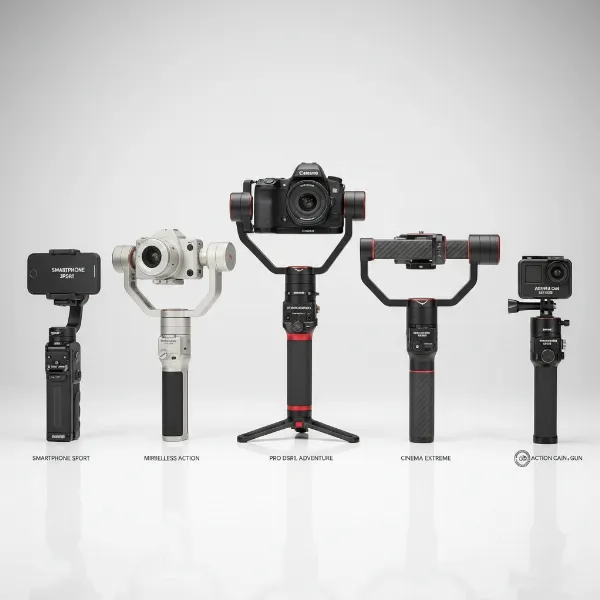 A selection of top-rated gimbals suitable for various sports and action cameras
Maximizing Your Gimbal Footage: Tips for Shooting and Post-Production
Beyond the gear and basic movements, a holistic approach to your workflow will ensure you capture and deliver the best possible action footage.
Pre-Shoot Preparation
- Charge All Batteries: Gimbals, cameras, and any external monitors or microphones need full power. Carry spares.
- Format Memory Cards: Start fresh with empty, high-speed cards.
- Plan Your Shots: While sports are unpredictable, having a general idea of angles, movements, and key moments you want to capture will save time and improve results. Scout the location if possible.
- Anticipate the Action: In sports, predicting where the action will unfold is half the battle. Watch warm-ups, understand the game, and position yourself strategically.
During the Shoot
- Practice Your Movements: Even seasoned pros rehearse. Before the real action begins, practice your walks, turns, and tracking shots. This builds muscle memory and confidence.
- Focus Management: For fast-moving subjects, reliable autofocus is crucial. If your camera struggles, consider manual focus with zone focusing, or use a follow-focus system.
- Shoot High Frame Rates: For sports, shooting at 60fps, 120fps, or even higher allows for beautiful slow-motion playback, emphasizing dramatic moments and masking minor imperfections.
- Exposition: Maintain consistent exposure, especially when moving between different lighting conditions. Consider using ND filters to control shutter speed and achieve a more cinematic motion blur.
Post-Production Workflow
- Edit Smart: The magic doesn’t end when shooting stops. Organize your footage, use clean cuts and creative transitions to maintain momentum, and pair your visuals with energetic, rights-cleared music.
- Color Grading: Apply a consistent color grade to enhance the mood and professionalism of your video.
- Minor Stabilization: While your gimbal does most of the heavy lifting, sometimes minor digital stabilization in post-production can refine any minuscule remaining jitters. Avoid overdoing it, as it can introduce unwanted warping.
Where to Buy Camera Stabilizers for Sports and Action
Investing in a camera stabilizer is a significant decision. Ensure you purchase from reputable sources to guarantee authenticity, warranty, and support.
- Specialized Camera Stores: Visiting a physical store allows you to get hands-on with different models, compare sizes, and ask experts questions.
- Reputable Online Retailers: Websites like B&H Photo Video, Adorama, Amazon, and the official stores of brands like DJI, Zhiyun, and Feiyutech offer wide selections, competitive pricing, and customer reviews.
- Warranty and Return Policies: Always verify the warranty period and return policy before purchasing. This protects your investment in case of defects or if the product doesn’t meet your needs.
Buying Guide: A Pro’s Advice
As an Admin of StabilizerPro.com with over a decade of hands-on experience in camera stabilization, I’ve seen firsthand how the right gear—and the right approach—can transform your videography. Here are my top recommendations:
> “The biggest mistake I see beginners make is focusing solely on the gimbal’s features. While important, the true game-changer is mastering your personal movement and understanding how to anticipate the action. A perfectly balanced gimbal in the hands of an experienced operator will always outperform an uncalibrated gimbal with a run-and-gun approach.” – StabilizerPro Admin, Camera Stabilizer Expert
- Define Your Needs Clearly: Before looking at any product, honestly assess your camera setup, your typical shooting scenarios, and your budget. Are you primarily shooting with a phone or a heavy DSLR? Is it casual vlogging or professional sports events?
- Read Reviews and Watch Tutorials: Don’t just rely on marketing materials. Watch real-world reviews, especially those demonstrating the gimbal’s performance in action environments similar to yours. YouTube is a fantastic resource for this.
- Consider the Ecosystem: Some brands offer entire ecosystems of accessories (focus motors, external monitors, grips). If you plan to expand your setup, consider a brand with good accessory support.
- Prioritize Ergonomics and Ease of Use: A gimbal that’s comfortable to hold and easy to operate will encourage you to use it more often. Test the controls, quick-release plate, and overall handling.
- Look for Excellent After-Sales Support: Technology can be complex. Knowing that a brand offers reliable customer service and technical support can save you headaches down the line.
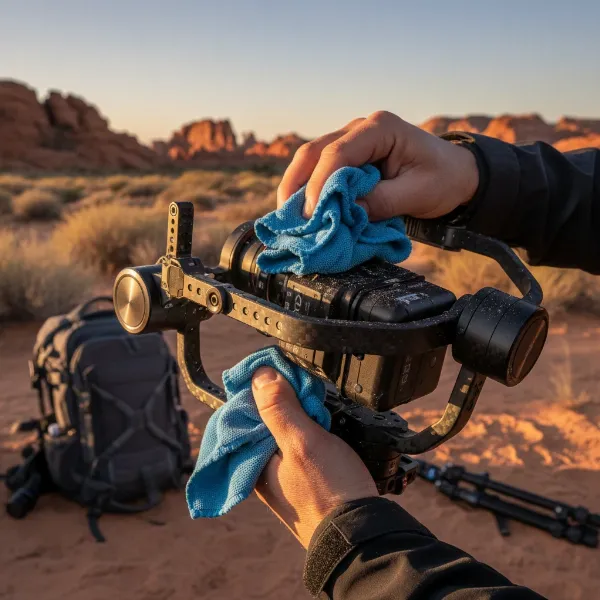 Someone cleaning and maintaining a camera gimbal after an outdoor sports shoot
Conclusion
Capturing the raw energy and excitement of sports and action through a lens requires more than just a good camera; it demands mastery over movement and stability. The camera gimbal has revolutionized this pursuit, transforming shaky, amateur footage into smooth, cinematic masterpieces. By understanding the critical factors in choosing your stabilizer, meticulously balancing your gear, and diligently practicing key movement techniques like the “ninja walk” and active tracking, you can unlock a new realm of creative possibilities. Remember to always prepare thoroughly, leverage your gimbal’s smart features, and refine your work in post-production to deliver truly captivating content. Embrace the challenge, experiment with new perspectives, and let your gimbal empower you to tell dynamic stories that resonate.
What thrilling sports or action moments are you most excited to capture with your newfound gimbal skills?
Frequently Asked Questions
How do I balance my gimbal for action shots?
Balancing is crucial for smooth action footage. Attach your camera with all accessories, then unlock each axis (tilt, roll, pan) one by one, making fine adjustments until the camera remains stationary at any angle. A perfectly balanced gimbal prevents motor strain and ensures fluid movement.
What’s the best gimbal mode for fast-moving subjects?
For fast-moving subjects, activate your gimbal’s “Sport Mode” or “Go Mode” if available. This increases motor responsiveness and allows the gimbal to react more quickly to sudden changes in direction, helping you keep the subject smoothly in frame during dynamic action.
Can I use a smartphone gimbal for professional sports videography?
While smartphone gimbals offer excellent stabilization and smart features for casual use, they are generally not suitable for professional sports videography. Their limitations include camera quality, optical zoom, and low-light performance compared to dedicated mirrorless or DSLR cameras.
What accessories are essential for sports gimbal shooting?
Essential accessories include extra batteries for both your camera and gimbal, high-speed memory cards, an external monitor for better framing (especially for underslung shots), and potentially a wireless microphone for clear audio. A monopod can also be useful for achieving “fake drone” shots.
How important is battery life for action videography?
Battery life is extremely important for action videography, as you’ll often be shooting for extended periods without access to charging. Always carry fully charged spare batteries for both your camera and gimbal to avoid missing critical moments during a fast-paced event.