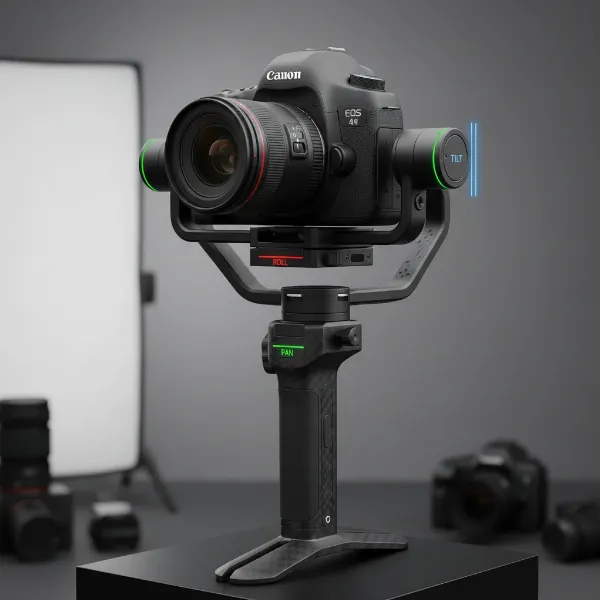
Have you ever watched a film sequence where the world seems to spin dramatically around the subject, creating a disorienting yet captivating visual? This powerful effect, often called “Inception Mode” or “Vortex Mode” on camera gimbals, transforms ordinary footage into extraordinary cinematic experiences. As a technician with over a decade of hands-on experience in camera stabilization, I’ve seen firsthand how mastering this technique can elevate your storytelling. This guide will walk you through everything you need to know, from preparation to execution and advanced tips, to flawlessly capture the iconic vortex effect with any gimbal stabilizer.
What is Inception Mode (Vortex) on a Gimbal and Why Use It?
Inception Mode, sometimes referred to as Vortex Mode or Barrel Roll, is a specialized function on many modern gimbals that allows your camera to perform a continuous 360-degree rotation along its roll axis while maintaining a steady horizontal or vertical position. This creates a mesmerizing, spinning visual that can dramatically disorient or immerse your audience, making it a favorite among filmmakers and content creators. The primary purpose of this mode is to inject a dynamic, dream-like quality into your footage, emulating the surreal visual effects seen in popular cinema.
Using Inception Mode opens up a world of creative possibilities. It’s perfect for dramatic scene transitions, emphasizing psychological states, capturing high-energy sports, or simply adding a unique flair to travel vlogs. When executed smoothly, the vortex effect adds a professional, high-production value look to your videos that is difficult to achieve otherwise.
Essential Preparations for Flawless Inception Mode Shots
Achieving a perfect Inception Mode shot begins long before you hit the record button. Proper preparation is paramount to ensure smooth, stable, and visually striking results. Neglecting these initial steps can lead to shaky footage, motor strain, or an uninspired visual.
Camera Balancing and Setup
|
Our Picks for the Best Camera Stabilizer in 2026
As an Amazon Associate I earn from qualifying purchases.
|
||
| Num | Product | Action |
|---|---|---|
| 1 | 3-Shoe DSLR/Mirrorless/Action Camera Camcorder Phone Stabilizer Expansion Cage Mount Moviemaking Holder Rig YouTube Tiktok Vlogging Video Kit Compatible with GoPro Canon Nikon Sony iPhone Android |

|
| 2 | DJI RS 3 Mini, 3-Axis Gimbal Stabilizer for Cameras Canon/Sony/Panasonic/Nikon/Fujifilm, 2 kg (4.4 lbs) Tested Payload, Camera Gimbal with Native Vertical Shooting, Black |
|
| 3 | FeiyuTech SCORP 3 Gimbal Stabilizer for Camera, Built-in AI Tracking Sensor & Detachable Remote Control, 3.5KG Payload Camera Stabilizer with Touch Screen, Vertical Shooting |
|
| 4 | Zeadio Video Action Stabilizing Handle Grip Handheld Stabilizer with Cold-Shoe Mount for All DSLR Camera Camcorder |
|
| 5 | DJI Osmo Mobile 8 Advanced Tracking Combo Gimbal Stabilizer for Phone, AI Native Tracking with Audio & Lighting, 360° Pan Rotation, Built-in Extension Rod & Tripod, 10h Battery, Extension Rod |
|
| 6 | FeiyuTech SCORP 2 Gimbal Stabilizer for DSLR and Mirrorless Camera, Integrated Al Tracking Sensor, 3-Axis Camera Stabilizer for Sony Canon Panasonic Nikon, 2.5kg Payload Touch Screen Vertical Shooting |
|
| 7 | DJI Osmo Mobile 7P Gimbal Stabilizer for iPhone, Android, Native Tracking, Lighting, 3-Axis Phone Gimbal, Quick Launch, One-Tap Edit, Built-in Extension Rod & Tripod, 10hrs Use, Phone Charging |
|
| 8 | DJI Osmo Mobile 7 Gimbal Stabilizer for iPhone, Android, Built-in Tripod, Portable Stabilizer for iPhone, Selfie Stick, 3-Axis Phone Gimbal, ActiveTrack 7.0, One-Tap Edit, 10hrs Use, Phone Charging |
|
| 9 | ZHIYUN CINEPEER Weebill 3E [Official], 3-Axis Lightweight Gimbal Stabilizer for DSLR & Mirrorless Camera Canon/Sony/Panasonic/Nikon, 3KG Payload, Native Vertical Shooting, Bluetooth Shutter Control |
|
| 10 |
|
|
The absolute cornerstone of any successful gimbal shot, especially Inception Mode, is precise camera balancing. An improperly balanced camera forces the gimbal motors to work harder, draining battery life, creating vibrations, and ultimately leading to jerky footage. Always ensure your camera is perfectly balanced on all three axes before powering on your gimbal. This means the camera should remain static in any position you place it, even when the gimbal is off.
For optimal performance, attach your camera securely to the gimbal’s mounting plate. Adjust its position forward, backward, left, and right until it’s centered. Then, fine-tune the tilt, roll, and pan axes. Many gimbals have markings or quick-release plates that aid in this process. A balanced setup minimizes motor effort and ensures the smoothest possible rotation.
Optimizing Camera Settings
Selecting the right camera settings is crucial for maximizing the cinematic impact of your Inception Mode footage. While the gimbal handles stabilization, your camera settings dictate the visual quality and potential for post-production enhancements.
Consider shooting at a higher frame rate, such as 60 frames per second (fps) or even 120 fps, if your camera supports it. This allows you to slow down the footage in post-production, creating a more dramatic and ethereal slow-motion vortex effect. Pair this with a shutter speed that is double your frame rate (e.g., 1/120th for 60fps) to achieve natural motion blur. Adjust your ISO and aperture to achieve proper exposure without compromising image quality. A slightly wider lens can also be beneficial to capture more of the spinning environment, enhancing the immersive feel.
Understanding Your Gimbal’s Controls
Each gimbal stabilizer has its unique way of activating and controlling Inception Mode, though the core functionality remains similar across brands like DJI, Zhiyun, and Moza. Familiarizing yourself with your specific model’s controls is vital for seamless execution.
Most gimbals require a specific button sequence, such as a triple-press of the mode (M) button or a directional pad. Upon activation, the camera typically points upwards or horizontally, ready for the roll. You’ll then use the joystick to control the direction (clockwise or counter-clockwise) and speed of the rotation. Some advanced gimbals offer app control for finer adjustments, including continuous rotation or predefined 180-degree or 360-degree spins. A quick review of your gimbal’s user manual or a brand-specific tutorial video will provide the exact steps for your device.
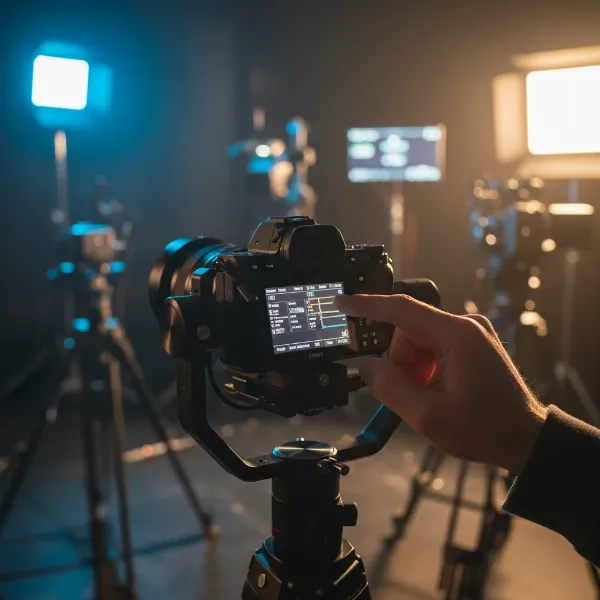 A close-up of a hand adjusting camera settings on a gimbal's screen, with a balanced camera.
Step-by-Step Guide to Executing the Inception Mode
Once your camera is balanced and settings are optimized, you’re ready to bring the Inception Mode to life. The execution requires a blend of precise technical input and smooth physical movement to achieve that signature cinematic vortex.
Activating Vortex Mode
To initiate Inception Mode, you’ll typically engage a specific button sequence on your gimbal. For many popular models, this involves a quick triple-press of the mode (M) button or a similar multi-function button. Some gimbals, particularly those from Hohem or older models, might require a series of taps on the mode button to enter an “All Follow” (AF) mode first, then a joystick command. When activated, the gimbal’s roll axis will unlock, and the camera will often orient itself horizontally or facing upwards, signaling it’s ready to spin. Ensure your gimbal is held steady and horizontally at the start to get a clean rotation.
Mastering the Spin: Rotation Techniques
With Inception Mode active, your primary control will be the joystick. Pushing the joystick left or right will initiate the barrel roll. The key here is smooth and consistent pressure. Experiment with different levels of joystick input to find the right rotational speed for your shot. A slow, deliberate spin can create a dreamy, contemplative mood, while a faster rotation can convey urgency or excitement.
Many gimbals offer granular control over the spin. You might be able to set a specific number of rotations (e.g., a single 360-degree turn) or allow for continuous, infinite spinning. Practice controlling the speed and direction manually until it feels intuitive. The goal is to avoid sudden starts or stops that can disrupt the fluidity of the effect.
Incorporating Movement and Composition
While the gimbal handles the rotation, your physical movement can dramatically enhance the shot. The “ninja walk” is indispensable here: bending your knees slightly, walking heel-to-toe, and keeping your core stable. This minimizes vertical bobbing, ensuring the foreground or background remains as smooth as possible during the spin.
Furthermore, consider moving the gimbal itself. Walking slowly towards or away from your subject while the camera is spinning can add an extra layer of dynamism, creating a true “vortex” effect where the environment seems to warp around your point of interest. Experiment with slight arcing movements rather than strictly straight lines to add organic flow to the shot. Thoughtful composition, placing your subject centrally or along a leading line, will further draw the viewer into the swirling scene.
Advanced Techniques to Elevate Your Vortex Footage
Once you’re comfortable with the basics of Inception Mode, it’s time to explore advanced techniques that will truly make your footage stand out. These tips delve into creative choices and post-production refinements that separate good shots from truly exceptional ones.
Creative Scene Selection
The environment plays a significant role in how effective your Inception Mode shot appears. Look for locations that naturally enhance the spinning effect. Narrow spaces, such as alleyways, doorways, or even car interiors, can create an intensified “tunnel vision” effect as the surroundings rush past. Environments with strong vertical or horizontal lines, patterns, or interesting textures will also create more visually engaging distortions during the rotation.
Consider shooting in front of dynamic backgrounds like moving clouds, city lights at night, or even a forest canopy. These elements will add depth and visual interest to the spinning effect. “A truly captivating Inception shot isn’t just about the spin; it’s about how the environment interacts with that rotation to tell a story.”
Post-Production Magic
Post-production is where you can truly fine-tune your Inception Mode footage. If you shot at a high frame rate, experimenting with speed ramps can add a dramatic flair. Start with a normal speed, accelerate into the full vortex, and then slow it down again for impact. Applying selective slow motion to parts of the spin can emphasize a particular moment or detail, enhancing the dreamlike quality.
Color grading is another powerful tool. Applying desaturated tones, moody blues, or dramatic contrasts can further enhance the disorienting or surreal atmosphere created by the vortex. Don’t be afraid to experiment with effects that complement the spinning motion, but always ensure they serve the narrative and don’t overwhelm the core effect.
Combining with Other Gimbal Moves
Inception Mode doesn’t have to be a standalone shot. It can be seamlessly integrated into a longer sequence by combining it with other gimbal movements. Imagine a shot starting with a smooth push-in, transitioning into a subtle Inception roll, and then pulling back into a reveal.
Practicing smooth transitions between different gimbal modes, such as Pan Follow (PF), Tilt Lock (TL), or Roll Follow (RF), and your Inception Mode will allow for more complex and fluid storytelling. This requires foresight and practice, but the results can be incredibly dynamic and professional, guiding your audience through the scene with sophisticated camera work.
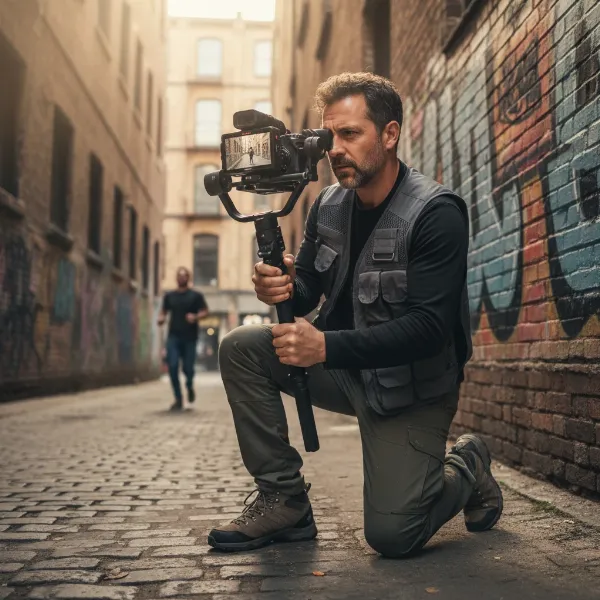 A videographer operating a camera on a gimbal stabilizer in a unique location, capturing a dynamic shot.
Common Challenges and Troubleshooting Inception Mode
Even experienced users can encounter issues when trying to perfect Inception Mode. Understanding these common challenges and knowing how to troubleshoot them will save you time and frustration, ensuring your footage remains smooth and professional.
Unbalanced Footage and Jerky Rotations
The most frequent culprit behind shaky or uneven Inception Mode footage is improper camera balancing. If your camera isn’t perfectly balanced on all axes, the gimbal motors will overcompensate, leading to visible jitters or jerky movements during the spin. Always re-balance your gimbal if you change lenses, add accessories, or even move the camera slightly.
Another cause can be the gimbal’s motor strength settings. If the motors are too weak, they might struggle with the camera’s weight during a rapid spin. Conversely, if they’re too strong, they might create micro-vibrations. Many gimbals allow you to adjust motor power or sensitivity; consult your manual for optimal settings or use auto-tune features if available.
Gimbal Malfunctions and Errors
Sometimes, the issue isn’t with your technique but with the gimbal itself. “Gimbal Overload” errors, for example, often indicate that the motors are experiencing excessive strain due to physical obstructions (dust, debris), a forgotten gimbal guard, or even a firmware bug.
- Inspect and Clean: Power off your gimbal, remove the camera, and carefully check for any debris in the motor joints or around the camera cage. Use a soft brush or air blower to clean.
- Firmware Updates: Always keep your gimbal’s firmware updated. Manufacturers frequently release updates that fix bugs and improve motor performance and stabilization algorithms.
- Calibration: If issues persist, recalibrating your gimbal (often through its companion app) can help it reset its center points and resolve minor alignment problems.
- Battery Life: Ensure your gimbal is fully charged. Low battery can affect motor performance and responsiveness, especially during demanding modes like Inception.
Operator Technique Refinements
Even with a perfectly balanced and functioning gimbal, inconsistent operator technique can ruin an Inception shot. The “ninja walk” is crucial for minimizing vertical bounce, but maintaining a consistent horizontal movement and smooth joystick control during the spin is equally important. Practice, practice, practice!
- Consistent Pressure: Apply steady pressure on the joystick to maintain a uniform rotational speed.
- Anticipate Movement: Plan your shot and anticipate any environmental factors that might affect your movement or the spin.
- Breathing: Believe it or not, your breathing can impact stability. Try to maintain a calm, even breath or even hold it momentarily during critical parts of the spin.
Top Gimbals for Mastering Inception Mode
While most modern 3-axis gimbals offer some form of Inception or Vortex Mode, certain brands and models excel in their implementation, offering smoother performance, more intuitive controls, and robust support for various camera setups. Investing in a reliable gimbal stabilizer is key to unlocking your creative potential.
DJI Ronin Series
DJI’s Ronin series gimbals, including models like the Ronin-S, Ronin-SC, and the professional RS 2 and RS 3, are renowned for their exceptional stabilization, robust build quality, and user-friendly interfaces. Their Inception Mode (often called Roll 360) is typically activated with a simple button sequence and can be precisely controlled via the joystick or the Ronin app. DJI gimbals are known for their powerful motors that can handle a wide range of DSLR and mirrorless cameras, ensuring smooth rotations even with heavier payloads.
Zhiyun Crane/Weebill Series
Zhiyun offers a fantastic lineup of gimbals that are popular among content creators for their versatility and innovative designs. The Zhiyun Crane series (e.g., Crane 3S) and the compact Weebill series (e.g., Weebill S, Weebill 3) feature their own versions of Inception Mode. Zhiyun often integrates intuitive control wheels or touchscreens that allow users to easily adjust rotational speed and direction. Their gimbals are known for their ergonomic designs and often come with a rich feature set, making complex moves like the vortex effect more accessible.
Moza Air Series
Moza gimbals, particularly the Moza AirCross 2 and Moza Air 2, have gained a strong reputation for their excellent implementation of Inception Mode, which they highlight as “Inception Mode 3.0” on some models. Users often praise Moza for its ability to control spin speed and direction directly from the gimbal’s built-in screen, offering a high degree of precision without needing to rely solely on a smartphone app. Moza gimbals are often recognized for their powerful motors, allowing for continuous barrel rolls and precise control over 180 or 360-degree spins.
Expert Tips for Cinematic Gimbal Stabilizer Performance
Beyond the technical steps, adopting a professional mindset and refining your approach can significantly enhance your gimbal stabilizer performance, especially when tackling advanced modes like Inception. Drawing from years of experience, here are some expert insights.
Always remember that the gimbal is a tool, not a magic bullet. “The most important stabilizer isn’t the device in your hand, but your own body and your creative vision.” Prioritize smooth body movement, even with the best gimbal. The “ninja walk” isn’t just a suggestion; it’s a fundamental technique for truly professional-looking footage.
Before any critical shoot, dedicate time to practice. Run through your Inception Mode shots multiple times without recording to build muscle memory for joystick control and body movement. This rehearsal minimizes costly re-takes and ensures a confident, fluid execution when the camera is rolling.
Finally, embrace experimentation. While guides provide a solid foundation, the most unique and compelling shots often come from pushing boundaries. Play with different angles, speeds, and combinations of movements. Use Inception Mode not just as a trick, but as an integral part of your storytelling, considering how it enhances the emotion or narrative of your scene.
Conclusion
Mastering the Inception Mode (Vortex) on your gimbal stabilizer is a powerful way to inject cinematic flair and captivating dynamism into your video projects. By understanding its purpose, meticulously preparing your camera and gimbal, and practicing the nuanced execution techniques, you can reliably achieve those mesmerizing, spinning shots that leave a lasting impression. Remember to focus on precise balancing, optimal camera settings, and smooth physical movements to unlock the full potential of this incredible effect. Don’t be afraid to experiment and integrate this mode creatively into your storytelling. What incredible vortex sequences will you create first?
Frequently Asked Questions
What is the main difference between Inception Mode and other gimbal modes?
Inception Mode uniquely focuses on continuous 360-degree rotation along the roll axis, creating a “barrel roll” effect. Unlike pan or tilt follow modes, which track horizontal or vertical movement, Inception Mode specifically manipulates the camera’s rotation around its own axis to produce a disorienting, cinematic spin.
Can all camera gimbals perform Inception Mode?
While many modern 3-axis gimbals from brands like DJI, Zhiyun, and Moza feature an Inception or Vortex Mode, older or simpler models might not. It’s essential to check your specific gimbal stabilizer’s specifications and user manual to confirm this functionality before attempting the shot.
How do I make my Inception Mode shots smoother?
To achieve smoother Inception Mode shots, ensure your camera is perfectly balanced on the gimbal. Practice the “ninja walk” for stable body movement and apply consistent, gentle pressure to the joystick for an even rotational speed. Shooting at a higher frame rate (e.g., 60fps) also allows for smoother slow-motion effects in post-production.
Is Inception Mode suitable for all types of videos?
Inception Mode is a powerful creative tool best suited for specific cinematic contexts. It excels in adding dramatic transitions, emphasizing emotional states, or creating a surreal atmosphere. However, overuse can make footage feel repetitive or disorienting when not intended. Use it purposefully to enhance your storytelling.
What camera settings are best for Inception Mode?
For cinematic Inception Mode, a high frame rate like 60fps or 120fps is recommended for smooth slow-motion capabilities. Pair this with a shutter speed double your frame rate (e.g., 1/120s for 60fps) to maintain natural motion blur. Adjust ISO and aperture for optimal exposure, and consider a slightly wider lens to capture more of the spinning environment.