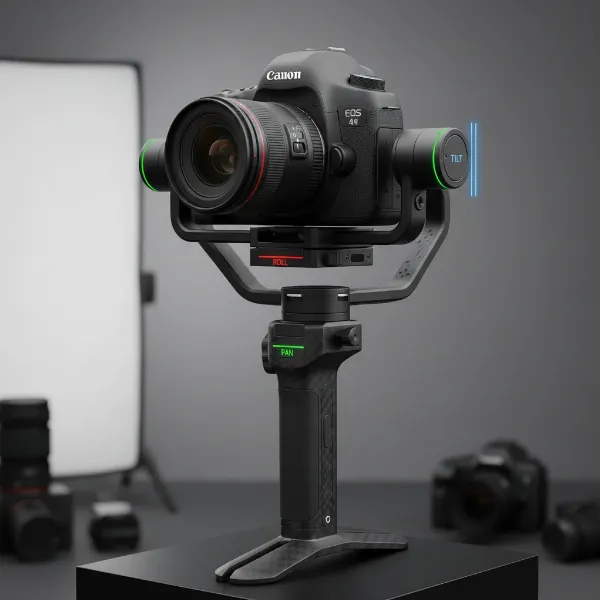
Are you ready to transform your music videos from shaky amateur footage into breathtaking cinematic experiences? In the fast-paced world of music video production, smooth, dynamic camera movement is no longer a luxury—it’s an absolute necessity. Whether you’re an aspiring indie artist or a seasoned filmmaker, a camera stabilizer, commonly known as a gimbal, is your secret weapon. These remarkable devices eliminate camera shake, allowing you to capture fluid, professional-grade shots that captivate your audience and elevate your visual storytelling.
A gimbal isn’t just about stability; it’s about unlocking a new realm of creative possibilities. With its precise motorized axes, a gimbal empowers you to execute complex camera movements that once required expensive dollies, cranes, or Steadicam operators. It brings Hollywood-level production value right into your hands, enabling you to choreograph the camera with the rhythm and emotion of the music. We’re about to explore ten of the most impactful and dynamic music video effects you can achieve with a gimbal, transforming your creative vision into stunning reality.
Unleashing Creativity: Why Gimbals Transform Music Videos
At its core, a camera stabilizer (gimbal) is a device that uses motors and intelligent sensors to keep your camera perfectly level and stable across multiple axes, even when the operator is moving. This technology effectively negates unwanted shakes and jitters, delivering footage that looks as if it were shot on rails. For music videos, where energy, flow, and visual impact are paramount, this smooth motion is transformative.
Imagine an artist performing with raw intensity, and your camera glides effortlessly around them, capturing every nuance without a single jarring bump. That’s the power of a gimbal. It allows you to create an immersive visual narrative, drawing viewers deeper into the song’s world. From following a dancer through an elaborate routine to sweeping across a vast landscape, a gimbal ensures your camera work is as polished and professional as the music itself.
The Top 10 Gimbal Effects for Your Music Videos
Let’s dive into the essential gimbal moves that will elevate your music videos from good to unforgettable. These techniques are designed to add dynamism, emotion, and a touch of cinematic magic to your projects.
1. The Dynamic Tracking Shot
|
Our Picks for the Best Camera Stabilizer in 2026
As an Amazon Associate I earn from qualifying purchases.
|
||
| Num | Product | Action |
|---|---|---|
| 1 | DJI Osmo Mobile 8 Advanced Tracking Combo Gimbal Stabilizer for Phone, AI Native Tracking with Audio & Lighting, 360° Pan Rotation, Built-in Extension Rod & Tripod, 10h Battery, Extension Rod |

|
| 2 | 3-Shoe DSLR/Mirrorless/Action Camera Camcorder Phone Stabilizer Expansion Cage Mount Moviemaking Holder Rig YouTube Tiktok Vlogging Video Kit Compatible with GoPro Canon Nikon Sony iPhone Android |
|
| 3 | FeiyuTech SCORP 3 Gimbal Stabilizer for Camera, Built-in AI Tracking Sensor & Detachable Remote Control, 3.5KG Payload Camera Stabilizer with Touch Screen, Vertical Shooting |
|
| 4 | FeiyuTech SCORP 2 Gimbal Stabilizer for DSLR and Mirrorless Camera, Integrated Al Tracking Sensor, 3-Axis Camera Stabilizer for Sony Canon Panasonic Nikon, 2.5kg Payload Touch Screen Vertical Shooting |
|
| 5 | ZHIYUN CINEPEER Weebill 3E [Official], 3-Axis Lightweight Gimbal Stabilizer for DSLR & Mirrorless Camera Canon/Sony/Panasonic/Nikon, 3KG Payload, Native Vertical Shooting, Bluetooth Shutter Control |
|
| 6 | Zeadio Video Action Stabilizing Handle Grip Handheld Stabilizer with Cold-Shoe Mount for All DSLR Camera Camcorder |
|
| 7 | DJI Osmo Mobile 7P Gimbal Stabilizer for iPhone, Android, Native Tracking, Lighting, 3-Axis Phone Gimbal, Quick Launch, One-Tap Edit, Built-in Extension Rod & Tripod, 10hrs Use, Phone Charging |
|
| 8 | DJI Osmo Mobile 7 Gimbal Stabilizer for iPhone, Android, Built-in Tripod, Portable Stabilizer for iPhone, Selfie Stick, 3-Axis Phone Gimbal, ActiveTrack 7.0, One-Tap Edit, 10hrs Use, Phone Charging |
|
| 9 | DJI RS 3 Mini, 3-Axis Gimbal Stabilizer for Cameras Canon/Sony/Panasonic/Nikon/Fujifilm, 2 kg (4.4 lbs) Tested Payload, Camera Gimbal with Native Vertical Shooting, Black |
|
| 10 | Zeadio Camera Stabilizer Kit, All-in-One Handheld Stabilizer with LED Video Light, Microphone, Phone Holder & Action Camera adaper, Fits for All Camera, DSLR, Action Camera and All Smartphones |
|
This is perhaps the most fundamental yet effective gimbal shot. A dynamic tracking shot involves smoothly following your subject, whether they are walking, running, or dancing. It can be executed from behind, leading them forward, or even from the side, maintaining a consistent distance. The “ninja walk” technique—bending your knees and keeping your core stable—is crucial here to absorb vertical movement and achieve a flawlessly smooth result. This shot creates an intimate connection between the viewer and the artist, pulling them into the action.
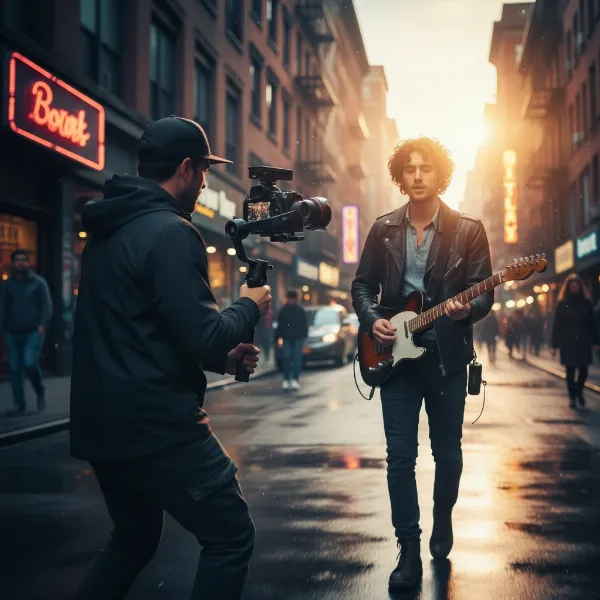 A filmmaker uses a camera stabilizer to perform a dynamic tracking shot of a musician walking down a city street, capturing fluid motion.
2. Cinematic Push-In and Pull-Outs
Mimicking classic dolly shots, push-ins and pull-outs bring dramatic emphasis to your music videos. A push-in slowly moves the camera towards your subject, drawing the viewer’s attention to their expression or a significant detail, intensifying the emotion. Conversely, a pull-out recedes from the subject, revealing the environment and placing the artist within a broader context, often used to build scale or a sense of isolation. These moves are excellent for marking song transitions or emphasizing lyrical moments.
3. The Orbit / Parallax Spin
The orbit shot involves smoothly circling your subject, keeping them at the center of the frame as the background shifts and creates a compelling parallax effect. This 360-degree movement is incredibly dynamic and immersive, making your audience feel like they are spinning with the rhythm or intimately witnessing the artist’s performance from all angles. It works beautifully for a performer’s solo or to highlight a central object, adding a professional, high-energy vibe.
4. Dramatic Reveals
Add intrigue and visual storytelling with dramatic reveal shots. This technique involves moving your gimbal from behind an obstruction—like a wall, a bush, or even another performer—to unveil your main subject or a new scene. The sudden revelation creates a powerful visual impact, building anticipation and surprising the viewer. This is perfect for the beginning of a chorus or introducing a new element in the song’s narrative.
5. Ground-Level Sweeps (Underslung Mode)
Utilize your gimbal’s underslung or low-angle mode to capture breathtaking ground-level sweeps. By holding the gimbal close to the ground, you can glide over surfaces, through tall grass, or under obstacles, offering a fresh, grand perspective. This shot makes subjects appear larger than life and provides a unique sense of scale and immersion. Imagine sweeping across a stage floor to reveal a band, or tracking an artist’s feet as they dance with captivating elegance.
6. Majestic High-Angle Descends & Ascends
Emulate the grandeur of a crane or jib shot with high-angle descends and ascends. Start with your gimbal held high above your head, pointing down, and slowly lower it while tilting up or maintaining a level gaze. This move can reveal an entire scene from above before focusing on a single subject, or provide a soaring, majestic feeling. Similarly, an ascend can lift the viewer out of a scene, offering a new perspective. These are fantastic for establishing shots or impactful conclusions.
7. The Esoteric Roll (Dutch Tilt)
While often used sparingly, a subtle gimbal roll, also known as a Dutch tilt, can add significant dramatic tension or a stylized, dreamlike quality to your music video. By gently rotating the camera on its roll axis, you can introduce a sense of unease, disorientation, or an artistic flair that perfectly complements certain musical moods. This effect is most powerful when used purposefully to enhance a specific emotional beat in the song.
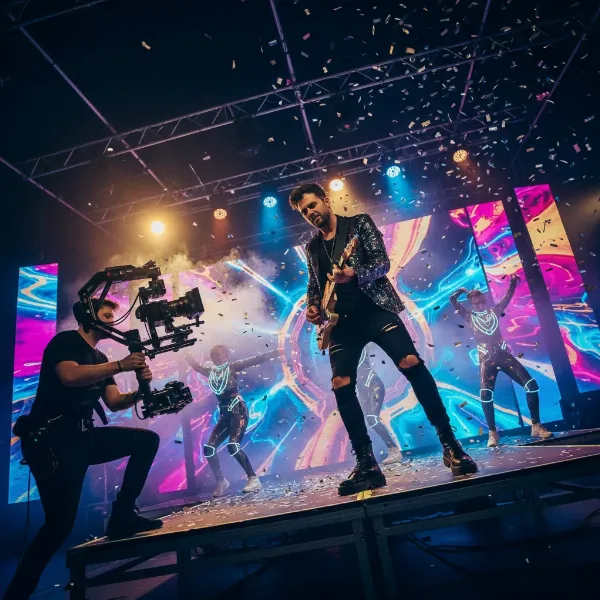 A camera on a gimbal performing a subtle Dutch tilt for a music video, creating a stylized and dramatic visual effect.
8. The Seamless Slider Effect
Gimbals can beautifully mimic the smooth, controlled movement of a camera slider. By carefully moving your gimbal horizontally, side-to-side, or even diagonally, you can create a fluid tracking shot that adds depth and professionalism. This is ideal for revealing elements within a scene, emphasizing spatial relationships, or adding elegant motion to an otherwise static composition. The key is to maintain a consistent speed and a steady path for a truly seamless look.
9. Creative Gimbal Transitions
Gimbals excel at in-camera transitions that can seamlessly link different scenes or moments in your music video. Techniques like a “chest transition,” where you push into a performer’s chest until the screen is black, then pull out from another performer’s back to reveal a new location, create a visually exciting cut. Focus pulls, where you start out of focus and smoothly rack into sharp focus on your subject, can also serve as elegant transitions. These fluid shifts keep the viewer engaged and enhance the overall flow.
10. The Continuous One-Shot Sequence
Perhaps the most ambitious and rewarding gimbal effect is the continuous one-shot sequence. This involves choreographing an entire segment of your music video—or even the whole thing—as a single, uninterrupted take. The gimbal’s ability to maintain stability during complex movements, turns, and interactions makes this achievable. A successful one-shot creates an incredibly immersive and organic viewing experience, making the audience feel like they are physically present within the music’s narrative. It requires meticulous planning and practice, but the impact is undeniable.
Mastering Your Gimbal for Music Video Success
Achieving these stunning effects requires more than just owning a gimbal; it demands practice and a solid understanding of fundamental techniques.
- Calibration and Balancing: Always ensure your gimbal is perfectly balanced and calibrated before every shoot. An unbalanced gimbal will struggle to stabilize, leading to shaky footage and motor strain.
- The “Ninja Walk”: This technique is essential for smooth forward and backward movement. Keep your knees bent, walk with soft steps, and maintain a stable core to minimize vertical bounce.
- Planning Your Shots: Don’t just wing it. Storyboard your music video and plan your gimbal movements in advance. Rehearse with your artist to ensure synchronization between camera and performance.
- Experiment with Focal Lengths: Different lenses will yield different results. Wider lenses (16-24mm) can exaggerate movement and create grander reveals, while longer lenses (50-85mm) are great for isolating subjects and creating a more compressed, cinematic look.
- Practice, Practice, Practice: The more you use your gimbal, the more intuitive its operation will become. Experiment with different speeds, angles, and combinations of movements to develop your unique style.
> “A gimbal is not just a tool for stability; it’s a creative extension of the filmmaker’s eye, allowing for seamless narrative flow and emotional depth in music videos.” – Alex Chen, Veteran Music Video Director
Expert Advice for Elevated Gimbal Shots
To truly excel, consider these expert tips when integrating gimbals into your music video workflow:
- Choose the Right Gimbal: Select a gimbal that matches your camera setup (smartphone, DSLR/mirrorless, or cinema camera) and your budget. Consider its payload capacity, battery life, and ease of use.
- Understand Your Music: The song’s tempo, mood, and lyrics should dictate your camera movements. Fast, energetic tracks might call for rapid orbits and aggressive tracking, while slower, emotive songs could benefit from gentle push-ins and soft rolls.
- Utilize Follow Modes: Most gimbals offer various follow modes (pan follow, pan and tilt follow, FPV) that can be leveraged for specific effects. Understand when to use each for optimal control and creativity.
- Post-Production Polish: Even with perfectly smooth gimbal footage, color grading, visual effects, and precise editing in post-production will further enhance the impact of your shots.
A Camera Stabilizer is an indispensable tool in modern music video production, opening doors to previously unattainable cinematic aesthetics. By mastering these ten dynamic effects, you can transform your creative ideas into visually stunning narratives that resonate deeply with your audience. So, grab your gimbal, plan your shots, and get ready to create something truly exceptional. What new visual stories will you tell with the power of stabilized motion?
Frequently Asked Questions
What is the best gimbal for music videos?
The “best” gimbal depends heavily on your camera (smartphone, DSLR/mirrorless, or cinema camera), budget, and specific needs. Popular brands like DJI, Zhiyun, and FeiyuTech offer excellent options across various price points, known for their stability, features, and payload capacity. Researching reviews and checking compatibility with your camera is crucial.
How do I make my gimbal shots smoother?
Achieving ultra-smooth gimbal shots involves several key practices: perfectly balancing your camera on the gimbal, adopting the “ninja walk” or “Gimbal Glide” technique (bending knees, walking softly), practicing movements slowly, and using both hands for better control. Regular calibration of your gimbal also ensures optimal performance.
Can I use a gimbal for transitions in music videos?
Absolutely! Gimbals are fantastic for creating seamless in-camera transitions. Techniques like the “chest transition” (pushing into a subject to black out the frame, then pulling out from another to reveal a new scene), controlled focus pulls, or quick pans/tilts can effectively link different shots and enhance the visual flow of your music video.