Capturing buttery-smooth footage is the hallmark of any professional videographer or content creator, and your camera gimbal is the key to achieving that cinematic look. However, few things are as frustrating as watching your perfectly framed shot slowly, almost imperceptibly, drift to the left, throwing your horizon off balance and ruining your composition. This isn’t just an annoyance; it’s a technical glitch that can waste valuable shooting time and compromise your creative vision. A drifting gimbal, especially one consistently pulling left, indicates a disruption in its delicate equilibrium. This comprehensive guide will dissect the common culprits behind your gimbal’s leftward lean and provide you with actionable, step-by-step solutions to restore its flawless stability, ensuring your footage remains rock-solid and professional.
Understanding Gimbal Drift: Why Your Device Veers Left
Gimbal drift occurs when your camera stabilizer fails to maintain a perfectly static or desired orientation on one or more of its axes (pan, tilt, or roll) without user input. Instead of holding steady, the camera slowly moves on its own, often resulting in a tilted horizon or a gradual shift in framing. When your gimbal specifically drifts to the left, it usually points to an issue with the roll or pan axis, or a combination of factors that exert a consistent, unbalanced force in that direction. The gimbal’s internal sensors (IMU, gyroscopes, accelerometers) detect motion and orientation, feeding data to the motors which then make precise adjustments to counteract unwanted movement. A leftward drift indicates that this intricate system is receiving incorrect information, struggling to compensate for an imbalance, or being influenced by external forces, causing the motors to consistently overcorrect or fail to hold position against a perceived pull to the right.
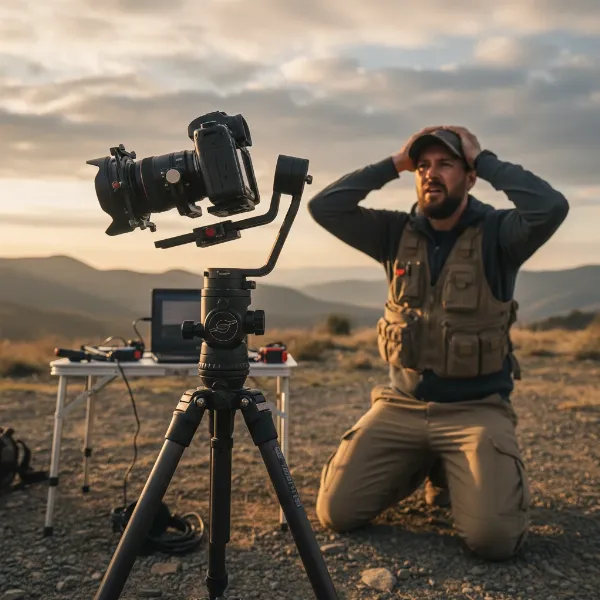 Illustration of a camera gimbal on a tripod, with a subtle left tilt indicating drift, set in a troubleshooting context.
Key Reasons Your Gimbal is Drifting to the Left
Understanding the root cause is the first step towards a lasting solution. Several factors can contribute to your gimbal’s unsettling tendency to drift left.
Imperfect Camera Balance
|
Our Picks for the Best Camera Stabilizer in 2026
As an Amazon Associate I earn from qualifying purchases.
|
||
| Num | Product | Action |
|---|---|---|
| 1 | DJI Osmo Mobile 7 Gimbal Stabilizer for iPhone, Android, Built-in Tripod, Portable Stabilizer for iPhone, Selfie Stick, 3-Axis Phone Gimbal, ActiveTrack 7.0, One-Tap Edit, 10hrs Use, Phone Charging |

|
| 2 | Zeadio Video Action Stabilizing Handle Grip Handheld Stabilizer with Cold-Shoe Mount for All DSLR Camera Camcorder |
|
| 3 | FeiyuTech SCORP 2 Gimbal Stabilizer for DSLR and Mirrorless Camera, Integrated Al Tracking Sensor, 3-Axis Camera Stabilizer for Sony Canon Panasonic Nikon, 2.5kg Payload Touch Screen Vertical Shooting |
|
| 4 | 3-Shoe DSLR/Mirrorless/Action Camera Camcorder Phone Stabilizer Expansion Cage Mount Moviemaking Holder Rig YouTube Tiktok Vlogging Video Kit Compatible with GoPro Canon Nikon Sony iPhone Android |
|
| 5 | ZHIYUN CINEPEER Weebill 3E [Official], 3-Axis Lightweight Gimbal Stabilizer for DSLR & Mirrorless Camera Canon/Sony/Panasonic/Nikon, 3KG Payload, Native Vertical Shooting, Bluetooth Shutter Control |
|
| 6 | DJI Osmo Mobile 8 Advanced Tracking Combo Gimbal Stabilizer for Phone, AI Native Tracking with Audio & Lighting, 360° Pan Rotation, Built-in Extension Rod & Tripod, 10h Battery, Extension Rod |
|
| 7 | DJI RS 3 Mini, 3-Axis Gimbal Stabilizer for Cameras Canon/Sony/Panasonic/Nikon/Fujifilm, 2 kg (4.4 lbs) Tested Payload, Camera Gimbal with Native Vertical Shooting, Black |
|
| 8 | DJI Osmo Mobile 7P Gimbal Stabilizer for iPhone, Android, Native Tracking, Lighting, 3-Axis Phone Gimbal, Quick Launch, One-Tap Edit, Built-in Extension Rod & Tripod, 10hrs Use, Phone Charging |
|
| 9 | Zeadio Camera Stabilizer Kit, All-in-One Handheld Stabilizer with LED Video Light, Microphone, Phone Holder & Action Camera adaper, Fits for All Camera, DSLR, Action Camera and All Smartphones |
|
| 10 |
|
|
The most fundamental requirement for any gimbal is perfect balance. Even a slight imbalance, particularly on the roll axis, can force the motors to work harder on one side to maintain a level horizon. Over time, this constant struggle can lead to motor fatigue, sensor confusion, or subtle mechanical shifts that manifest as a persistent leftward drift. If your camera setup (including lens, battery, and accessories) is heavier on the right side, the gimbal’s motors will continuously fight against this weight, potentially causing it to eventually sag or drift to the left as it attempts to correct an unending imbalance.
Inaccurate Sensor Calibration
Your gimbal relies on highly sensitive internal sensors, primarily the Inertial Measurement Unit (IMU), which includes gyroscopes and accelerometers, to detect its orientation and movement. If these sensors are not properly calibrated, they will provide inaccurate data to the gimbal’s processors, leading to misinterpretations of its actual position. An incorrectly calibrated IMU might falsely perceive a rightward tilt, prompting the gimbal to continuously apply corrective force to the left, resulting in a noticeable drift. Calibration should always be performed on a perfectly flat and stable surface to ensure sensor accuracy.
Environmental Interference
Modern gimbals are sophisticated electronic devices, and their sensitive sensors can be susceptible to electromagnetic interference. Strong magnetic fields from power lines, large metal structures, or even nearby electronic devices (like phones, Wi-Fi routers, or laptops) can disrupt the gimbal’s compass or IMU, leading to erratic behavior or consistent directional drift. For example, if a strong magnetic field is consistently pulling your gimbal’s internal compass data to the right, the gimbal might overcompensate by drifting to the left.
Outdated or Buggy Firmware
Firmware is the software that controls your gimbal’s operations. Outdated firmware can contain bugs or lack optimizations that address stability issues, potentially leading to drift. Conversely, a newly released firmware update, while intended to improve performance, can sometimes introduce new glitches or calibration incompatibilities that result in unwanted movements, including a leftward drift. It’s crucial to stay informed about firmware releases and user experiences.
Mechanical Wear and Tear
Gimbals, like any mechanical device, can experience wear and tear over time. Loose motor mounts, worn-out bearings, or even slightly bent arms can introduce play or resistance into the system. If components responsible for the roll or pan axis develop looseness, the gimbal’s motors might struggle to hold a precise position, allowing gravity or minor movements to pull the camera consistently to the left. Inconsistent motor strength due to wear can also contribute to this problem.
Temperature Extremes
Extreme temperatures, both hot and cold, can impact your gimbal’s performance. In very cold conditions, motor lubricants can thicken, batteries can perform less efficiently, and materials can contract, potentially causing stiffness or reduced responsiveness that leads to drift. Conversely, high temperatures can cause materials to expand or sensors to become less accurate. These subtle physical changes can throw off the gimbal’s delicate balance and sensor readings, resulting in unexpected leftward movement as it tries to adjust to shifting physical properties.
Step-by-Step Troubleshooting: Fixing Your Gimbal’s Left Drift
Once you’ve identified potential causes, it’s time to systematically address them. Here’s a detailed approach to fixing your gimbal’s left drift.
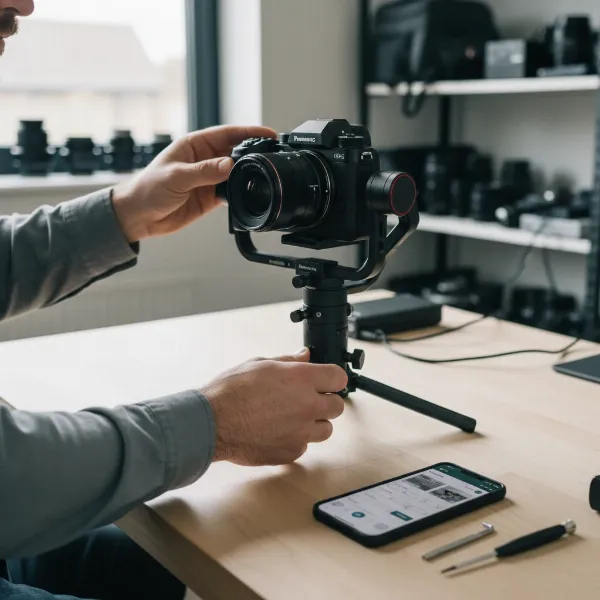 A person meticulously balancing a camera on a gimbal, with various tools and the gimbal's app visible on a smartphone screen, in a workshop setting.
Precision Camera Balancing
Before attempting any electronic fixes, ensure your camera is perfectly balanced. This is paramount.
- Power Off and Unlock: Always balance your gimbal with the power off and all axes unlocked.
- Tilt Axis: Adjust the camera forward or backward until it remains level when pointing straight ahead, without tilting up or down.
- Roll Axis: Tilt the camera 45 degrees to one side. If it swings back or forward, adjust the horizontal arm until it stays perfectly still. This is crucial for fixing left drift.
- Pan Axis: Rotate the gimbal’s arm to one side. If the camera spins back to its starting position, adjust the arm until it stays put.
- Lens and Accessories: Always balance with the lens you intend to use, lens cap off, and all accessories (like microphones or external monitors) attached.
Comprehensive Gimbal Calibration
After balancing, perform a full internal calibration using your gimbal’s app or onboard menu.
- IMU/Gyro Calibration: Place the gimbal on a perfectly flat, stable surface (like a table or tripod). Ensure it remains absolutely still during the entire process. This realigns the internal sensors.
- Compass Calibration: If your gimbal has a compass, perform its calibration in an open area, away from any metal objects or strong electromagnetic fields that could interfere.
- Joystick/Stick Calibration: Some gimbals allow you to recalibrate the joystick or control stick. Follow your manufacturer’s specific instructions, which often involve moving the stick in circular motions several times.
Firmware Management
Ensure your gimbal’s software is up-to-date and stable.
- Check for Updates: Use your gimbal’s dedicated mobile app or visit the manufacturer’s official website to check for the latest firmware version.
- Update Carefully: Follow the update instructions precisely, ensuring your gimbal is fully charged.
- Consider Rollback: If the drift started immediately after a firmware update, check user forums to see if others are reporting similar issues. If so, a rollback to the previous stable firmware version (if available) might be necessary.
- Reset Settings: After any firmware update, it’s often a good practice to reset all gimbal settings to factory defaults through the app, then recalibrate.
Optimizing Motor Settings
Your gimbal’s motors might need fine-tuning to adequately support your camera setup.
- Access Settings: Through your gimbal’s companion app, navigate to motor power or motor stiffness settings.
- Adjust Gradually: If your camera is heavy, slightly increase the motor power for the relevant axes (especially roll and pan). For lighter cameras, too much motor power can cause jitter. Adjust in small increments and test after each change.
- Auto-Tune: Many gimbals have an auto-tune feature that automatically optimizes motor parameters for your specific camera weight. Utilize this after rebalancing.
Mitigating Environmental Interference
If drift occurs only in specific locations, interference is likely the culprit.
- Change Location: Test your gimbal in a completely different environment, away from potential sources of interference.
- Disable Wireless: Turn off Wi-Fi and Bluetooth on your smartphone and any other nearby devices while operating the gimbal, as their signals can sometimes interfere with gimbal sensors.
- Avoid Magnetic Fields: Keep the gimbal clear of large metal objects, power lines, and strong electrical currents.
Physical Inspection and Maintenance
Sometimes, the simplest solutions are mechanical.
- Check for Loose Parts: Carefully inspect all arms, motor mounts, screws, and connections. Gently tighten any loose screws, but do not overtighten, as this can cause damage.
- Inspect for Damage: Look for any signs of physical damage, bends, or obstructions that might impede free movement of the axes.
- Cleanliness: Ensure no debris or dust is obstructing the gimbal’s moving parts or sensors.
Expert Insights: Preventing Future Gimbal Drift
“A truly stable shot begins long before you hit record, with meticulous setup and understanding of your gear. Ignoring the subtle cues your gimbal gives you can lead to persistent problems.”
Maintaining your gimbal’s peak performance and preventing frustrating issues like left drift requires a proactive approach. Regular preventive measures can save you significant time and effort in the long run.
- Routine Balancing: Make it a habit to rebalance your camera every time you change a lens, add an accessory, or even swap out a battery. Minor weight changes can accumulate and lead to instability.
- Periodic Calibration: Even if your gimbal seems stable, performing a full IMU and joystick calibration periodically (e.g., once a month or before critical shoots) can preempt sensor drift before it becomes noticeable.
- Mind Your Environment: Be aware of your surroundings. If you frequently shoot in urban areas or near electrical infrastructure, be extra vigilant about environmental interference. Consider carrying a small, non-metallic leveling tool to ensure your calibration surface is truly flat.
- Stay Updated, But Cautious: Keep an eye on firmware updates, but always check user feedback before immediately installing a new version. Sometimes waiting for initial bug reports and subsequent patches can prevent new issues.
- Proper Storage: Store your gimbal in its designated case, ensuring all axes are locked (if applicable) and protected from impact or prolonged exposure to extreme temperatures.
Conclusion
A camera gimbal drifting to the left is a frustrating but typically fixable problem. By systematically addressing potential causes—from fundamental issues like improper balancing and environmental interference to more technical aspects like calibration and firmware—you can restore your stabilizer’s precision and ensure your footage remains perfectly level and smooth. The key is a meticulous approach, starting with the basics and moving through the diagnostic steps with patience. With the right troubleshooting, you can regain control of your shots and continue to capture the high-quality, stable video you envision. Don’t let a minor technical glitch derail your creative flow; empower yourself with these solutions.
What challenges have you faced with gimbal drift, and how did you overcome them?
Frequently Asked Questions
Why does my gimbal drift only to the left?
A consistent leftward drift often points to a slight imbalance on the roll axis, incorrect IMU calibration causing a perceived rightward tilt, or external magnetic interference pulling sensors to the right, which the gimbal then attempts to overcorrect by moving left. Identifying and rectifying the specific imbalance or interference is crucial.
Can a firmware update cause gimbal drift?
Yes, a firmware update can sometimes introduce new bugs or compatibility issues that lead to gimbal drift, even if it was intended to fix other problems. If drift starts immediately after an update, checking community forums for similar reports or considering a firmware rollback might be necessary.
How often should I calibrate my gimbal?
It’s recommended to perform a full gimbal calibration (IMU, gyroscope, accelerometer) whenever you notice any instability or drift, after a significant firmware update, or if you’ve been operating the gimbal in extreme temperatures. A general rule of thumb for regular users is every few weeks or before important shoots.
Does cold weather affect gimbal stability?
Yes, cold weather can impact gimbal stability. Low temperatures can cause motor lubricants to thicken, battery performance to decrease, and even the physical materials of the gimbal to contract slightly. These factors can lead to increased resistance or reduced motor efficiency, potentially resulting in drift as the gimbal struggles to maintain its balance.