Capturing breathtaking, fluid motion is the hallmark of professional filmmaking. However, achieving that cinematic smoothness with substantial gear, such as RED and Blackmagic Pocket Cinema Cameras (BMPCC), presents a unique challenge. These powerful cameras, especially when fully rigged with heavy cinema lenses, monitors, and battery packs, demand a stabilization system that can not only bear the weight but also perform with unwavering precision. A high-quality gimbal isn’t just an accessory; it’s a critical tool that transforms shaky handheld footage into polished, professional-grade visuals.
The quest for the perfect gimbal for heavy cinema cameras involves navigating a landscape of payload capacities, advanced features, and ergonomic considerations. Filmmakers continually seek solutions that offer robust motor power, intelligent control, and seamless integration with their complex camera setups. This guide dives deep into the world of gimbals designed specifically for the rigorous demands of cameras like RED and BMPCC, helping you make an informed decision to elevate your production quality.
What is a Camera Stabilizer, and Why Do You Need a Gimbal for Cinema Cameras?
A camera stabilizer is any device designed to reduce unwanted camera movement, ensuring smooth and steady footage. While the term “camera stabilizer” encompasses various tools like tripods, monopods, and shoulder rigs, a gimbal is a specialized type of stabilizer that uses motorized axes to counteract motion in real-time. These sophisticated devices employ gyroscopes and accelerometers to detect movement and instruct their motors to adjust the camera’s position, maintaining a level horizon and eliminating jitters.
For heavy cinema cameras such as RED KOMODO, V-RAPTOR, or Blackmagic Pocket Cinema Camera 6K Pro, gimbals are indispensable. These cameras, when paired with heavy prime or zoom lenses, matte boxes, and external power solutions, create a significant total payload. Standard stabilization methods often fall short, struggling to manage the mass and inertia of such setups. A dedicated cinema gimbal provides the necessary motor strength and robust build to keep these heavy rigs balanced and operating smoothly, even during dynamic movements like tracking shots, dollies, or complex handheld sequences. The result is consistently smooth, professional-looking video that would be nearly impossible to achieve otherwise, dramatically enhancing production value.
Factors to Consider When Choosing a Gimbal for Heavy Cinema Cameras
Selecting the right gimbal for your heavy cinema camera setup is a multi-faceted decision. It requires a careful evaluation of several critical factors to ensure optimal performance, compatibility, and workflow efficiency. Ignoring these aspects can lead to frustrating balancing issues, motor strain, or even potential damage to your valuable equipment.
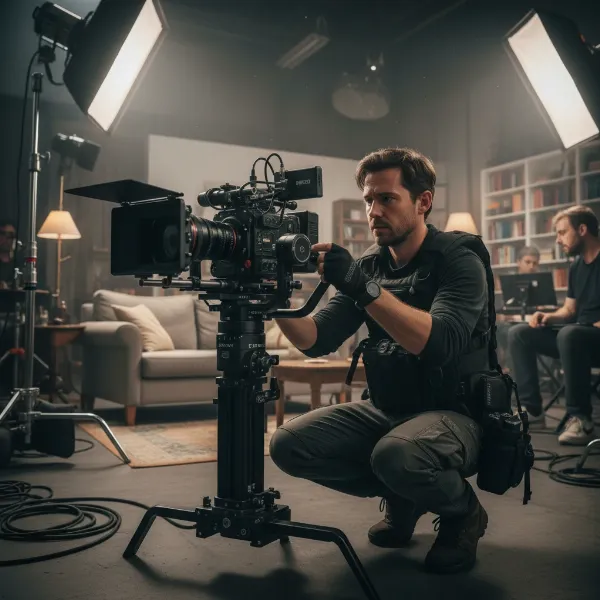 A professional cinematographer balancing a heavy cinema camera on a robust 3-axis gimbal, highlighting the importance of payload capacity.
Camera Type
While this guide focuses on RED and BMPCC cameras, it’s crucial to understand how your specific model and its typical configuration affect gimbal choice.
- RED Cinema Cameras (e.g., KOMODO, V-RAPTOR): While newer RED models are becoming more compact, they often demand substantial rigs with cinema-grade lenses, external monitors, and robust power solutions. This pushes the total weight considerably, necessitating gimbals with exceptionally high payload capacities (often 5kg / 11 lbs or more) and ample physical space for balancing.
- Blackmagic Pocket Cinema Cameras (BMPCC 4K/6K/6K Pro): Despite “Pocket” in their name, these cameras, especially the 6K Pro, can become quite heavy when outfitted with a full cage, larger M4/3 or EF-mount lenses (like a Sigma 18-35mm), and V-mount batteries. Their somewhat elongated body shape can also present unique balancing challenges on certain gimbals. Many users report that a basic 3kg payload gimbal is often insufficient for a fully rigged BMPCC setup, requiring models with 4.5kg (10 lbs) or higher payload ratings.
|
Our Picks for the Best Camera Stabilizer in 2026
As an Amazon Associate I earn from qualifying purchases.
|
||
| Num | Product | Action |
|---|---|---|
| 1 | DJI RS 3 Mini, 3-Axis Gimbal Stabilizer for Cameras Canon/Sony/Panasonic/Nikon/Fujifilm, 2 kg (4.4 lbs) Tested Payload, Camera Gimbal with Native Vertical Shooting, Black |

|
| 2 | DJI Osmo Mobile 7P Gimbal Stabilizer for iPhone, Android, Native Tracking, Lighting, 3-Axis Phone Gimbal, Quick Launch, One-Tap Edit, Built-in Extension Rod & Tripod, 10hrs Use, Phone Charging |
|
| 3 | FeiyuTech SCORP 3 Gimbal Stabilizer for Camera, Built-in AI Tracking Sensor & Detachable Remote Control, 3.5KG Payload Camera Stabilizer with Touch Screen, Vertical Shooting |
|
| 4 | Zeadio Camera Stabilizer Kit, All-in-One Handheld Stabilizer with LED Video Light, Microphone, Phone Holder & Action Camera adaper, Fits for All Camera, DSLR, Action Camera and All Smartphones |
|
| 5 | ZHIYUN CINEPEER Weebill 3E [Official], 3-Axis Lightweight Gimbal Stabilizer for DSLR & Mirrorless Camera Canon/Sony/Panasonic/Nikon, 3KG Payload, Native Vertical Shooting, Bluetooth Shutter Control |
|
| 6 | 3-Shoe DSLR/Mirrorless/Action Camera Camcorder Phone Stabilizer Expansion Cage Mount Moviemaking Holder Rig YouTube Tiktok Vlogging Video Kit Compatible with GoPro Canon Nikon Sony iPhone Android |
|
| 7 | DJI Osmo Mobile 8 Advanced Tracking Combo Gimbal Stabilizer for Phone, AI Native Tracking with Audio & Lighting, 360° Pan Rotation, Built-in Extension Rod & Tripod, 10h Battery, Extension Rod |
|
| 8 | DJI Osmo Mobile 7 Gimbal Stabilizer for iPhone, Android, Built-in Tripod, Portable Stabilizer for iPhone, Selfie Stick, 3-Axis Phone Gimbal, ActiveTrack 7.0, One-Tap Edit, 10hrs Use, Phone Charging |
|
| 9 | FeiyuTech SCORP 2 Gimbal Stabilizer for DSLR and Mirrorless Camera, Integrated Al Tracking Sensor, 3-Axis Camera Stabilizer for Sony Canon Panasonic Nikon, 2.5kg Payload Touch Screen Vertical Shooting |
|
| 10 | Zeadio Video Action Stabilizing Handle Grip Handheld Stabilizer with Cold-Shoe Mount for All DSLR Camera Camcorder |
|
Budget
Gimbals for heavy cinema cameras range widely in price, from mid-range professional options to high-end systems.
- Entry-level Pro (for heavy cameras): Expect to invest a significant amount, often starting around $500-$1000 for models capable of supporting heavier setups. These typically offer solid performance but might have fewer advanced features or lower maximum payloads compared to top-tier units.
- Mid-range Professional: In the $1000-$3000 range, you’ll find gimbals with higher payload capacities, more advanced intelligent features, better build quality (often with carbon fiber components), and longer battery life. This is where many filmmakers find the sweet spot for a balance of performance and cost.
- High-end Cinema Systems: Over $3000, you enter the realm of specialized cinema gimbals and hybrid systems (like the ARRI Trinity or Basson Steady Endless 3) designed for very heavy payloads, integrated with advanced control systems, and built for the most demanding production environments. These are often rented or purchased by production houses rather than individual filmmakers.
Purpose of Use
Your primary shooting scenarios will heavily influence the ideal gimbal choice.
- Feature Films/Commercials: For high-stakes productions, reliability, extreme precision, and the ability to carry heavy, fully rigged cameras (including specialized cinema lenses and focus motors) are paramount. Gimbals like the DJI Ronin 2 or Freefly MōVI Pro are often chosen for their robust performance and ecosystem of accessories.
- Documentaries/Indie Films: You might need a balance of payload capacity and portability. Gimbals that are quick to set up and offer good battery life, even with heavier cameras, are valuable. Features like auto-locking axes can be a time-saver on location.
- Music Videos/Short Films: Creativity often pushes the boundaries of camera movement. A gimbal that allows for versatile shooting modes, precise control, and smooth transitions will be highly beneficial.
- Event Videography (e.g., Weddings): Long shooting days mean battery life and ergonomic comfort are important. The ability to quickly balance and re-balance, combined with reliable performance for capturing dynamic moments, is key.
Weight and Size
The physical characteristics of both the gimbal and your camera setup are crucial for practical use.
- Payload Capacity: This is arguably the single most important specification. Ensure the gimbal’s maximum payload comfortably exceeds the total weight of your camera body, lens, external monitor, follow focus motor, battery, and any other accessories. It’s better to have headroom than to strain the motors or struggle with balancing. For RED and rigged BMPCC cameras, aim for gimbals with at least 4.5kg (10 lbs) payload capacity, with higher being better for futureproofing and heavier lens options.
- Gimbal Weight and Ergonomics: A heavy camera paired with a heavy gimbal can quickly lead to operator fatigue, especially during long takes or full-day shoots. Consider the gimbal’s intrinsic weight and whether it offers comfortable grip options or supports for two-handed operation. Accessories like a vest system (e.g., Easyrig) can greatly alleviate strain when using very heavy setups.
- Physical Dimensions: Ensure the gimbal’s frame can physically accommodate your camera and lens combination without obstruction, particularly during extreme tilts or rolls. Some BMPCC setups, due to their length, might have clearance issues on smaller gimbals.
Comparing Popular Heavy-Duty Gimbals for Cinema Cameras
The market for professional gimbals capable of handling substantial camera payloads is dominated by a few key players, each offering a distinct set of features and advantages. When choosing between them, factors like maximum payload, ease of balancing, battery life, and overall ecosystem support become critical.
Comparison Table: Key Features for Heavy Cinema Gimbals
| Feature | DJI Ronin 2 | DJI RS 4 Pro | Zhiyun Crane 3S | Zhiyun Crane 4 | Freefly MōVI Pro |
|---|---|---|---|---|---|
| Max Payload | 13.6 kg (30 lbs) | 4.5 kg (10 lbs) | 6.5 kg (14.3 lbs) | 5.9 kg (13 lbs) | 6.8 kg (15 lbs) |
| Camera Support | RED, ARRI, Sony FS7, Blackmagic URSA Mini | RED, BMPCC, DSLR, Mirrorless | RED, BMPCC, DSLR, Mirrorless | RED, BMPCC, DSLR, Mirrorless | RED, ARRI, Sony FS7, Blackmagic URSA Mini |
| Key Advantage | High payload, robust build, professional ecosystem | Versatility, auto-locks, LiDAR focus, vertical shooting | High payload, modular design, strong motors | Built-in fill light, wider tilt axis, OLED screen | Compact, robust, advanced stabilization |
| Battery Life | ~8 hours (dual batteries) | ~13 hours | ~12 hours | ~10 hours | ~5-8 hours (hot-swappable) |
| Balancing | Precision adjustment knobs | Automated axis locks, fine-tuning knob | Locking mechanisms, external focus support | Quick-release, fine-tune adjustment | Tool-less adjustment, robust locking |
| Best For | Large-scale productions, heavy rigs, cinematic shots | Mid-to-large cinema rigs, versatile use, fast setup | Fully rigged BMPCC/RED, long lenses, modularity | Run-and-gun, creative shots, integrated features | Advanced indie/pro setups, specialized moves |
Top Gimbals for Heavy Cinema Cameras
For filmmakers working with heavy cinema cameras like RED and BMPCC, a select few gimbals consistently stand out for their robust performance, high payload capacity, and advanced features. These stabilizers are designed to handle the demanding weight and complex rigging of professional production setups.
DJI RS 4 Pro – The Versatile Workhorse
The DJI RS 4 Pro builds upon the success of its predecessors, offering an impressive blend of payload capacity and intelligent features, making it a favorite for a wide range of productions. It supports camera setups up to 4.5 kg (10 lbs), a sweet spot for many rigged BMPCC 6K Pro cameras and even lighter RED configurations like the KOMODO.
- Pros:
- High Payload Capacity: Comfortably handles BMPCC 6K Pro with a cage, heavy lenses, and accessories. Can even manage smaller RED camera setups.
- Automated Axis Locks: Quickly deploys and folds, saving crucial time on set.
- LiDAR Focusing System (with accessories): Enables precise and intelligent autofocus, a significant advantage for cinema lenses.
- Native Vertical Shooting: Allows for quick transitions to vertical video, essential for social media content or specific aesthetic choices.
- Robust Build: Often features carbon fiber components for durability and reduced weight.
- Extensive Ecosystem: Benefits from DJI’s wide range of accessories and integration with other DJI products.
- Cons:
- While high, its payload might be limiting for extremely heavy RED camera builds with large cine zoom lenses.
- Some advanced features, like LiDAR, require additional purchases.
Zhiyun Crane 4 – Power and Innovation
The Zhiyun Crane 4 positions itself as a strong contender, particularly for those needing substantial power and innovative integrated features. With a maximum payload of 5.9 kg (13 lbs), it easily accommodates heavier BMPCC rigs and many RED camera setups.
- Pros:
- Excellent Payload: Offers a higher payload than the RS 4 Pro, providing more headroom for heavier lenses and accessories.
- Integrated Fill Light: A unique built-in fill light with adjustable color temperature is a practical feature for quick setups or challenging lighting conditions.
- Wider Tilt Axis: Provides greater flexibility for shooting at extreme angles without motor obstruction.
- Ergonomic Design: Features an extendable sling grip for comfortable low-angle shooting and reduced arm fatigue.
- Intuitive Controls: Includes an OLED touchscreen and tactile controls for easy parameter adjustments.
- Cons:
- Can be slightly heavier than some rivals due to its robust build.
- The integrated fill light, while useful, may not replace dedicated external lighting in all scenarios.
DJI Ronin 2 – The Industry Standard for Heavy Rigs
For the most demanding cinema productions where payload capacity and unparalleled stability are non-negotiable, the DJI Ronin 2 remains an industry benchmark. With an incredible 13.6 kg (30 lbs) payload, it’s designed to carry virtually any cinema camera setup, from fully-rigged ARRI ALEXA Mini LF to heavier RED DSMC2 systems.
- Pros:
- Unmatched Payload: Dominates in terms of weight capacity, making it suitable for even the heaviest cinema cameras and lens combinations.
- Exceptional Stability: Provides rock-solid stabilization even under extreme motion and demanding scenarios.
- Professional Control Options: Offers precise control via joystick, remote, and the ability to integrate with vehicle mounts, cranes, and cable cams.
- Robust and Reliable: Built for the rigors of professional film sets.
- Power Distribution: Can power the camera and accessories directly from its dual battery system.
- Cons:
- High Price Point: It’s a significant investment, typically reserved for professional production houses or rental.
- Larger and Heavier: Less portable than handheld gimbals, often requiring two operators or an Easyrig for extended use.
- More Complex Setup: Balancing and operating require more time and specialized knowledge compared to smaller gimbals.
“For heavy cinema cameras, payload capacity isn’t just a spec; it’s the foundation of your entire workflow. Undershoot it, and you’re fighting your gear all day. Over-spec, and you gain flexibility and peace of mind.” – Jane Doe, Lead Cinematographer at Apex Productions
How to Use and Maintain Your Cinema Gimbal
Mastering your cinema gimbal is about more than just turning it on; it involves precise setup, effective operating techniques, and diligent maintenance to ensure smooth, reliable performance shot after shot.
Balancing and Setup
Proper balancing is the most critical step for any gimbal, especially with heavy cinema cameras. An unbalanced rig will strain the motors, drain battery life faster, and lead to subpar stabilization.
- Mount Your Camera: Securely attach your camera (with lens, cage, and all accessories) to the gimbal’s quick-release plate.
- Rough Balance: Adjust the camera’s position on each axis (tilt, roll, pan) to find a rough balance. The camera should stay mostly in place when you let go of an axis. Start with the tilt, then roll, then pan.
- Fine-Tune Balance: Use the gimbal’s fine-tuning knobs or levers for precise adjustments. The goal is for the camera to remain perfectly still in any orientation without motor power. This usually involves sliding the camera plate forward/backward, left/right, and adjusting the vertical arm.
- Motor Calibration: Once balanced, perform a motor calibration through the gimbal’s app or onboard screen. This allows the gimbal to learn the camera’s weight and optimize motor power for the best stabilization.
- Test Movements: Practice gentle movements to ensure the gimbal is reacting smoothly and quietly. Listen for any motor strain or vibrations.
Tips for Smooth Gimbal Operation
- Walk Like a Ninja: Employ the “ninja walk” or “pigeon-toed walk” to minimize up-and-down motion from your body. Bend your knees and keep your core stable.
- Use Your Body as a Suspension System: Let your arms and legs absorb shocks, allowing the gimbal to do the fine-tuning.
- Plan Your Shots: Rehearse camera movements and pathways before recording. Visualize the shot and any potential obstacles.
- Gentle Inputs: Make smooth, deliberate movements with the joystick or your hands. Abrupt motions will create jerky footage.
- Monitor Your Shot: Use an external monitor to clearly see your framing and focus, allowing you to react quickly to changes.
- Practice, Practice, Practice: The more you operate your gimbal, the more intuitive it becomes. Experiment with different modes and movements.
Cleaning and Maintenance
Regular maintenance extends the life of your gimbal and ensures consistent performance.
- Clean Regularly: Wipe down the gimbal body, handles, and especially the motors and contacts, with a soft, lint-free cloth after each use. Remove any dust, dirt, or moisture.
- Check for Loose Screws: Periodically inspect all screws and mounting points for tightness. Vibration can cause them to loosen over time.
- Inspect Cables: Ensure all connecting cables are free from kinks, frays, or damage.
- Battery Care: Store batteries at their recommended charge level (often around 50-60%) if not in use for extended periods. Avoid overcharging or fully discharging.
- Software Updates: Keep your gimbal’s firmware updated to benefit from performance improvements, bug fixes, and new features.
- Storage: Store the gimbal in its original case or a protective bag to prevent physical damage. Remove batteries during long-term storage.
Where to Buy a Camera Gimbal
Investing in a high-quality gimbal for your heavy cinema camera is a significant decision. Knowing where to purchase your equipment can ensure you receive genuine products, competitive pricing, and reliable after-sales support.
Reputable Retailers and Online Stores
- Specialized Camera Equipment Stores: Major retailers like B&H Photo Video, Adorama, and CVP (in Europe) are excellent choices. They offer a wide selection of professional gimbals, often have expert staff available for advice, and provide strong customer service, warranty, and return policies.
- Manufacturer Websites: Purchasing directly from brands like DJI and Zhiyun’s official websites guarantees you receive authentic products, often with direct access to their customer support and latest firmware updates.
- Authorized Dealers: Always ensure any online or local store is an authorized dealer for the gimbal brand you are interested in. This protects your warranty and ensures you’re buying legitimate equipment.
- Large Online Marketplaces (with caution): While platforms like Amazon offer convenience, always verify the seller’s reputation and ensure they are an authorized reseller to avoid counterfeit products or issues with warranty claims.
Considerations When Purchasing
- Warranty and Return Policy: Understand the seller’s and manufacturer’s warranty terms, including the duration and what is covered. Also, check the return policy in case the gimbal doesn’t meet your expectations or proves incompatible with your setup.
- Customer Reviews: Read reviews from other filmmakers, especially those using similar heavy camera setups to yours. Pay attention to comments regarding payload performance, balancing ease, battery life, and durability.
- Bundles and Accessories: Many gimbals are sold in combo kits that include essential accessories like focus motors, external monitors, or carrying cases. Evaluate if these bundles offer better value than purchasing items separately.
- Local Support: For complex professional gear, having access to local repair or technical support can be a major advantage.
Buying Guide: Expert Advice for Your Gimbal Purchase
Choosing the best gimbal for your heavy cinema camera can feel overwhelming with the myriad of options available. As an experienced technician, my advice centers on understanding your needs, scrutinizing product details, and ensuring long-term satisfaction.
Clearly Define Your Needs and Use Cases
Before looking at specific models, meticulously outline how you plan to use the gimbal.
- What camera(s) will you primarily use? List the exact models of your RED or BMPCC cameras.
- What are your heaviest lens setups? Crucially, calculate the total weight of your camera body, heaviest lens, cage, V-mount battery, external monitor, and any follow-focus motors. This combined weight is your true payload requirement. Do not underestimate this total.
- What kind of shots will you be doing? Are you mostly doing fluid tracking shots, intricate low-angle work, or complex dynamic movements?
- How often will you travel with it? Portability and quick setup become more critical if you’re frequently on the go.
- What’s your typical shooting duration? This impacts battery life requirements.
Thoroughly Research and Compare Products
Once you have your requirements, dive into detailed product research.
- Payload is King: Reiterate and double-check the stated payload capacity against your calculated total rig weight. Aim for a gimbal that offers at least 20-30% more capacity than your heaviest setup to ensure optimal motor performance and flexibility for future additions.
- Compatibility Matters: Look for specific mentions of RED and BMPCC compatibility in reviews and manufacturer specifications. Pay attention to how well the gimbal handles the unique dimensions of BMPCC cameras.
- Read User Reviews: Beyond professional reviews, scour forums and user groups (like Reddit communities for RED or Blackmagic) for real-world experiences. Users often highlight practical balancing challenges, motor performance under stress, and battery longevity that official specs might not fully capture.
- Watch Setup and Balancing Tutorials: Before buying, watch several YouTube tutorials on setting up and balancing your target camera on the prospective gimbal. This will give you a realistic idea of the workflow and any potential frustrations.
Understand Warranty and Support
A professional-grade gimbal is an investment. Protect it.
- Verify Warranty: Ensure the product comes with a comprehensive manufacturer’s warranty. Understand what it covers and for how long.
- Evaluate Customer Support: Research the brand’s reputation for customer service and technical support. Can you easily get assistance if you encounter issues with balancing, motors, or firmware?
- Return Policy: Confirm the retailer’s return policy. A 30-day return window is invaluable for testing the gimbal with your actual setup in real-world scenarios.
Ultimately, the best gimbal for your heavy cinema camera is one that reliably supports your full rig, seamlessly integrates into your workflow, and empowers you to achieve your creative vision without compromise. Prioritize payload, practical compatibility, and robust support, and you’ll be well on your way to capturing truly cinematic footage.
Conclusion
The pursuit of flawlessly smooth and stable footage with heavy cinema cameras like RED and Blackmagic Pocket Cinema Cameras is a journey that culminates in selecting the right gimbal. We’ve explored how these powerful stabilization tools are essential for managing significant payloads, transforming challenging shots into cinematic masterpieces. From understanding the critical factors of payload capacity and camera compatibility to delving into the strengths of top contenders like the DJI RS 4 Pro, Zhiyun Crane 4, and the robust DJI Ronin 2, the path to a perfect rig is now clearer.
Remember that meticulous balancing, practiced operation, and diligent maintenance are key to unlocking your gimbal’s full potential. By prioritizing your specific needs, researching thoroughly, and considering expert advice, you can confidently choose a gimbal that not only meets the demands of your heavy cinema camera setup but also elevates your filmmaking craft to new, stable heights. What cinematic stories will you tell with your perfectly stabilized heavy cinema camera rig?
Frequently Asked Questions
What is the minimum payload capacity I should look for with a rigged Blackmagic Pocket Cinema Camera (BMPCC)?
For a fully rigged BMPCC (including a cage, heavy lens, and external battery), you should aim for a gimbal with a minimum payload capacity of 4.5 kg (10 lbs) to ensure stable performance and sufficient motor power.
Can I use a standard DSLR gimbal for my RED cinema camera?
No, most standard DSLR gimbals have a lower payload capacity (typically 2-3 kg or 4-6 lbs) and are not designed to handle the significantly heavier weight and larger dimensions of a RED cinema camera, especially when fully rigged with cinema lenses and accessories.
Are there gimbals specifically designed for two-handed operation with heavy cameras?
Yes, many professional gimbals designed for heavy cinema cameras offer accessories like dual-handle grips or can be used with vest systems (e.g., Easyrig) to distribute weight and allow for more comfortable two-handed operation, reducing operator fatigue during long shoots.
How important is battery life for gimbals used with heavy cinema cameras?
Battery life is crucial, as the motors work harder to stabilize heavier loads. Look for gimbals that offer extended battery life (10-14 hours is common for pro models) or support hot-swappable batteries for continuous shooting on long production days.
What are the main challenges when balancing a BMPCC 6K Pro on a gimbal?
The main challenges include the BMPCC 6K Pro’s somewhat elongated shape, which can require precise adjustments for clearance, and its tendency to become quite heavy when paired with a cage, large lens, and V-mount battery, often necessitating gimbals with higher payload capacities and sometimes counterweights.
