The pursuit of flawlessly smooth, cinematic footage is a perpetual quest for filmmakers. In an era where visual storytelling demands ever-increasing precision and fluidity, a reliable camera stabilizer is more than just an accessory—it’s an indispensable partner. Enter the DJI RS 4 Pro, the latest flagship in DJI’s acclaimed Ronin series, designed to elevate professional videography. But does this sophisticated gimbal truly stand as the ultimate tool for discerning filmmakers? This comprehensive review dives deep into its features, performance, and ecosystem, comparing it to its predecessors and key rivals to help you decide.
What is a Camera Stabilizer, and Why Do Filmmakers Need It?
A camera stabilizer is a device engineered to counteract unwanted camera movement, ensuring smooth, professional-looking footage free from jarring shakes or jitters. While traditional tools like Steadicams offer unparalleled stability through mechanical means and sliders provide linear motion, electronic gimbals have become the most popular handheld solution for modern filmmakers. These devices, like the DJI RS 4 Pro, use motorized axes and advanced algorithms to keep your camera level and steady, allowing for dynamic tracking shots, sweeping pans, and elegant tilts that would otherwise be impossible handheld. For filmmakers, this translates directly to higher production value, reduced post-production effort, and the ability to tell stories with fluid, immersive visuals.
Unveiling the DJI RS 4 Pro: Key Features for Filmmakers
The DJI RS 4 Pro is more than just a gimbal; it’s a statement of DJI’s commitment to professional-grade stabilization. It packs a suite of enhancements designed to streamline workflows and expand creative possibilities for serious cinematographers.
Powerful Payload Capacity
|
Our Picks for the Best Camera Stabilizer in 2026
As an Amazon Associate I earn from qualifying purchases.
|
||
| Num | Product | Action |
|---|---|---|
| 1 | Zeadio Video Action Stabilizing Handle Grip Handheld Stabilizer with Cold-Shoe Mount for All DSLR Camera Camcorder |

|
| 2 | FeiyuTech SCORP 3 Gimbal Stabilizer for Camera, Built-in AI Tracking Sensor & Detachable Remote Control, 3.5KG Payload Camera Stabilizer with Touch Screen, Vertical Shooting |
|
| 3 | 3-Shoe DSLR/Mirrorless/Action Camera Camcorder Phone Stabilizer Expansion Cage Mount Moviemaking Holder Rig YouTube Tiktok Vlogging Video Kit Compatible with GoPro Canon Nikon Sony iPhone Android |
|
| 4 | ZHIYUN CINEPEER Weebill 3E [Official], 3-Axis Lightweight Gimbal Stabilizer for DSLR & Mirrorless Camera Canon/Sony/Panasonic/Nikon, 3KG Payload, Native Vertical Shooting, Bluetooth Shutter Control |
|
| 5 | FeiyuTech SCORP 2 Gimbal Stabilizer for DSLR and Mirrorless Camera, Integrated Al Tracking Sensor, 3-Axis Camera Stabilizer for Sony Canon Panasonic Nikon, 2.5kg Payload Touch Screen Vertical Shooting |
|
| 6 | DJI RS 3 Mini, 3-Axis Gimbal Stabilizer for Cameras Canon/Sony/Panasonic/Nikon/Fujifilm, 2 kg (4.4 lbs) Tested Payload, Camera Gimbal with Native Vertical Shooting, Black |
|
| 7 | DJI Osmo Mobile 7 Gimbal Stabilizer for iPhone, Android, Built-in Tripod, Portable Stabilizer for iPhone, Selfie Stick, 3-Axis Phone Gimbal, ActiveTrack 7.0, One-Tap Edit, 10hrs Use, Phone Charging |
|
| 8 | Zeadio Camera Stabilizer Kit, All-in-One Handheld Stabilizer with LED Video Light, Microphone, Phone Holder & Action Camera adaper, Fits for All Camera, DSLR, Action Camera and All Smartphones |
|
| 9 | DJI Osmo Mobile 8 Advanced Tracking Combo Gimbal Stabilizer for Phone, AI Native Tracking with Audio & Lighting, 360° Pan Rotation, Built-in Extension Rod & Tripod, 10h Battery, Extension Rod |
|
| 10 | DJI Osmo Mobile 7P Gimbal Stabilizer for iPhone, Android, Native Tracking, Lighting, 3-Axis Phone Gimbal, Quick Launch, One-Tap Edit, Built-in Extension Rod & Tripod, 10hrs Use, Phone Charging |
|
At its core, the RS 4 Pro is built to handle substantial camera setups, boasting a robust 10-pound (4.5 kg) payload capacity. This means it can comfortably accommodate heavy mirrorless cameras, DSLRs, and even cinema cameras paired with larger, professional-grade lenses, offering versatility for a wide array of production needs.
4th-Gen RS Stabilization Algorithm
Underpinning its smooth performance is DJI’s 4th-Generation RS Stabilization Algorithm. This advanced algorithm has been meticulously refined to optimize stability across diverse shooting scenarios, from fast-paced action to subtle, slow-motion movements, ensuring your footage remains buttery smooth in challenging conditions.
Enhanced Motor Torque
A significant upgrade in the RS 4 Pro is its 20% increase in motor torque. This boost in power provides stronger, more responsive movements across all axes, allowing the gimbal to handle heavier camera setups with greater ease and resilience, minimizing strain and ensuring precise control even under load.
Native Vertical Shooting (2nd Gen)
Recognizing the burgeoning demand for vertical content on social media platforms, the RS 4 Pro features 2nd-Generation native vertical shooting. This innovative design allows filmmakers to quickly switch between horizontal and vertical orientations by simply repositioning the camera plate, eliminating the need for additional accessories and saving crucial time on set. According to “WhoIsMatt Johnson” on YouTube, this feature is “a game changer if you are a wedding filmmaker or someone else that needs to film very quickly and your clients are constantly asking you for vertical video clips.”
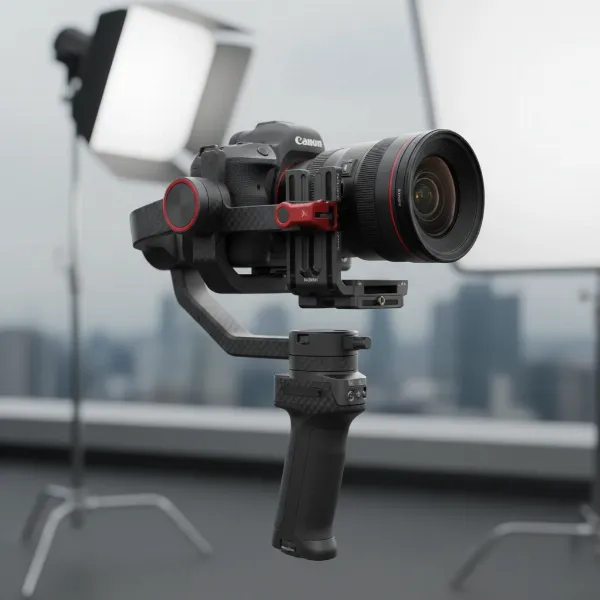 DJI RS 4 Pro gimbal setup in native vertical shooting mode with a mirrorless camera
Improved Balancing System
Balancing a camera on a gimbal can be a time-consuming task, but the RS 4 Pro aims to simplify this process. Its axis arms are now coated with Teflon™, significantly reducing friction and making adjustments smoother and more precise. Additionally, the roll axis incorporates new dual rolling bearings, further enhancing the ease of fine-tuning your camera’s balance. Distance scales on the arms also allow for repeatable setups, speeding up workflow.
Automated Axis Locks (2nd Gen)
The 2nd-Generation automated axis locks are another welcome enhancement. These locks engage and disengage swiftly, not only speeding up setup and breakdown times but also ensuring tighter locking with smaller gaps, which ultimately contributes to reduced gimbal shakes during operation and transport.
DJI Focus Pro System Integration
For filmmakers demanding precise control over focus, the RS 4 Pro integrates seamlessly with the new DJI Focus Pro lens control system. This robust ecosystem includes the LiDAR Range Finder for advanced autofocus capabilities, and the Focus Pro Motor for precise manual or automated lens control. The focus motor now supports a more universal 15mm rod, enhancing compatibility. Combined with DJI Transmission for real-time monitoring and remote control, the RS 4 Pro offers a comprehensive solution for complex shoots.
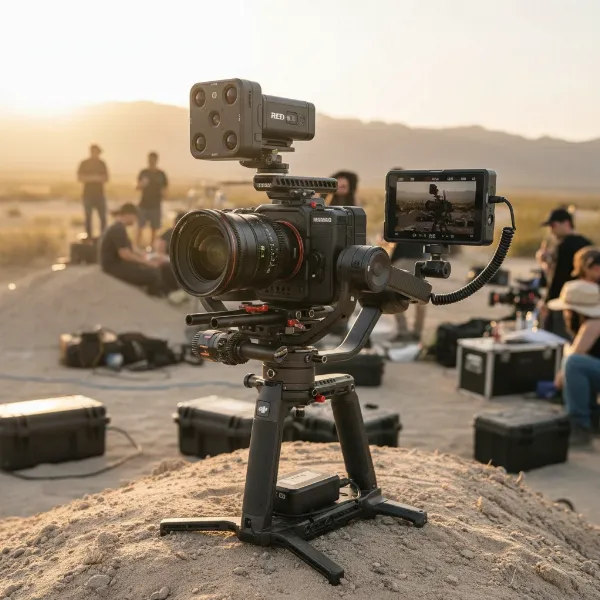 DJI RS 4 Pro gimbal with DJI Focus Pro LiDAR range finder and focus motor attached
BG70 High-Capacity Battery Grip Compatibility
While the standard BG30 battery grip offers a respectable 13 hours of operation, the RS 4 Pro is compatible with the optional BG70 High-Capacity Battery Grip, which extends runtime to an impressive 29.5 hours. This extended battery life is invaluable for long shooting days, ensuring you can keep rolling without interruption.
Intuitive Control Features
The gimbal features a vibrant 1.8-inch color OLED touchscreen with an auto-lock function to prevent accidental changes during critical moments. Physical mode switches allow for quick toggling between Pan Follow (PF), Pan Tilt Follow (PTF), and First Person View (FPV) modes. A new joystick mode switch enables rapid changes to zoom control, enhancing creative options. Bluetooth wireless control and the DJI Ronin app’s Force Mobile feature, which allows you to control pan and tilt by moving your smartphone, further add to its versatile control options.
Premium Carbon Fiber Construction
The RS 4 Pro’s construction primarily utilizes carbon fiber, a material known for its high strength-to-weight ratio. This premium build not only makes the gimbal durable and robust but also helps manage its overall weight, especially when handling heavy payloads.
Is It an Upgrade? DJI RS 4 Pro vs. RS 3 Pro
For owners of the previous RS 3 Pro, the question of whether to upgrade is paramount. The DJI RS 4 Pro doesn’t represent a radical overhaul but rather a series of thoughtful, iterative improvements that significantly refine the user experience, particularly for demanding professional scenarios.
The most notable enhancements include the improved balancing system with Teflon™-coated arms and dual roll axis bearings, making setup noticeably quicker and smoother compared to its predecessor. The 2nd-Gen native vertical shooting is a huge workflow advantage, eliminating the need for an additional accessory to switch orientations—a feature critical for modern content creators. The increased motor torque provides greater confidence with heavier or less perfectly balanced rigs, while the new “Car Mount” calibration mode optimizes performance for shots from moving vehicles. Furthermore, tighter integration with the expanded DJI Focus Pro ecosystem and the 15mm rod support for the focus motor mean more seamless and versatile lens control.
While the RS 3 Pro remains a highly capable gimbal, the RS 4 Pro’s subtle yet impactful refinements cumulatively deliver a more efficient, versatile, and dependable tool for filmmakers tackling complex projects. As Jim Fisher, Principal Writer for PCMag, notes, “With a few design changes and slightly more power, the DJI RS 4 Pro only improves upon its predecessor as the go-to gimbal for expert users with heavy equipment.” An upgrade is particularly justified if your work frequently involves heavy camera setups, requires rapid transitions between horizontal and vertical filming, or benefits from the advanced capabilities of the DJI Focus Pro system.
Choosing the Right Stabilizer: Factors to Consider
Selecting the ideal camera stabilizer involves weighing several crucial factors to ensure it aligns with your specific needs and filmmaking ambitions.
Camera Type and Payload
This is perhaps the most critical consideration. The DJI RS 4 Pro is engineered for heavy mirrorless and DSLR cameras, such as the Nikon Z 8, Canon EOS R3, or Nikon Z 9, along with substantial lenses, supporting up to 10 lbs (4.5 kg). If you primarily shoot with lighter setups, a gimbal like the standard DJI RS 4 (6.6 lbs / 3 kg payload) might be sufficient and more cost-effective. Using a gimbal that is too small for your camera system can lead to motor strain and less stable footage.
Budget
The RS 4 Pro is a premium device, and its price reflects its professional capabilities. It’s an investment, and while justified for professional productions, it might be “overkill for many enthusiast and hobbyist videographers.” Factor in the cost of essential accessories like the optional BG70 High-Capacity Battery Grip or components of the DJI Focus Pro system, which can significantly add to the overall expense.
Purpose of Use
Consider the nature of your projects. Are you a professional filmmaker working on commercials, short films, or documentaries that require precise, dynamic camera movements with heavy rigs? Or are you a vlogger, travel content creator, or event videographer who needs quick setup and versatile shooting modes, including vertical video? The RS 4 Pro excels in high-demand, professional environments where its payload capacity and ecosystem integration shine. Its native vertical shooting is particularly advantageous for social media-driven content.
Portability and Ergonomics
Even with its carbon fiber construction, the RS 4 Pro is a substantial piece of equipment. Evaluate how easily you can transport it and operate it for extended periods. Features like the attachable sling arm can help distribute weight and enhance comfort during long shoots. For maximum portability with lighter cameras, smaller gimbals like the DJI RS 3 Mini or standard RS 4 might be better suited.
Comparing Popular Camera Stabilizers
To truly understand the DJI RS 4 Pro’s position in the market, it’s helpful to see how it stacks up against some of its closest contenders.
| Feature | DJI RS 4 Pro | DJI RS 4 | Zhiyun Crane 4 |
|---|---|---|---|
| Max Payload | 10 lbs (4.5 kg) | 6.6 lbs (3 kg) | Up to 13.2 lbs (6 kg) (Source: search snippet) |
| Vertical Shooting | Native (2nd Gen) | Native (2nd Gen) | Yes |
| Balancing System | Teflon™-coated arms, dual rolling bearings | Teflon™-coated arms | Intuitive aids |
| Ecosystem Integration | DJI Focus Pro, Transmission | RavenEye | Standalone, some accessories |
| Key Differentiators | 20% increased motor torque, Car Mount mode, 15mm focus rod | More affordable, lighter setups | Integrated LED fill light, wrist rest |
| Target User | Professional filmmakers with heavy rigs, full ecosystem needs | Mainstream mirrorless users, vloggers | Professionals needing high payload or specific built-in tools |
While the Zhiyun Crane 4 offers an impressive payload capacity that can exceed the RS 4 Pro in some configurations and includes unique features like an integrated LED fill light, the DJI RS 4 Pro stands out with its refined balancing system, native vertical shooting, and unparalleled integration with DJI’s advanced Focus Pro and Transmission ecosystem. This ecosystem synergy provides a comprehensive production solution that few rivals can match, making the RS 4 Pro particularly compelling for those invested in DJI’s professional workflow.
Beyond the Basics: Advanced Usage and Maintenance
Mastering the DJI RS 4 Pro involves more than just attaching your camera; it’s about understanding its nuances for optimal performance and longevity.
Balancing and Setup
Despite its sophisticated features, balancing the RS 4 Pro is remarkably user-friendly. The Teflon™-coated arms and fine-tuning knob on the tilt axis allow for smooth, precise adjustments. Take advantage of the distance scales on the arms to record your settings for frequently used camera and lens combinations, enabling rapid re-balancing for future shoots. The auto-locking axes also contribute to a faster workflow, letting you focus on the creative aspects of your shoot.
Tips for Smooth Footage
Experiment with the various stabilization modes: Pan Follow for smooth horizontal tracking, Pan Tilt Follow for dynamic vertical and horizontal movements, and FPV for immersive, roll-axis-driven shots. Leverage the DJI Ronin app’s ActiveTrack feature in conjunction with the RavenEye Image Transmitter to intelligently track subjects, or use Force Mobile to control the gimbal’s movements intuitively with your smartphone’s gyroscope. Practice different camera movements, such as walking with bent knees or using the sling arm for low-angle shots, to achieve that signature “floating” look.
Proper Cleaning and Storage
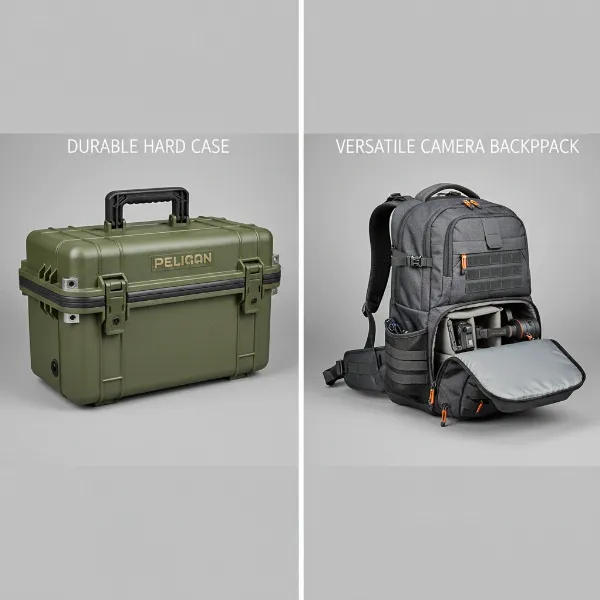
To ensure the longevity and peak performance of your RS 4 Pro, regular maintenance is key. Keep the gimbal clean, especially the motor axes, free from dust and debris. The Combo kit typically includes a dedicated carrying case, which is ideal for safe transport and storage, protecting your investment from bumps and environmental elements. The USB-C charging capability also means you can power it conveniently.
Where to Purchase the DJI RS 4 Pro
For those ready to harness the power of the DJI RS 4 Pro, it is readily available through multiple reputable channels.
The official DJI Store is an excellent option, offering direct support, expert help, one-on-one customer service, and professional technical assistance, often with benefits like free shipping. Additionally, you can find the DJI RS 4 Pro at authorized retailers and online marketplaces such as Adorama, Sweetwater, Dell, Crutchfield, B&H, and Amazon.
When purchasing, always consider investing in DJI Care Refresh, DJI’s protection plan. This plan covers accidental damage, including screen, water, and cracking issues, and offers discounted replacements, providing peace of mind for your valuable gear. Always review warranty and return policies before making your purchase.
Buying Guide: Expert Advice for Your Decision
Making an informed decision about a professional camera stabilizer like the DJI RS 4 Pro requires careful consideration. Here’s some expert advice to guide your choice:
“If you use hefty, pro-grade equipment, this is the gimbal to get. The DJI RS 4 Pro gimbal justifies its lofty price for creators with oversize cameras thanks to its superb stabilization, robust build quality, and wide range of accessory support.” – Jim Fisher, Principal Writer, PCMag
“The DJI RS 4 Pro is a pleasure to use due to its consistently smooth performance… the subtle changes to its design made it easier to balance larger camera/lens combinations.” – George Cairns, Digital Camera World
- Assess Your Payload Needs: Be honest about the weight of your camera and heaviest lens combinations. If you consistently use setups close to or exceeding 6.6 lbs (3 kg), the RS 4 Pro’s 10 lbs (4.5 kg) capacity and enhanced motors will be a distinct advantage.
- Evaluate Your Workflow: Do you frequently need to switch between horizontal and vertical shooting? Is precise focus control with manual lenses critical for your work? Is seamless integration with a comprehensive ecosystem (LiDAR, wireless transmission) a priority? The RS 4 Pro excels in these areas.
- Consider the Ecosystem: DJI’s Ronin ecosystem is expansive. If you plan to expand your kit with advanced focus systems, remote monitoring, or other DJI accessories, the RS 4 Pro is built for seamless synergy.
- Budget vs. Value: While expensive, the RS 4 Pro delivers immense value for professionals. Compare its capabilities not just to its price, but to the quality of footage it enables and the time it saves on set. For many, the efficiency gains and creative freedom outweigh the initial cost.
Conclusion
The DJI RS 4 Pro stands as a formidable Camera Stabilizer, a testament to DJI’s continuous innovation in cinematic technology. It refines an already excellent platform, offering a highly capable, robust, and intelligently designed tool for serious filmmakers. Its enhanced payload capacity, smoother balancing, native vertical shooting, and deep integration with the DJI Focus Pro ecosystem make it an incredibly versatile and efficient device for a wide range of professional productions.
While it may be overkill for casual users and represents an iterative rather than revolutionary leap over its immediate predecessor, the cumulative effect of its subtle improvements is significant for those pushing the boundaries of cinematic expression with heavier rigs and demanding precise control. For filmmakers seeking uncompromising stability, advanced control, and seamless workflow integration, the DJI RS 4 Pro is undeniably a top-tier contender. It’s not just a gimbal; it’s a comprehensive production solution designed to unlock your creative potential.
Will the DJI RS 4 Pro redefine your filmmaking journey?
Frequently Asked Questions
What cameras are compatible with the DJI RS 4 Pro?
The DJI RS 4 Pro is compatible with a broad spectrum of mirrorless and DSLR cameras, supporting payloads up to 10 lbs (4.5 kg). This includes popular professional cameras like the Nikon Z 8, Canon EOS R3, and Nikon Z 9, as well as many setups featuring heavier lenses. For a detailed list, users should consult DJI’s official camera compatibility guide.
What is the battery life of the DJI RS 4 Pro?
The standard BG30 battery grip included with the DJI RS 4 Pro provides up to 13 hours of operational battery life. For extended shooting sessions, the optional BG70 High-Capacity Battery Grip can significantly boost this to an impressive 29.5 hours, ensuring prolonged power for demanding productions.
Can the DJI RS 4 Pro shoot vertical video?
Yes, the DJI RS 4 Pro features 2nd-Generation native vertical shooting capabilities. This innovative design allows filmmakers to quickly and easily switch between horizontal and vertical orientations by simply adjusting the camera’s mounting plate, eliminating the need for cumbersome additional accessories.
Is the DJI RS 4 Pro worth upgrading from the RS 3 Pro?
For professional filmmakers who regularly use heavy camera and lens setups, require rapid transitions to vertical video for social media, or plan to leverage the advanced features of the DJI Focus Pro ecosystem (such as LiDAR autofocus and precise focus motors), the RS 4 Pro offers worthwhile enhancements. However, for those with lighter rigs or less demanding needs, the RS 3 Pro remains a highly capable and cost-effective option.